Biconic Bluetooth Tough Weatherproof Portable Wireless Speaker User Manual
Model: ABC-AU-BS-103-BK
Kaubamärk: Bytech
1. Toote lõppview
The Biconic Bluetooth Tough Weatherproof Portable Wireless Speaker is designed for robust outdoor and indoor use, providing enhanced bass and clear audio. Its wireless capabilities allow for easy connection to various devices, and its durable, weatherproof construction ensures reliable performance in diverse environments.

Joonis 1.1: Esiosa view of the Biconic Bluetooth Speaker, showcasing oma vastupidava disaini ja kõlarivõrega.
Peamised omadused:
- Traadita ühenduvus: Seamless Bluetooth pairing with smartphones, tablets, and other compatible devices.
- Ilmastikukindel disain: IPX6 water resistance protects against strong jets of water, making it suitable for outdoor use.
- Täiustatud bass: Delivers rich, deep bass for a superior audio experience.
- Kaasaskantav: Compact design with a durable strap for easy transport.
- Pikk mänguaeg: Up to 4 hours of continuous audio playback on a single charge.
2. Ohutusalane teave
Palun lugege enne toote kasutamist hoolikalt läbi kõik ohutushoiatused ja juhised, et tagada ohutu töö ja vältida kahjustusi.
- Ärge jätke kõlarit äärmuslike temperatuuride kätte (kuuma või külma).
- Do not immerse the speaker in water. While it is IPX6 water resistant, it is not designed for submersion.
- Keep the speaker away from direct heat sources, open flames, and flammable liquids.
- Use only the provided charging cable and a compatible power adapter (5V/1A recommended) to charge the device.
- Ärge proovige kõlarit lahti võtta, parandada ega muuta. See tühistab garantii ja võib põhjustada kahju.
- Hoida lastele kättesaamatus kohas.
- Puhastage kõlarit pehme ja kuiva lapiga. Ärge kasutage abrasiivseid puhastusvahendeid ega lahusteid.
3. Pakendi sisu
Veenduge lahtipakkimisel, et kõik esemed on pakendis olemas:
- Biconic Bluetooth Tough Weatherproof Portable Wireless Speaker
- USB laadimiskaabel
- Kasutusjuhend (see dokument)
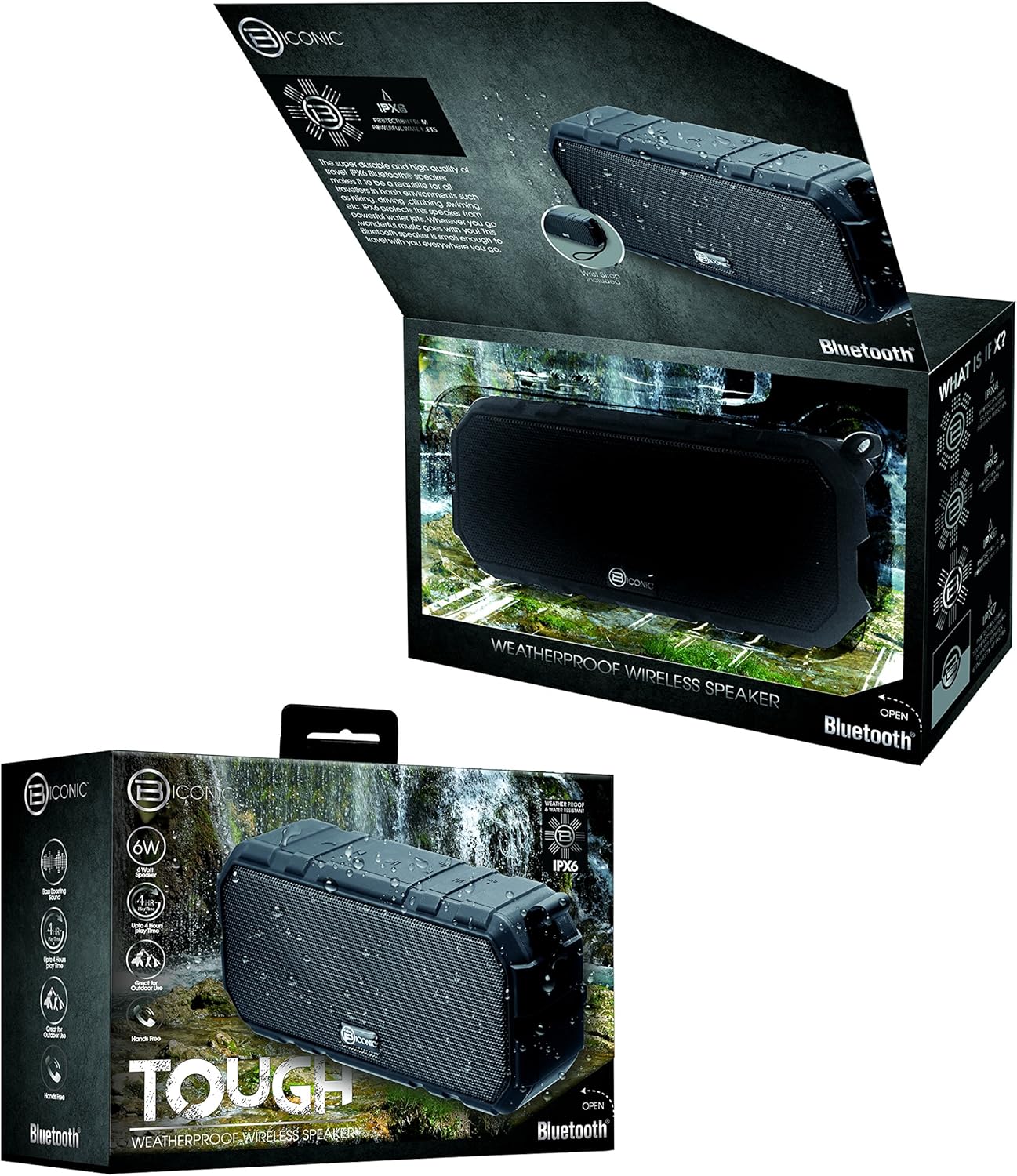
Figure 3.1: The Biconic Bluetooth Speaker shown with its retail packaging, indicating typical package contents.
4. Seadistamine
4.1 Kõlari laadimine
- Locate the charging port on the side of the speaker. This port is typically protected by a rubber flap to maintain water resistance.
- Avage kummist klapp.
- Ühendage kaasasoleva USB-laadimiskaabli väiksem ots kõlari laadimisporti.
- Ühendage USB-kaabli suurem ots USB-toiteallikaga (nt arvuti USB-porti või USB-seinaadapterisse).
- The charging indicator light will illuminate, typically red, to show that the speaker is charging.
- Once fully charged (approximately 2-3 hours), the indicator light will change color (e.g., turn off or turn blue/green). Disconnect the charging cable and close the rubber flap securely to maintain water resistance.
4.2 Sisse-/väljalülitamine
- Sisselülitamiseks: Press and hold the Power button (usually marked with a power symbol) for a few seconds until you hear an audible tone or see an indicator light illuminate.
- Väljalülitamiseks: Press and hold the Power button again for a few seconds until you hear an audible tone or the indicator light turns off.
5. Kasutusjuhised
5.1 Bluetoothi sidumine
Before first use, you need to pair the speaker with your Bluetooth-enabled device.
- Ensure the speaker is fully charged and powered on. It will automatically enter pairing mode, indicated by a flashing blue LED light.
- On your smartphone, tablet, or other Bluetooth device, go to the Bluetooth settings menu.
- Lubage Bluetooth, kui see pole veel lubatud.
- Scan for available devices. You should see "Biconic Speaker" or a similar name appear in the list.
- Select "Biconic Speaker" to connect. Once successfully paired, you will hear a confirmation tone, and the blue LED light on the speaker will stop flashing and remain solid.
- Kui küsitakse parooli, sisestage "0000".
- Kõlar loob sisselülitamisel automaatselt uuesti ühenduse viimase seotud seadmega, kui seade on leviala piires ja Bluetooth on lubatud.
5.2 Muusika taasesitus
Once paired, you can control music playback directly from your connected device or using the speaker's controls.
- Esita/peata: Press the Play/Pause button (often marked with a triangle or || symbol) once to play or pause music.
- Helitugevuse suurendamine: Press the Volume Up button (+) to increase the volume.
- Hääl maha: Press the Volume Down button (-) to decrease the volume.
- Järgmine lugu: Press and hold the Volume Up button (+) for a few seconds to skip to the next track.
- Eelmine lugu: Press and hold the Volume Down button (-) for a few seconds to go to the previous track.

Joonis 5.1: Ülemine view of the Biconic Bluetooth Speaker, highlighting the control buttons for power, volume, and playback.
5.3 Answering Calls (Hands-Free Function)
The speaker supports hands-free calling when connected to a smartphone.
- Vasta kõnele: Sissetuleva kõne korral vajutage vastamiseks üks kord esitus-/pausinuppu.
- Kõne lõpetamine: Kõne ajal kõne lõpetamiseks vajutage üks kord nuppu Esita/Paus.
- Keeldu kõnest: Press and hold the Play/Pause button for a few seconds to reject an incoming call.
6. Hooldus
Nõuetekohane hooldus tagab teie kõlari pikaealisuse ja optimaalse jõudluse.
- Puhastamine: Pühkige kõlar pehme, damp cloth. Do not use harsh chemicals, solvents, or abrasive cleaners. Ensure the charging port flap is closed before cleaning with a damp riie.
- Hoiustamine: Hoidke kõlarit jahedas, kuivas ja otsese päikesevalguse ning äärmuslike temperatuuride eest kaitstult, kui seda pikemat aega ei kasutata.
- Aku hooldus: To preserve battery life, fully charge the speaker before storing it for long periods. Recharge every 3-6 months if not used regularly.
- Veekindlus: Always ensure the rubber flap covering the charging port is securely closed to maintain the IPX6 water resistance rating.

Figure 6.1: The Biconic Bluetooth Speaker demonstrating its water-resistant capabilities, highlighting the importance of proper sealing for maintenance.
7. Veaotsing
| Probleem | Võimalik põhjus | Lahendus |
|---|---|---|
| Kõlar ei lülitu sisse. | Aku on tühjaks saanud. | Laadige kõlar täielikult. |
| Bluetooth-seadmega ei saa siduda. | Bluetooth is off on your device; speaker is not in pairing mode; device is too far. | Ensure Bluetooth is enabled on your device. Power off and on the speaker to re-enter pairing mode. Move device closer to the speaker (within 10 meters). Forget the device on your phone and try pairing again. |
| Heli puudub või on vaikne. | Kõlari või seadme helitugevus on liiga madal; kõlar pole ühendatud. | Increase volume on both the speaker and your connected device. Ensure the speaker is properly paired and connected. |
| Heli moonutamine. | Volume too high; interference; low battery. | Reduce volume. Move speaker away from other electronic devices. Charge the speaker. |
8. Tehnilised andmed
| Funktsioon | Detail |
|---|---|
| Mudeli number | ABC-AU-BS-103-BK |
| Kaubamärk | Bytech |
| Ühenduvustehnoloogia | Bluetooth |
| Kõlari maksimaalne väljundvõimsus | 3 vatti |
| Heliväljundi režiim | Stereo |
| Veekindluse reiting | IPX6 (Water resistant, not submersible) |
| Aku tüüp | 1 liitiumioonaku (nõutav) |
| Mänguaeg | Kuni 4 tundi |
| Toote mõõtmed | 2.54 x 2.54 x 2.54 cm |
| Kauba kaal | 522 g |
| Paigaldustüüp | Lauaplaat |
9. Garantii ja tugi
For warranty information and technical support, please contact Bytech customer service. Details are typically provided on the product packaging or the official Bytech websaidile.
Palun hoidke ostutõend alles garantiinõuete esitamiseks.
Märkus. Garantiitingimused võivad piirkonniti erineda.