Sissejuhatus
This manual provides detailed instructions for the Logitech M221 Wireless Mouse. Designed for quiet operation and reliable performance, the M221 offers a comfortable, ambidextrous design with an 18-month battery life. Please read this manual thoroughly to ensure proper setup and optimal use of your device.
Seadistusjuhend
Logitech M221 juhtmevaba hiire seadistamiseks järgige neid samme.
- Paigaldage aku:
Locate the battery compartment on the underside of the mouse. Slide the battery cover off. Insert the included AA battery, ensuring correct polarity. Replace the battery cover.

Pilt: Alumine külg view of the Logitech M221 mouse, showing the battery compartment and the location of the USB receiver.
- USB-vastuvõtja leidmine:
The tiny USB receiver is stored inside the battery compartment for convenience during transport. Carefully remove it from its slot.
- Connect the Receiver to Your Computer:
Plug the USB receiver into an available USB port on your computer (PC or Mac). The mouse will automatically connect to your computer.
- Hiire sisselülitamine:
Ensure the power switch on the underside of the mouse is in the "ON" position. The mouse is now ready for use.
Kasutusjuhised
The Logitech M221 is designed for intuitive and comfortable use:
- Vaikne klõpsamine: The M221 features 90% reduced click sound, providing a quiet working environment without sacrificing the familiar click feel.
- Kahepoolne disain: Its comfortable, contoured shape is suitable for both left and right-handed users.
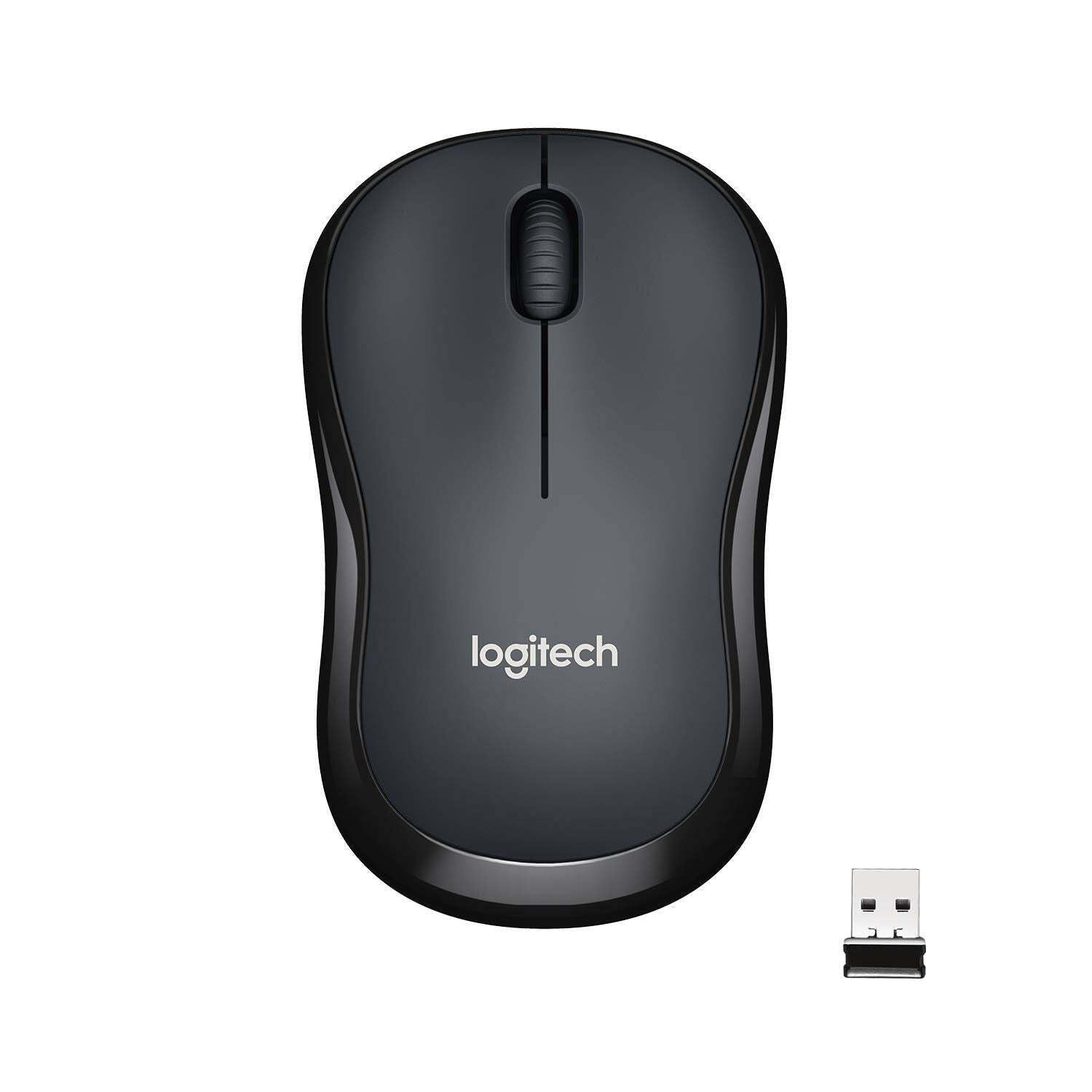
Pilt: Ülemine view of the Logitech M221 Wireless Mouse in charcoal, alongside its compact USB receiver.
- Optiline jälgimine: The mouse uses 1000 DPI optical tracking for smooth and precise cursor control.
- Juhtmevaba vahemik: Enjoy reliable wireless connectivity up to 10 meters (33 feet) from your computer. Actual range may vary based on environmental conditions.
- Auto-Sleep Feature: To conserve battery life, the mouse automatically enters a sleep mode when not in use. Move the mouse or click a button to wake it up.
Hooldus
Proper maintenance ensures the longevity and optimal performance of your M221 mouse.
- Patarei vahetus: The M221 mouse boasts an 18-month battery life. When the mouse performance degrades or the indicator light (if present) signals low battery, replace the AA battery. Refer to the "Install the Battery" step in the Setup Guide.
- Puhastamine: Use a soft, dry cloth to clean the mouse. Avoid abrasive cleaners or solvents.
- Hoiustamine: When not in use for extended periods, turn off the mouse using the power switch on the underside to further conserve battery life. Store the USB receiver inside the battery compartment to prevent loss.
Veaotsing
Kui teil tekib probleeme Logitech M221 hiirega, proovige järgmisi lahendusi.
- Hiir ei reageeri:
- Veenduge, et hiir oleks sisse lülitatud.
- Kontrollige akut. Vajadusel vahetage see välja.
- Veenduge, et USB-vastuvõtja on kindlalt arvuti töötavasse USB-porti ühendatud. Proovige mõnda teist USB-porti.
- Levialaprobleemide välistamiseks liigutage hiirt USB-vastuvõtjale lähemale.
- Ebakorrapärane kursori liikumine:
- Puhastage hiire allosas asuv optiline andur pehme ja kuiva lapiga.
- Veenduge, et kasutate hiirt sobival pinnal. Vältige tugevalt peegeldavaid või läbipaistvaid pindu.
- Kontrollige, kas teised traadita seadmed ei häiri häireid.
- Nupud või kerimisratas ei tööta:
- Taaskäivitage arvuti.
- Sisestage USB-vastuvõtja uuesti.
- If the issue persists, the mouse may require replacement.
Tehnilised andmed
| Funktsioon | Detail |
|---|---|
| Kaubamärk | Logitech |
| Mudel | M221 (Item model number: 910-004882) |
| Ühenduvustehnoloogia | 2.4 GHz traadita (USB-vastuvõtja) |
| Liikumise tuvastamine | Optiline (1000 DPI) |
| Silent Buttons | Yes (90% reduced click sound) |
| Aku tüüp | 1 x AA patareid (kaasas) |
| Keskmine aku tööiga | 18 kuud |
| Mitmekülgne disain | Jah |
| Ühilduvad operatsioonisüsteemid | Windows 10 or later, Windows 8, Windows RT, Windows 7, Mac OS X 10.5 or later, Chrome OS, Linux Kernel 2.6+2 |
| Toote mõõtmed | 6 x 4 x 10 cm (P x L x K) |
| Kauba kaal | 77 g |
| Kaasatud komponendid | Mouse, Nano Receiver, 1 AA Battery, User Documentation |

Image: Diagram showing the dimensions of the Logitech M221 Wireless Mouse: 99mm length, 60mm width, 39mm height, and 75g weight.
Garantii ja tugi
Garantiiteabe ja tehnilise toe saamiseks pöörduge Logitechi ametliku veebilehe poole. website or the documentation included with your product. Logitech provides customer support for product inquiries and assistance.
You can typically find support resources, FAQs, and contact information by visiting www.logitech.com/support.


