1. Sissejuhatus
This manual provides instructions for the installation, operation, and maintenance of your Swann 8-Channel 1080p Surveillance Kit. This system is designed to provide high-definition video surveillance for your property, featuring an 8-channel Digital Video Recorder (DVR) and four 1080p cameras.
2. Pakendi sisu
Palun kontrollige oma paki sisu. Kui mõni ese on puudu või kahjustatud, võtke ühendust edasimüüjaga.
- Swann 8-Channel 1080p DVR with 1TB Hard Drive
- 4 x 1080p Surveillance Cameras
- Power Adapters for DVR and Cameras
- Video Cables for Cameras
- HDMI kaabel
- Etherneti kaabel
- USB-hiir
- Kinnituskruvid ja tüüblid
- Kiirjuhend
3. Toote lõppview
3.1 Digital Video Recorder (DVR)
The DVR is the central unit for recording, storing, and managing video footage from your cameras. It features 8 channels for connecting up to 8 cameras and a pre-installed 1TB hard drive for continuous recording.
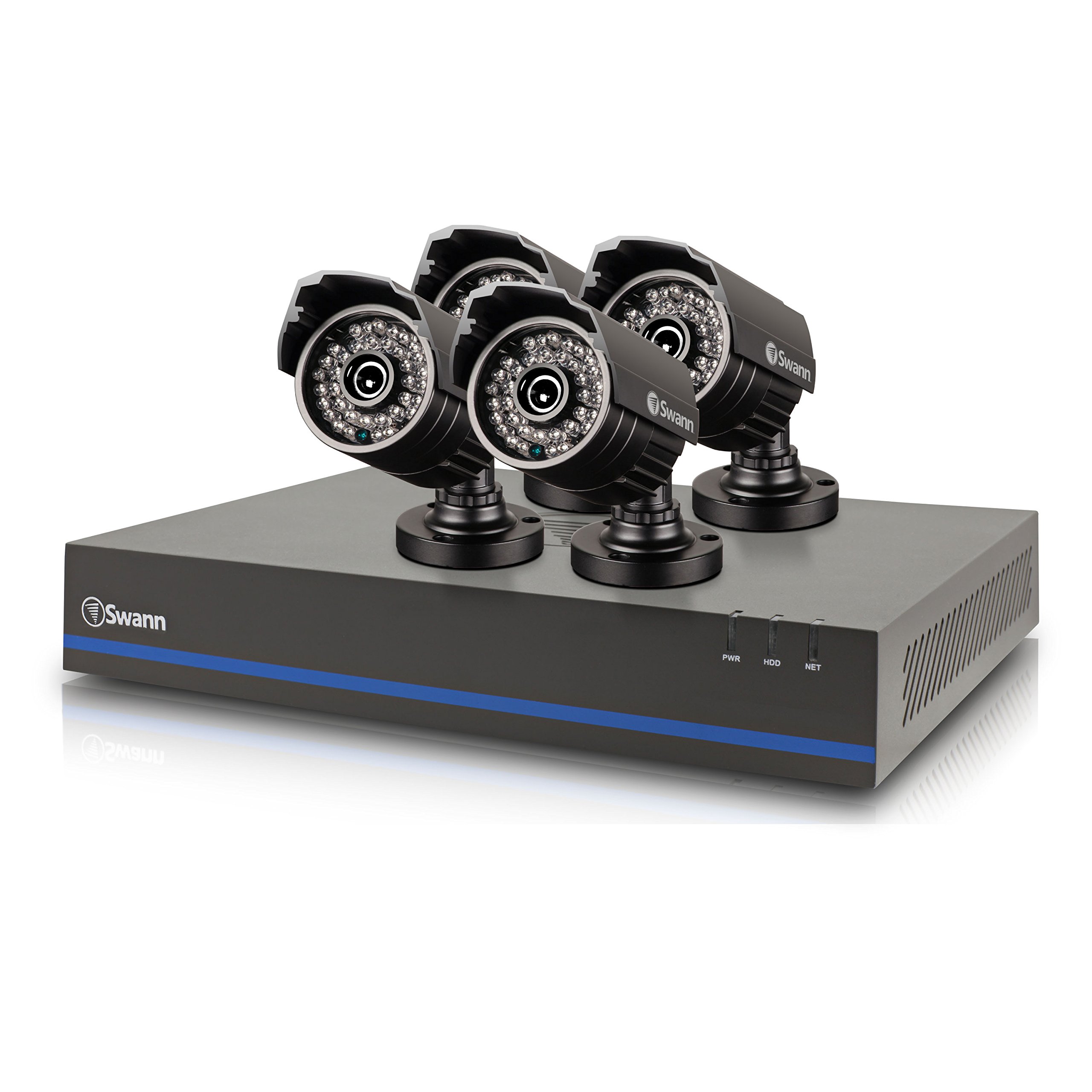
Image 1: Swann 8-Channel DVR (Angled View). This image shows the DVR unit from an angle, highlighting its compact design and front panel indicators.
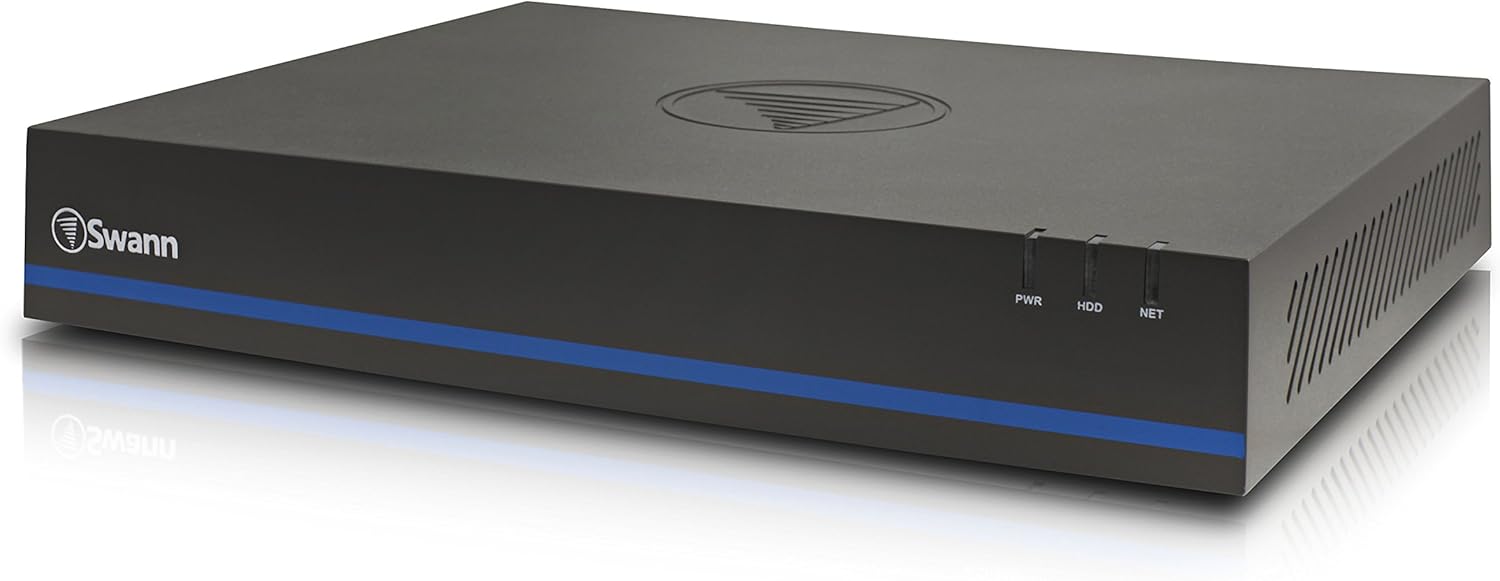
Image 2: Swann 8-Channel DVR (Front View). This image displays the front of the DVR, showing the PWR, HDD, and NET indicator lights.
3.2 Surveillance Cameras
The kit includes four 1080p cameras designed for both indoor and outdoor use. They provide crystal-clear 1920 x 1080 pixel video and are equipped with IR-cut filters for powerful night vision up to 100 feet (30 meters). The cameras have an IP66 weather-resistant rating.
4. Seadistamine
4.1 Riistvara paigaldamine
- DVR-i paigutamine: Place the DVR in a secure, well-ventilated area, away from direct sunlight and moisture.
- Kaamerate ühendamine: Connect each camera to an available video input port on the DVR using the provided video cables. Ensure connections are secure.
- Kaamerate toide: Connect the camera power adapters to the cameras and then to a power outlet.
- Connecting to a Monitor: Connect the DVR to a monitor (e.g., HDTV, LCD screen) using the HDMI or VGA cable.
- Hiire ühendamine: Ühendage USB-hiir DVR-i USB-porti.
- Võrguühendus (valikuline, kuid soovitatav): Connect an Ethernet cable from the DVR to your router for remote viewvõimeid.
- Powering the DVR: Ühendage DVR-i toiteadapter DVR-iga ja seejärel pistikupessa. DVR lülitub automaatselt sisse.
4.2 Tarkvara algkonfiguratsioon
Upon first power-on, the DVR will guide you through an initial setup wizard. Follow the on-screen prompts to:
- Set up a password for the administrator account.
- Konfigureerige kuupäeva ja kellaaja seaded.
- Adjust video output resolution.
- Perform a software update if prompted. (Note: Some users have reported needing to manually check for updates.)
- Configure network settings (if connected to a router).
4.3 Mobiilirakenduse seadistamine
Kaugjuhtimispuldi jaoks viewing on your smartphone or tablet (iOS/Android), download the SwannView Pluss app from your device's app store. (Note: The older SwannView app is not compatible with this system.) Follow the in-app instructions to add your DVR using its unique ID or QR code.
5. Süsteemi kasutamine
5.1 Otseülekanne Viewing
Kui süsteem on seadistatud, saate view ela lolltage from all connected cameras on your monitor or via the SwannView Plus mobile app. Use the USB mouse to navigate the DVR's on-screen interface.
5.2 Salvestamine
The DVR supports various recording modes:
- Pidev salvestamine: Records 24/7, overwriting older footage kui kõvaketas on täis.
- Liikumistuvastuse salvestamine: Records only when motion is detected by a camera. Sensitivity and recording schedules can be configured.
- Plaaniline salvestamine: Records during specific times of the day or week.
Access the DVR's menu to configure recording settings for each camera.
5.3 Taasesitus
Et uuestiview salvestatud footage:
- Access the DVR's main menu and select the 'Playback' option.
- Choose the date and time range you wish to review.
- Select the camera(s) whose footage sa tahad view.
- Foo navigeerimiseks kasutage taasesituse juhtnuppe (esita, paus, edasi-tagasi kerimine).tage.
You can also transfer incident video to external storage via USB or network.
5.4 Kaugjuurdepääs
The SwannView Plus app allows you to:
- View live camera feeds from anywhere with an internet connection.
- Taasesitage salvestatud footage.
- Receive push notifications for motion detection events.
Ensure your DVR is connected to the internet and the app is correctly configured.
6. Hooldus
- Regulaarne puhastamine: Keep camera lenses clean for optimal image clarity. Use a soft, damp riie.
- DVR-i ventilatsioon: Ensure the DVR's ventilation openings are clear to prevent overheating.
- Püsivara värskendused: Periodically check the Swann support website for firmware updates for your DVR to ensure optimal performance and security.
- Kõvaketta haldus: 1 TB kõvaketas kirjutab automaatselt üle vanimad failid.tage when full. Back up important footage regulaarselt.
7. Veaotsing
| Probleem | Võimalik põhjus | Lahendus |
|---|---|---|
| No video on monitor | Lahtine kaabliühendus, vale sisendallikas monitoril, DVR pole sisse lülitatud. | Kontrollige HDMI/VGA-kaabli ühendusi. Veenduge, et monitoril oleks õige sisend. Kontrollige DVR-i toidet. |
| Pole pulti viewrakenduse kaudu | DVR not connected to network, incorrect app (SwannView Link vs. SwannView Plus), network configuration issues. | Ensure DVR is connected to router. Confirm you are using the SwannView Pluss app. Check DVR network settings. |
| Halb öise nägemise kvaliteet | Obstructions in front of camera, camera too far from subject, IR lights blocked. | Clear obstructions. Ensure camera is within 82 feet (25 meters) of the area of interest. |
| DVR making loud humming noise | Normal operation of internal fan/hard drive, poor ventilation. | Ensure adequate ventilation around the DVR. If noise is excessive, contact support. |
| False motion alerts (e.g., from insects) | High motion sensitivity, insects near camera at night. | Adjust motion detection sensitivity in DVR settings. Consider scheduling email alerts to avoid notifications during specific times. |
8. Tehnilised andmed
- Kaubamärk: Swann
- Mudeli number: LYSB01LG2GSMY-ELECTRNCS
- Ühenduvustehnoloogia: Juhtmega
- Video jäädvustamise eraldusvõime: 1080p
- Eriomadused: Liikumisandur, öine nägemine
- Kanalite arv: 8
- Mälu salvestusmaht: 1 TB (kõvaketas)
- Toiteallikas: Juhtmega elekter
- Kauba mõõtmed (P x L x K): 16.5 x 12.6 x 8.3 tolli
- Operatsioonisüsteemi ühilduvus: Android, iOS (for mobile app)
- Soovitatavad kasutusalad: Indoor, Outdoor Surveillance
- Öise nägemise vahemik: Kuni 25 meetrit (82 jalga)
- Viewnurk: 90 kraadi
- Kauba kaal: 12.8 naela
- UPC: 840236117031
9. Garantii ja tugi
For warranty information and technical support, please refer to the documentation included with your product or visit the official Swann webveebisait. Hoidke ostutšekk ostutõendina garantiinõuete korral.
Interneti-ressursid:
- Swanni ametnik Websait: www.swann.com
- Product Support Page: Refer to the Swann website for specific support pages related to your model.


