1. Sissejuhatus
This manual provides detailed instructions for the safe and efficient operation of your Optoma EH416 Full HD 3D DLP Projector. Please read this manual thoroughly before using the projector and retain it for future reference. Proper use and maintenance will ensure optimal performance and longevity of your device.
Ohutusteave
- Ärge vaadake otse projektori objektiivi, kui lamp on sisse lülitatud. Tugev valgus võib silmi kahjustada.
- Tagage projektori ümber piisav ventilatsioon. Ärge blokeerige ventilatsiooniavasid.
- Kasutage ainult projektoriga kaasasolevat toitejuhet. Ühendage korralikult maandatud pistikupesaga.
- Ärge jätke projektorit vihma, niiskuse ega liigse õhuniiskuse kätte.
- Pöörduge kogu hoolduse poole kvalifitseeritud hooldustöötajate poole. Ärge proovige projektorit ise avada ega parandada.
2. Mis on karbis
Please verify that all items listed below are present in your package. If any items are missing or damaged, contact your dealer immediately.
- Optoma EH416 Projector
- Toitejuhe
- VGA-VGA-kaabel
- Kaugjuhtimispult
- Kandekott
- Patareid kaugjuhtimispuldi jaoks
- Multilingual CD-ROM User’s Manual
- Kiirstardi kaart
- Garantiikaart
3. Toote lõppview
Põhifunktsioonid
- High Brightness: 4200 lumens for clear images in various lighting conditions.
- Kõrge kontrastsus: 20,000:1 contrast ratio for sharp, luminous images with deep blacks.
- Full HD eraldusvõime: Native 1080p (1920x1080) resolution, supporting up to WUXGA (1920x1200).
- Advanced Optical Lens: Features a 1.6x zoom and vertical lens shift for flexible installation.
- Laialdane ühenduvus: Dual HDMI (one with MHL support), dual audio-in, VGA, and more.
- sRGB värviprofffile: Enables vibrant and highly accurate colors based on Rec. 709 HDTV specification.
- Seina värvi reguleerimine: Compensates for brightness loss when projecting on non-white surfaces.
- Edge Mask: Eliminates soft edges and jaggedness on the projection border for a smooth image.
- Integreeritud heli: Sisseehitatud 10W kõlar.
Projektorite komponendid
The image below illustrates the main components of the Optoma EH416 projector, including the lens, control panel, and various ports.
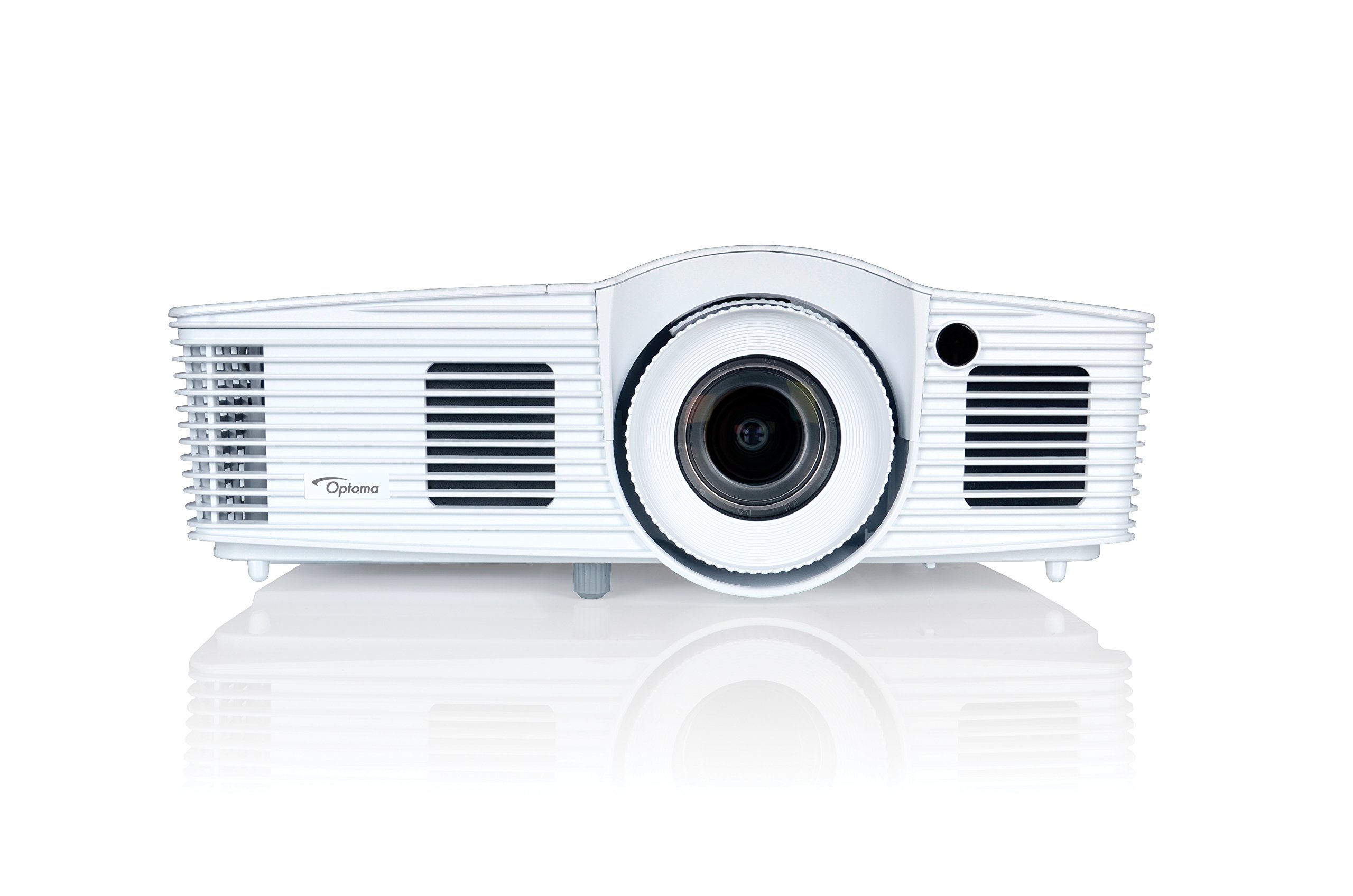
Joonis 1: Esiosa view of the Optoma EH416 Projector, showing the lens and primary controls.
Ühenduvusportid
The Optoma EH416 projector offers a wide range of connectivity options located on the rear panel for versatile integration with various devices.
- HDMI (2): Digital input for high-definition video and audio. One port supports MHL for mobile devices.
- VGA (x2): Analog input for computer connections.
- Audio In (x2): 3.5mm stereo jack for analog audio input.
- Heliväljund: 3.5mm stereo jack for connecting external speakers.
- USB-A: For power output or service.
- RS232: Projektori juhtimiseks arvuti või juhtimissüsteemi kaudu.
- RJ45 (Ethernet): Võrgu juhtimiseks ja haldamiseks.
4. Seadistamine
Projektori paigutus
The Optoma EH416 offers flexibility in placement due to its 1.6x zoom and vertical lens shift capabilities. Position the projector on a stable surface or mount it securely. Adjust the distance from the screen to achieve the desired image size. The 1.6x zoom allows for a larger image from a shorter distance or a smaller image from a longer distance without moving the projector.
Seadmete ühendamine
- Toiteühendus: Ühendage toitejuhe projektori toitepessa ja seejärel maandatud pistikupessa.
- Video allikas:
- For HDMI devices (e.g., Blu-ray player, laptop): Connect an HDMI cable from your device to one of the HDMI ports on the projector.
- For VGA devices (e.g., older laptops): Connect a VGA cable from your device to a VGA port on the projector. If audio is also required, connect a separate 3.5mm audio cable from your device to an Audio In port on the projector.
- For MHL compatible mobile devices: Connect an MHL cable to the designated HDMI/MHL port.
- Heliväljund (valikuline): If using external speakers, connect an audio cable from the projector's Audio Out port to your sound system.
Sisse/välja lülitamine
- Sisselülitamiseks: Vajutage projektori juhtpaneelil või kaugjuhtimispuldil olevat toitenuppu. Toiteindikaator muutub siniseks.
- Väljalülitamiseks: Press the power button twice. The projector will enter a cooling down cycle before completely shutting off. Do not unplug the projector during the cooling cycle.
5. Projektori kasutamine
Põhioperatsioon
- Allika valik: Use the 'Source' button on the remote or control panel to cycle through available input sources (HDMI1, HDMI2/MHL, VGA1, VGA2).
- Menüüs navigeerimine: Press the 'Menu' button to access the On-Screen Display (OSD). Use the arrow keys to navigate and 'Enter' to select options.
- Helitugevuse juhtimine: Use the volume buttons on the remote control to adjust the audio output from the built-in speaker or Audio Out port.
Pildi kohandamine
- Fookus ja suum: Rotate the focus and zoom rings on the projector lens to achieve a sharp and appropriately sized image.
- Keystone'i parandus: If the image appears trapezoidal, use the 'Keystone' function in the OSD menu or the dedicated button on the remote to correct the image shape. The EH416 supports ±40° vertical keystone correction.
- Vertikaalne objektiivi nihe: This feature allows you to physically move the image up or down without tilting the projector, minimizing keystone distortion. Adjust the lens shift dial located near the lens.
- Seina värvi reguleerimine: Access this feature in the OSD menu to compensate for the color of your projection surface (e.g., blackboard, light yellow wall). This helps maintain accurate color reproduction even on non-white walls.
- sRGB värviprofffile: For the most accurate and vibrant colors, especially when connecting to a PC, Mac, or sRGB compatible source, select the sRGB picture mode in the OSD. This profile adheres to the Rec. 709 HDTV specification.
- Edge Mask: This function, found in the OSD, helps to refine the edges of the projected image, eliminating any soft or jagged appearance on the border.
6. Hooldus
Projektori puhastamine
- Objektiiv: Kasutage pehmet, ebemevaba lappi, mis on spetsiaalselt mõeldud optiliste läätsede jaoks. Ärge kasutage abrasiivseid puhastusvahendeid.
- Casing: Pühkige projektori puhastuslappiasinPuhastage pehme ja kuiva lapiga. Kangekaelse mustuse korral kasutage kergelt kuiva lappi.amp lapiga ja õrnatoimelise pesuvahendiga ning seejärel pühkige kuivaks.
- Õhutusavad: Regularly check and clean the air vents to prevent dust buildup, which can lead to overheating. Use a soft brush or compressed air.
Lamp Hoolitsemine
Projektor lamp on piiratud elueaga. Kui lamp life is nearing its end, a warning message may appear on the screen. Refer to the full user manual on the included CD-ROM for detailed instructions on lamp replacement. Always use genuine Optoma replacement lamps to ensure optimal performance and safety.
7. Veaotsing
This section addresses common issues you might encounter. For more detailed troubleshooting, refer to the comprehensive user manual on the included CD-ROM.
- Ekraanil pole pilti:
- Check if the projector is powered on and the lamp põleb.
- Verify that the video source device is powered on and functioning correctly.
- Ensure the video cable (HDMI, VGA) is securely connected to both the projector and the source device.
- Select the correct input source using the 'Source' button on the remote or projector.
- Hägune või moonutatud pilt:
- Reguleerige projektori objektiivi teravustamisrõngast.
- If the image is trapezoidal, use the keystone correction function.
- Ensure the projector is perpendicular to the screen or use vertical lens shift.
- Heli puudub:
- Kontrollige projektori ja allikseadme helitugevust.
- If using an analog VGA connection, ensure a separate audio cable is connected.
- Verify that the audio output is not muted.
- Kaugjuhtimispult ei tööta:
- Kontrollige ja vahetage patareid.
- Veenduge, et kaugjuhtimispuldi ja projektori infrapunavastuvõtja vahel ei oleks takistusi.
8. Tehnilised andmed
| Funktsioon | Detail |
|---|---|
| Mudeli number | EH416 |
| Ekraani eraldusvõime | 1920 x 1080 (täis-HD) |
| Heledus | 4200 XNUMX luumenit |
| Kontrastsuse suhe | 20,000:1 |
| Ühenduvustehnoloogia | Wireless, HDMI, MHL, VGA |
| Toote mõõtmed | 8.81 x 12.36 x 4.48 tolli |
| Kauba kaal | 6.6 naela |
| Soovitatavad kasutusalad | Äri, haridus |
| Tootja | OPTOMA TEHNOLOOGIA |
| Esmakordselt saadaval olev kuupäev | 5. aprill 2016 |
9. Garantii ja tugi
Your Optoma EH416 projector comes with a manufacturer's warranty. Please refer to the included warranty card for specific terms, conditions, and registration information. For technical support, product registration, or to download the latest drivers and firmware, please visit the official Optoma website or contact Optoma customer service.


