Sissejuhatus
This manual provides instructions for the setup, operation, and maintenance of your iHome iH402B Dual Charging Alarm Clock. This device features dual alarms, a USB charging port, and a removable USB battery pack for portable power. Please read these instructions carefully before using your device.
Toode läbiview
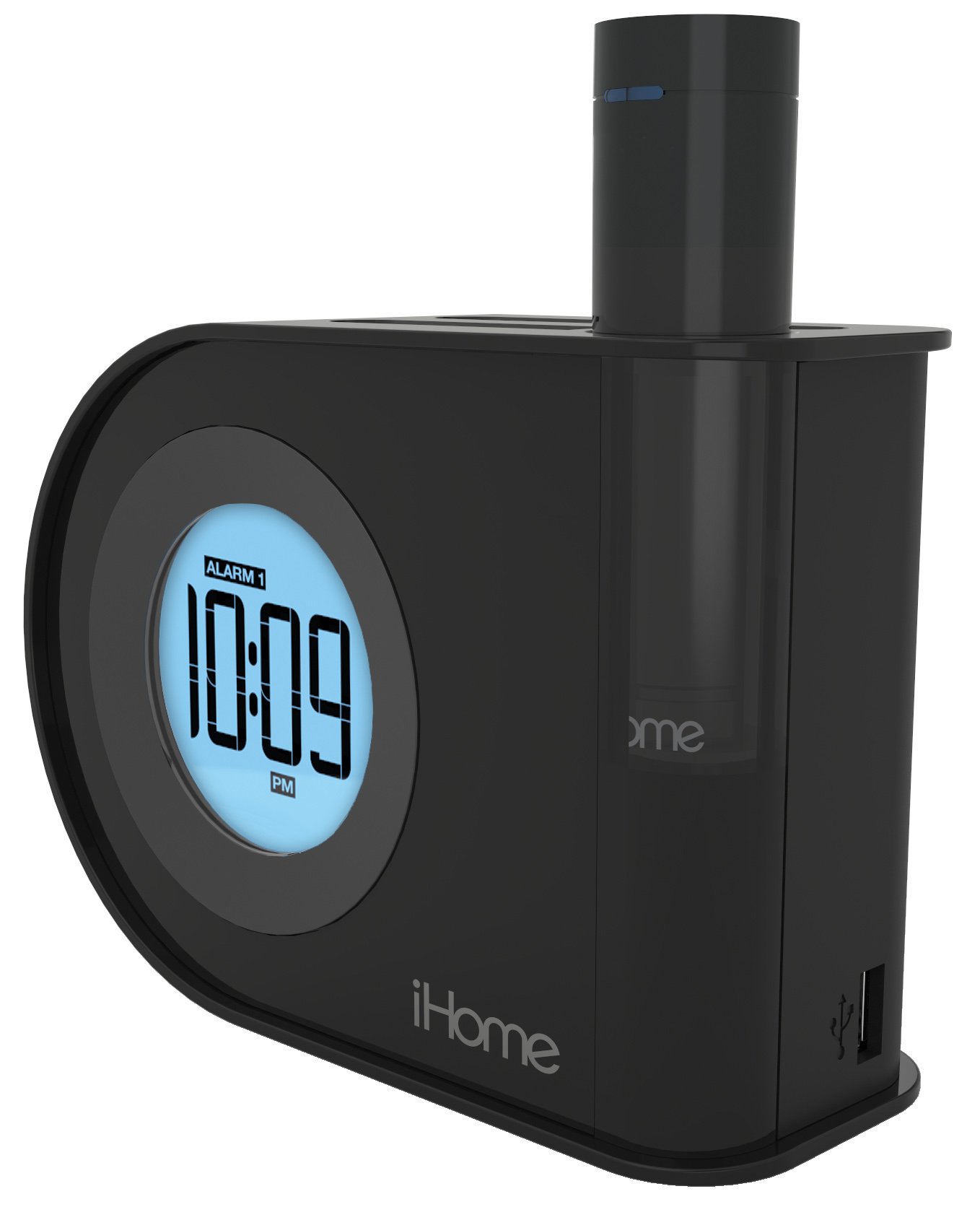
Pilt: The iHome iH402B alarm clock displaying 10:09 PM, with a smartphone and a tablet connected via USB cables for charging. The removable power pack is visible on the right side of the clock.
The iH402B is designed to provide reliable timekeeping and alarm functions, along with convenient charging capabilities for your mobile devices. It includes a main unit with a digital display, a built-in USB charging port, and a unique pop-out removable lithium-ion battery pack with its own USB port.
Seadistamine
1. Toiteühendus
Connect the power adapter (not included, but required for primary power) to the DC jack on the back of the iH402B unit and then plug the adapter into a standard wall outlet. The unit will power on and the display will illuminate.
2. Aku varundamine
The iH402B requires 2 AA batteries (included) for battery backup. Install these batteries into the compartment located on the bottom of the unit. This backup ensures that time and alarm settings are maintained during a power outage.
3. Kellaaja seadmine
- Vajutage ja hoidke all nuppu Määratud aeg button (refer to unit for exact location).
- Kasutage + or - nuppe tunni seadistamiseks. AM/PM õige seadistuse jaoks jälgige PM-indikaatorit.
- Vajutage nuppu Määratud aeg button again to confirm the hour and proceed to minute adjustment.
- Kasutage + or - nuppe minutite reguleerimiseks.
- Vajutage nuppu Määratud aeg nuppu viimast korda, et aeg salvestada ja aja seadistamise režiimist väljuda.
4. Suveaja (DST) lüliti
Otsige üles DST switch on the back of the unit. Slide the switch to the appropriate position (DST or Standard Time) to instantly adjust the clock for seasonal time changes.
Kasutusjuhised
1. Häirete seadistamine (Äratus 1 ja Äratus 2)
The iH402B features two independent alarms. Follow these steps for each alarm:
- Vajutage ja hoidke all nuppu Alarm 1 or Alarm 2 nuppu, kuni äratuse aeg ekraanil vilgub.
- Kasutage + or - buttons to adjust the desired alarm hour. Ensure the AM/PM indicator is correct.
- Vajutage vastavat Alarm button again to confirm the hour and proceed to minute adjustment.
- Kasutage + or - nuppe, et reguleerida soovitud äratuse minuteid.
- Vajutage nuppu Alarm button one last time to save the alarm time. The alarm indicator will light up, confirming the alarm is active.
- To turn off an active alarm, press the corresponding Alarm button once. The alarm indicator will turn off.
An alarm volume switch (High/Low) is located on the back of the unit to adjust the buzzer volume.
2. Edasilükkamise funktsioon
Kui äratussignaal kõlab, vajutage nuppu Edasilükkamine button (typically a large button on top of the unit) to temporarily silence the alarm. The alarm will sound again after a preset interval (usually 9 minutes).
3. Ekraani heledus
The display brightness can be adjusted. Locate the Dimmer or Heledus button (refer to unit for exact location). Press it repeatedly to cycle through various brightness levels, including an option to turn the display off entirely.
4. USB-laadimine
The iH402B offers two ways to charge your mobile devices:
- Sisseehitatud USB-port: Connect your device's USB charging cable to the USB port located on the side or back of the main unit.
- Removable USB Battery Pack: The unit includes a pop-out lithium-ion battery pack with its own USB port. To use it, press the release button (typically on the back) to eject the pack. Connect your device's USB charging cable to the port on the battery pack. To recharge the battery pack, reinsert it into the main unit.

Pilt: A lähemalt view of the iHome iH402B, highlighting the USB charging capabilities. A smartphone is connected to the built-in USB port, and a tablet is connected to the removable power pack, which is inserted into the alarm clock.
Hooldus
1. Puhastamine
Wipe the unit with a soft, dry cloth. Do not use liquid cleaners or abrasive materials, as they may damage the finish.
2. Battery Replacement (Backup)
If the display flickers or settings are lost during a power interruption, the AA backup batteries may need replacement. Open the battery compartment on the bottom of the unit, remove the old batteries, and insert two new AA batteries, observing correct polarity.
Veaotsing
- Seade ei lülitu sisse: Ensure the power adapter is securely plugged into both the unit and a working wall outlet. Check the power source.
- Äratus ei helise: Verify that the alarm is set and activated (alarm indicator lit). Check the alarm volume switch on the back of the unit.
- USB-laadimine ei tööta: Ensure the unit is powered on. Check the USB cable connection to both the alarm clock/battery pack and your device. Some devices may require more power than the removable pack can provide for a full charge.
- Time/settings lost during power outage: Replace the AA backup batteries.
- Display is too dim or off: Adjust the display brightness using the dedicated button.
Tehnilised andmed
| Kaubamärk | iHome |
| Mudeli number | iH402B |
| Kuva tüüp | Digitaalne |
| Toiteallikas | Battery Powered (for backup), Electrical (main) |
| Varupatareid | 2 AA patareid (kaasas) |
| Ühenduvus | USB |
| Toote mõõtmed | 2.36 x 5.71 x 4.06 tolli |
| Kauba kaal | 1.5 naela |
| Tootja | SDI Technologies, Inc. |
Garantii ja tugi
Garantiiteabe ja tehnilise toe saamiseks vaadake ostuga kaasasolevat dokumentatsiooni või külastage iHome'i ametlikku veebisaiti. webveebisait. Hoidke ostutõendit garantiinõuete esitamiseks.


