Sissejuhatus
Thank you for choosing the Technoline WT 745 Radio Controlled Alarm Clock. This digital alarm clock features precise timekeeping, dual alarms with snooze, date and weekday display, and indoor temperature monitoring. Please read this manual carefully to ensure proper setup and operation.
Pakendi sisu
- Technoline WT 745 Radio Controlled Alarm Clock
- Kasutusjuhend
Note: 2x AAA batteries are required and not included.
Toode läbiview
Familiarize yourself with the main components of your WT 745 alarm clock.
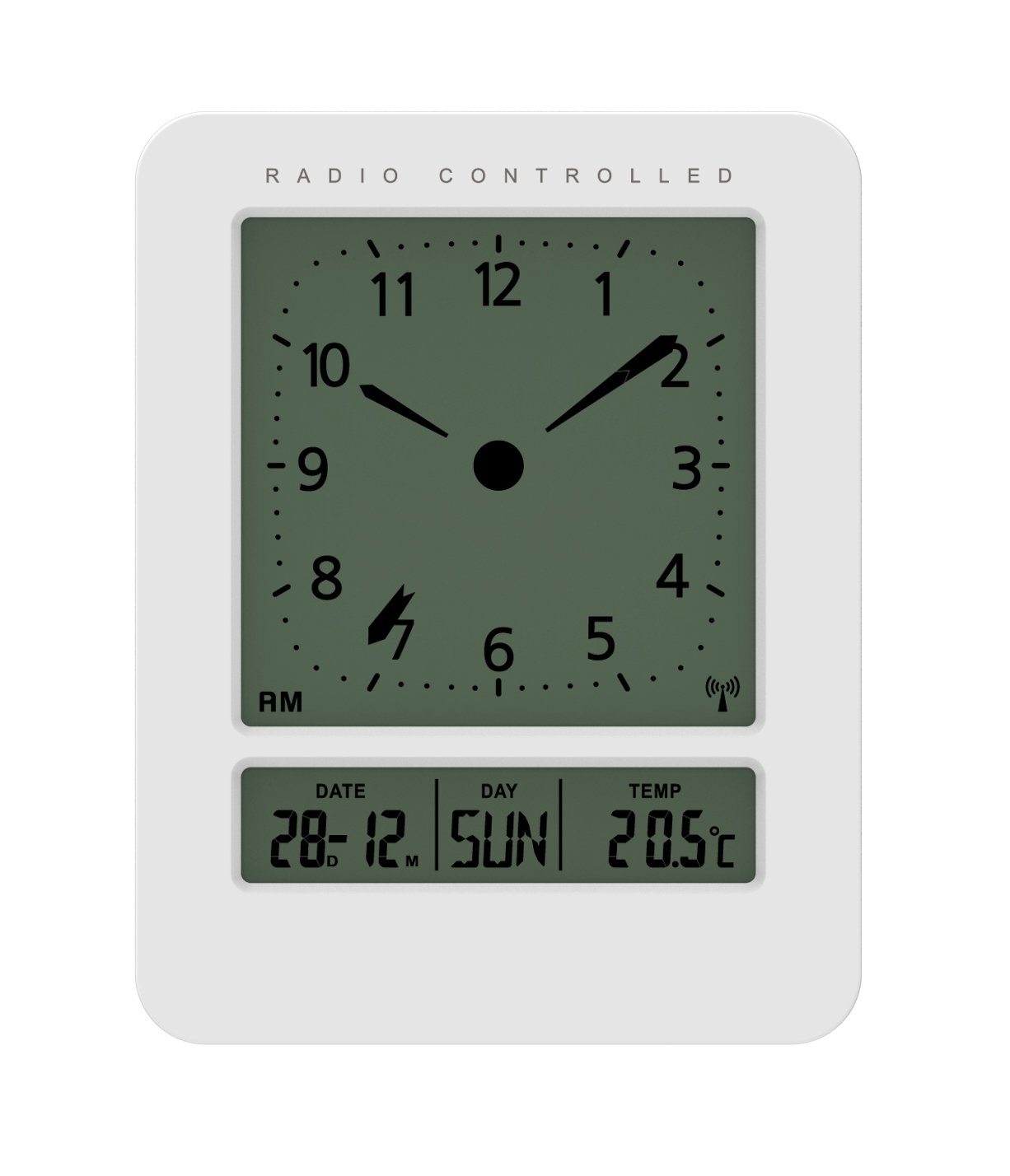
Pilt: Ees ja külg view of the Technoline WT 745 Radio Controlled Alarm Clock, showing the digital display with time, date, day, and temperature, and the analog clock face. The clock is white with a light grey display.
- Analog Clock Face: Displays current time with hour, minute, and second hands.
- Digitaalne kuva: Shows date, day of the week, and indoor temperature.
- Radio Controlled Indicator: Symbol indicating successful radio signal reception.
- Juhtnupud: Buttons for setting time, alarm, and other functions, typically located on the back or side.
- Akupesa: Located on the back for 2x AAA batteries.
Seadistamine
1. Patareide sisestamine
- Avage äratuskella tagaküljel asuv patareipesa kate.
- Insert 2 new AAA batteries, observing the correct polarity (+/-).
- Sulgege akupesa kaas kindlalt.
Note: The clock will automatically start searching for the radio time signal after battery insertion. This process may take several minutes.
2. Raadiosignaali esialgne vastuvõtt
- Optimaalse signaali vastuvõtu tagamiseks asetage kell akna lähedale.
- Vältige selle asetamist elektroonikaseadmete lähedusse, mis võivad häireid tekitada.
- Once the signal is received, the time, date, and day will be automatically set. The radio controlled indicator will appear on the display.
If the signal is not received within 10 minutes, try repositioning the clock or manually setting the time (see "Manual Time Setting").
Kasutusjuhised
Alarmi seadistamine
- Vajutage nuppu ALARM SET button (location not specified, assume standard placement). The alarm time will flash.
- Kasutage UP or ALLA nupud kellaaja reguleerimiseks.
- Vajutage ALARM SET uuesti, et kinnitada tund ja liikuda minutite juurde.
- Kasutage UP or ALLA nuppe minutite reguleerimiseks.
- Vajutage ALARM SET äratuse aja salvestamiseks.
- Äratuse aktiveerimiseks/deaktiveerimiseks vajutage nuppu ALARM ON / OFF nuppu. Ekraanile ilmub/kaob äratuseikoon.
The WT 745 supports two independent alarms. Repeat the steps above to set the second alarm.
Edasilükkamise funktsioon
- Kui äratus kõlab, vajutage UINAK button (usually a large button on top). The alarm will pause for approximately 5 minutes and then sound again.
- To stop the alarm completely, press any other button (e.g., ALARM ON/OFF) or let it ring for its full duration.
Backlight Activation
- Vajutage nuppu VALGUS or UINAK button to temporarily illuminate the display for easy viewhämaras.
Viewing Date, Day, and Temperature
- The digital display continuously shows the current date, day of the week, and indoor temperature. No specific action is required to view need.
Manual Time Setting (if radio signal is unavailable)
- Vajutage ja hoidke all nuppu AJA MÄÄRAMINE button for a few seconds until the hour digits flash.
- Kasutage UP or ALLA nupud kellaaja reguleerimiseks.
- Vajutage AJA MÄÄRAMINE uuesti, et kinnitada tund ja liikuda minutite juurde.
- Kasutage UP or ALLA nuppe minutite reguleerimiseks.
- Jätkake vajutamist AJA MÄÄRAMINE to cycle through and adjust year, month, and day as needed.
- Vajutage AJA MÄÄRAMINE one last time to exit manual setting mode.
Hooldus
- Puhastamine: Pühkige kella pehme ja kuiva lapiga. Ärge kasutage abrasiivseid puhastusvahendeid ega lahusteid.
- Patarei vahetus: Replace batteries when the display dims or functions become erratic. Always replace both batteries simultaneously with new ones.
- Hoiustamine: Kui kella pikemat aega hoiustate, eemaldage patareid lekke vältimiseks.
- Keskkond: Hoidke kella otsese päikesevalguse, äärmuslike temperatuuride ja kõrge õhuniiskuse eest.
Veaotsing
| Probleem | Võimalik põhjus | Lahendus |
|---|---|---|
| Ekraan on tühi või tuhm. | Patareid on tühjad või valesti sisestatud. | Vahetage patareid uute AAA patareide vastu, jälgides õiget polaarsust. |
| Clock does not receive radio signal. | Interference, poor location, or signal too weak. | Move the clock closer to a window, away from electronic devices. Try manual time setting. |
| Äratus ei helise. | Äratus ei ole aktiveeritud või on valesti seadistatud. | Ensure the alarm icon is visible on the display. Recheck alarm time settings. |
| Kuvatud on vale aeg. | Radio signal lost or manual time set incorrectly. | Allow the clock to resynchronize with the radio signal. If persistent, manually set the time. |
Tehnilised andmed
- Mudel: WT 745
- Kaubamärk: Technoline
- Mõõdud: 7.1 x 4.5 x 9.2 cm (P x L x K)
- Kaal: 150 g
- Materjal: Plastikust
- Kuva tüüp: Digital with Analog Clock Face
- Toiteallikas: 2 x AAA patareid (ei kuulu komplekti)
- Eriomadused: Radio Controlled Time, Dual Alarms, Snooze Function, Date Display, Day of Week Display, Indoor Temperature Display, Backlight.
- Kasutamine: Siseruumides
Garantii ja tugi
For warranty information or technical support, please refer to the warranty card included with your product or visit the official Technoline websait. Hoidke ostutšekk ostutõendina alles.
Ametlik Websait: www.technoline.eu


