1. Sissejuhatus
This manual provides essential information for the safe and efficient operation of your Haier 40E3500 40-inch 1080P LED HDTV. Please read these instructions thoroughly before using your television and retain them for future reference.
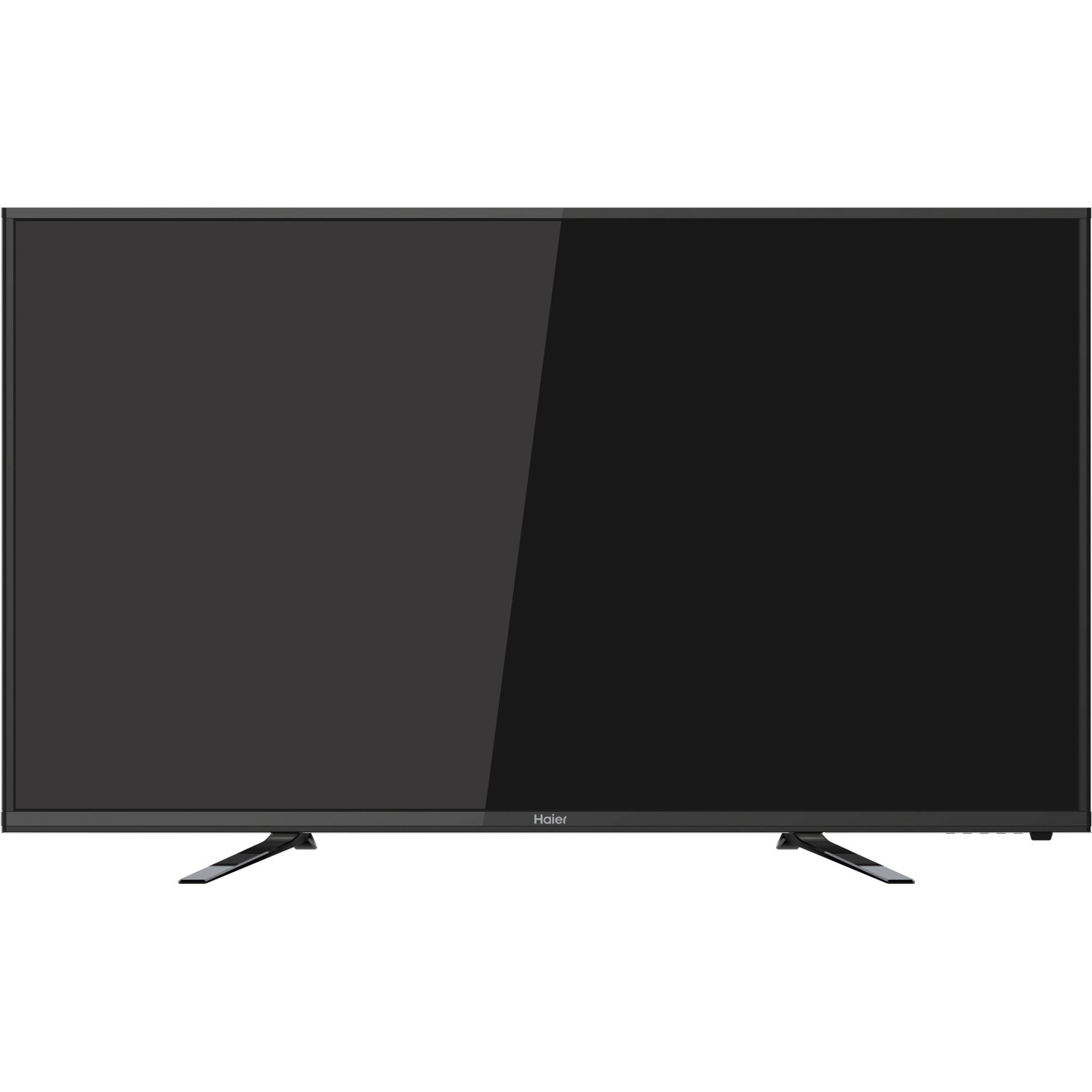
Pilt: Esikülg view of the Haier 40E3500 40-inch LED HDTV, showcasing its slim frame and display.
2. Seadistamine
2.1 Lahtipakkimine ja sisu
Võtke teler ettevaatlikult pakendist välja. Veenduge, et kõik komponendid on olemas:
- Haier 40E3500 Television Unit
- TV seista
- Kaugjuhtimispult (patareidega)
- Toitejuhe
- Kasutusjuhend (see dokument)
2.2 Aluse kinnitamine
Place the TV screen face down on a soft, clean surface to prevent scratches. Align the stand with the mounting holes on the bottom of the television. Secure the stand using the provided screws. Ensure the stand is firmly attached before placing the TV upright.
2.3 Seinale kinnitamine (valikuline)
If wall mounting, consult a professional installer. Note that this TV model may use smaller mounting screws than some other TV sets of similar size. Ensure compatible mounting hardware is used.
2.4 Toite ühendamine
Connect the power cord to the TV's power input, then plug the other end into a standard AC outlet.
2.5 Väliste seadmete ühendamine
Your Haier 40E3500 HDTV offers multiple connectivity options:
- HDMI-pordid (x3): For high-definition audio and video sources such as Blu-ray players, game consoles, and cable/satellite boxes. One HDMI port is MHL (Mobile High-Definition Link) enabled, allowing connection of compatible smartphones, tablets, or streaming sticks.
- USB-port (x1): USB-mäluseadmete ühendamiseks meedia esitamiseks files.
- Komponentvideo sisend: Seadmete ühendamiseks komponentvideokaablite abil.
- Komposiitvideo sisend: Seadmete ühendamiseks komposiitvideokaablite abil.
- RF sisend: Antenni või kaabeltelevisiooni ühendamiseks.
Ensure the TV is powered off before connecting or disconnecting any devices.
3. Kasutusjuhised
3.1 Esialgse seadistuse viisard
Esmakordsel sisselülitamisel juhendab teler teid esmase seadistamise protsessis. See hõlmab tavaliselt järgmist:
- Keele valik
- Time zone and clock settings
- Channel scan (for antenna/cable connections)
3.2 Põhifunktsioonid
- Toide sisse/välja: Vajutage kaugjuhtimispuldil või teleril olevat toitenuppu.
- Helitugevuse juhtimine: Kasutage kaugjuhtimispuldi helitugevuse suurendamise/vähendamise nuppe.
- Kanali valik: Kasutage kanalite üles/alla liikumise nuppe või numbrinuppe puldil.
- Sisend valik: Press the 'Input' or 'Source' button on the remote to cycle through available input sources (HDMI 1, HDMI 2, HDMI 3, USB, Component, Composite, TV).
3.3 Pildiseaded
Access the Picture menu to adjust settings such as Brightness, Contrast, Color, Tint, and Sharpness. Pre-set picture modes (e.g., Standard, Dynamic, Movie) are available for quick adjustments.
3.4 Helisätted
Access the Sound menu to adjust settings such as Bass, Treble, and Balance. The TV features two dedicated sound chambers designed to produce enhanced sound quality with improved mid-range response and richer overall sound texture.
3.5 MHL Functionality
Connect MHL-compatible devices (smartphones, tablets, Roku Streaming Stick) to the designated HDMI/MHL port using an MHL cable. This allows you to display content from your mobile device directly on the TV screen and often charges the device simultaneously.
4. Hooldus
4.1 Ekraani puhastamine
Pühkige ekraani õrnalt pehme, ebemevaba lapiga. Kangekaelsete plekkide korral pühkigeampLoputage lappi veega või spetsiaalse ekraanipuhastusvahendiga. Ärge pihustage vedelikku otse ekraanile.
4.2 Üldine hooldus
- Vältige teleri jätmist otsese päikesevalguse või äärmuslike temperatuuride kätte.
- Keep the TV away from sources of moisture.
- Ülekuumenemise vältimiseks tagage teleri ümber korralik ventilatsioon.
- Äikesetormide ajal või kui te jätate teleri pikaks ajaks järelevalveta, eemaldage see vooluvõrgust.
5. Veaotsing
Enne klienditoega ühenduse võtmist proovige levinud probleemide lahendamiseks järgmisi lahendusi.
- Toide puudub: Veenduge, et toitejuhe on kindlalt nii teleri kui ka seinakontakti ühendatud. Proovige teist pistikupesa.
- Pilti pole, aga heli on: Check the input source selection. Ensure the connected device is powered on and functioning correctly.
- Heli pole, aga pilt on: Check the volume level and mute setting. Ensure external audio devices are connected correctly.
- Kaugjuhtimispult ei tööta: Vahetage patareid välja. Veenduge, et puldi ja teleri infrapunasensori vahel ei oleks takistusi.
- Halb helikvaliteet: While the TV has dedicated sound chambers, some users may prefer external audio solutions. Adjust sound settings in the menu.
- HDMI Input Issues: If an HDMI input is not functioning, try connecting the device to a different HDMI port. Ensure the HDMI cable is not damaged.
6. Tehnilised andmed
| Mudeli number | 40E3500 |
| Ekraani suurus | 40 tolli |
| Kuvamistehnoloogia | LED |
| Resolutsioon | 1080p (täis-HD) |
| Värskendussagedus | 60 Hz |
| Toote mõõtmed (P x L x K) | 8.3 x 35.6 x 21.8 tolli |
| Kauba kaal | 14.84 naela |
| Ühenduvustehnoloogia | HDMI (x3, one MHL enabled), USB (x1) |
| Värv | Must |
7. Garantii ja tugi
Garantiiteabe saamiseks vaadake tootega kaasasolevat garantiikaarti või külastage Haieri ametlikku veebilehte. webveebisait. Hoidke ostutšekk ostutõendina garantiinõuete korral.
For technical support or service inquiries, please contact Haier customer service. Contact details can typically be found on the manufacturer's websaidil või toote pakendil.


