Sissejuhatus
The Ozeri WeightMaster II Digital Body Weight Scale is designed to provide a comprehensive and simple solution for measuring and tracking your weight. This scale features BMI measurement, automatic user recognition, and advanced weight change detection technology to help you monitor your progress effectively. It supports a maximum weight capacity of 440 lbs (200 kg).
Please read this manual thoroughly before using your new scale to ensure proper operation and to maximize its features.
Ohutusteave
- Do not use this scale on wet or slippery surfaces. Ensure the scale is placed on a firm, flat, and dry surface before use.
- Avoid dropping the scale or subjecting it to strong impacts, as this may damage the device.
- Do not immerse the scale in water or use abrasive cleaning agents. Clean with a damp riie.
- See kaal on mõeldud ainult koduseks kasutamiseks ja mitte meditsiiniliseks ega äriliseks otstarbeks.
- Hoidke patareid lastele kättesaamatus kohas. Allaneelamisel pöörduda viivitamatult arsti poole.
Pakendi sisu
- Ozeri WeightMaster II 440 lbs Digital Bath Scale
- Kasutusjuhend
- 2 AA patareid
Seadistamine
1. Aku paigaldamine
- Avage kaalu alumisel küljel asuv patareipesa kate.
- Sisestage kaks kaasasolevat AA-patareid, jälgides õiget polaarsust (+/-).
- Sulgege akupesa kaas kindlalt.
2. Esialgne paigutus
Asetage kaal kõvale, tasasele ja stabiilsele pinnale. Vältige vaipu või ebatasast põrandat, kuna see võib täpsust mõjutada.
3. Unit Selection (lbs/kg)
On the underside of the scale, locate the unit switch. Toggle the switch to select your preferred unit of measurement: pounds (lb) or kilograms (kg).
4. User Profile Setup (for BMI and Auto-Recognition)
The scale can store data for up to 8 unique users. To set up a user profile and enable BMI calculation:
- Press the 'SET' button on the scale. The display will show a user number (P1-P8). Use the arrow buttons to select your desired user number.
- Press 'SET' again. The display will prompt for height. Use the arrow buttons to adjust your height.
- Press 'SET' to confirm. Your profile is now set.
- The scale will automatically recognize you based on your weight when you step on it, provided your weight is within a reasonable range of your last recorded weight for that profile.
Kasutusjuhised
1. Mõõtmise tegemine
- Veenduge, et kaal oleks kõval ja tasasel pinnal.
- Gently step onto the scale with bare feet. The scale will automatically turn on.
- Stand still until your weight is displayed and stabilizes.
- The scale will then display your Body Mass Index (BMI).
- Following the BMI, the scale will show your weight change detection data (L1, L3, L7, L30) with color alerts.
- Step off the scale. It will automatically power off after a few seconds.

Image: The Ozeri WeightMaster II scale display showing initial zero reading.
2. Weight Change Detection and Color Alert Technology
The WeightMaster II provides immediate feedback on your weight trends using its unique Weight Change Detection and Color Alert Technology:
- L1: Displays your net weight change from your last weigh-in.
- L3: Displays your net weight change from the average of your last 3 weigh-ins.
- L7: Displays your net weight change from the average of your last 7 weigh-ins.
- L30: Displays your net weight change from the average of your last 30 weigh-ins.
The display illuminates in different colors to indicate your trend:
- GREEN Illumination: Indicates weight loss.
- RED Illumination: Indicates weight gain.
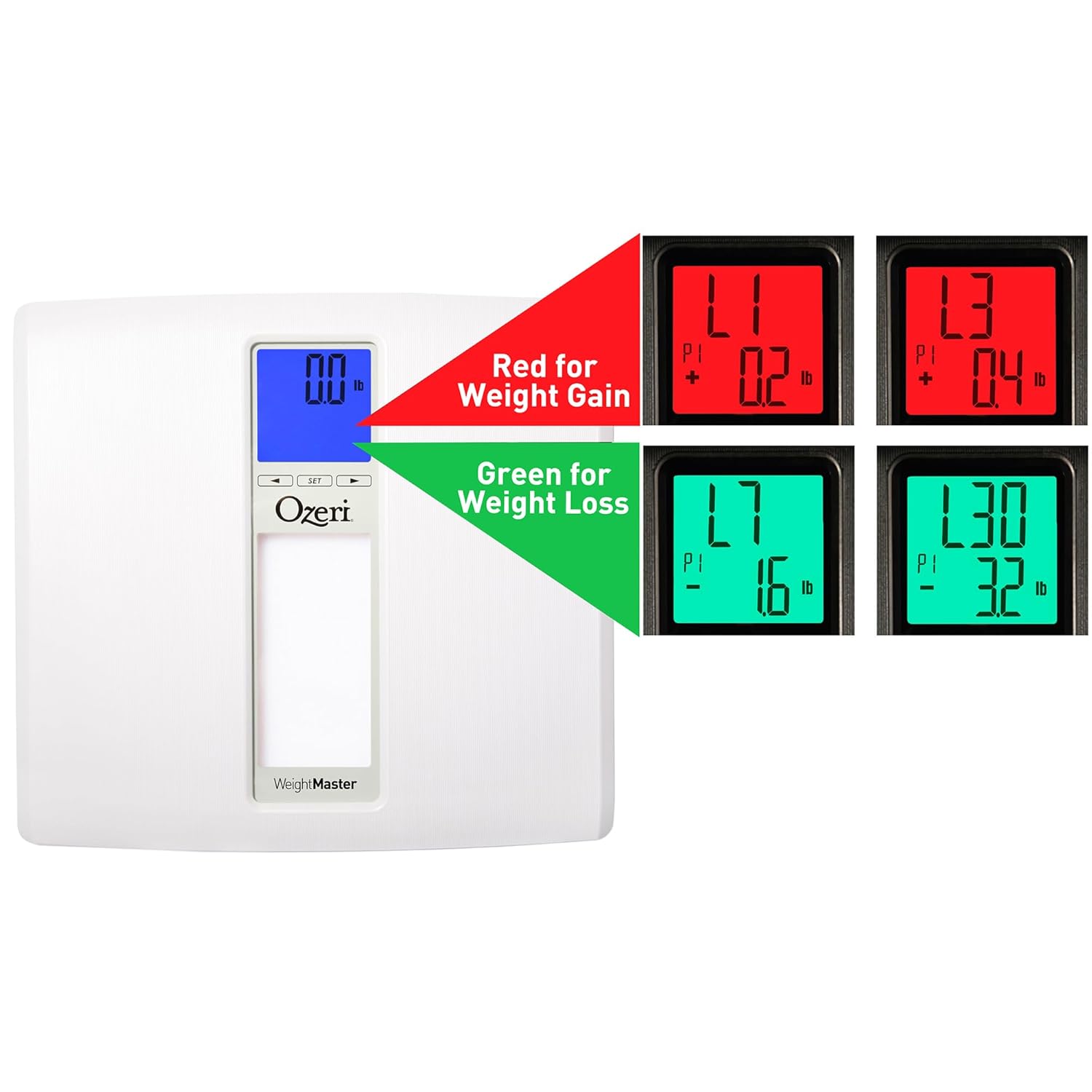
Image: The scale display illustrating red for weight gain and green for weight loss.

Image: Close-up of the display showing 'L1' in red, indicating a net weight gain from the previous recorded weight.
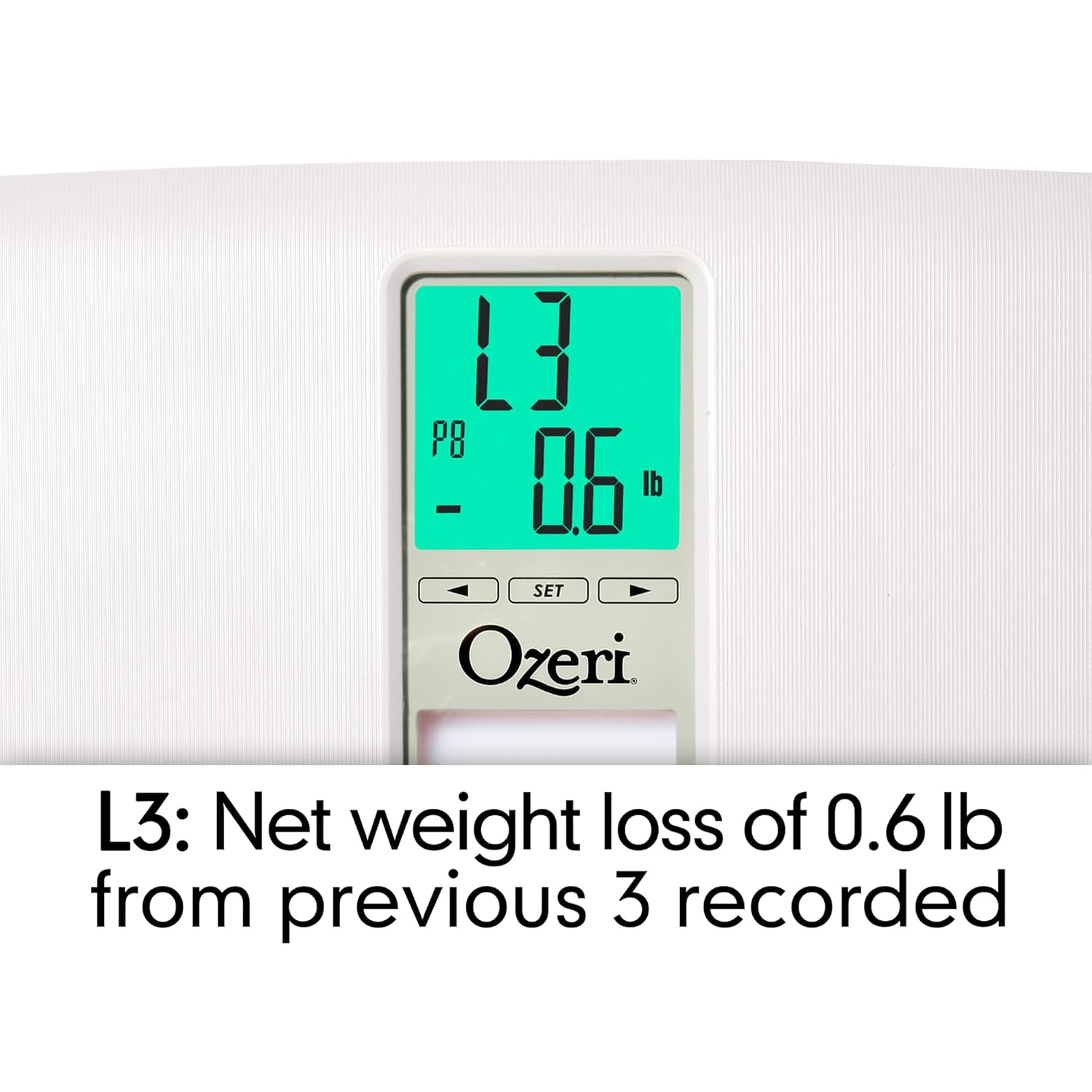
Image: Close-up of the display showing 'L3' in green, indicating a net weight loss from the average of the last 3 recorded weights.
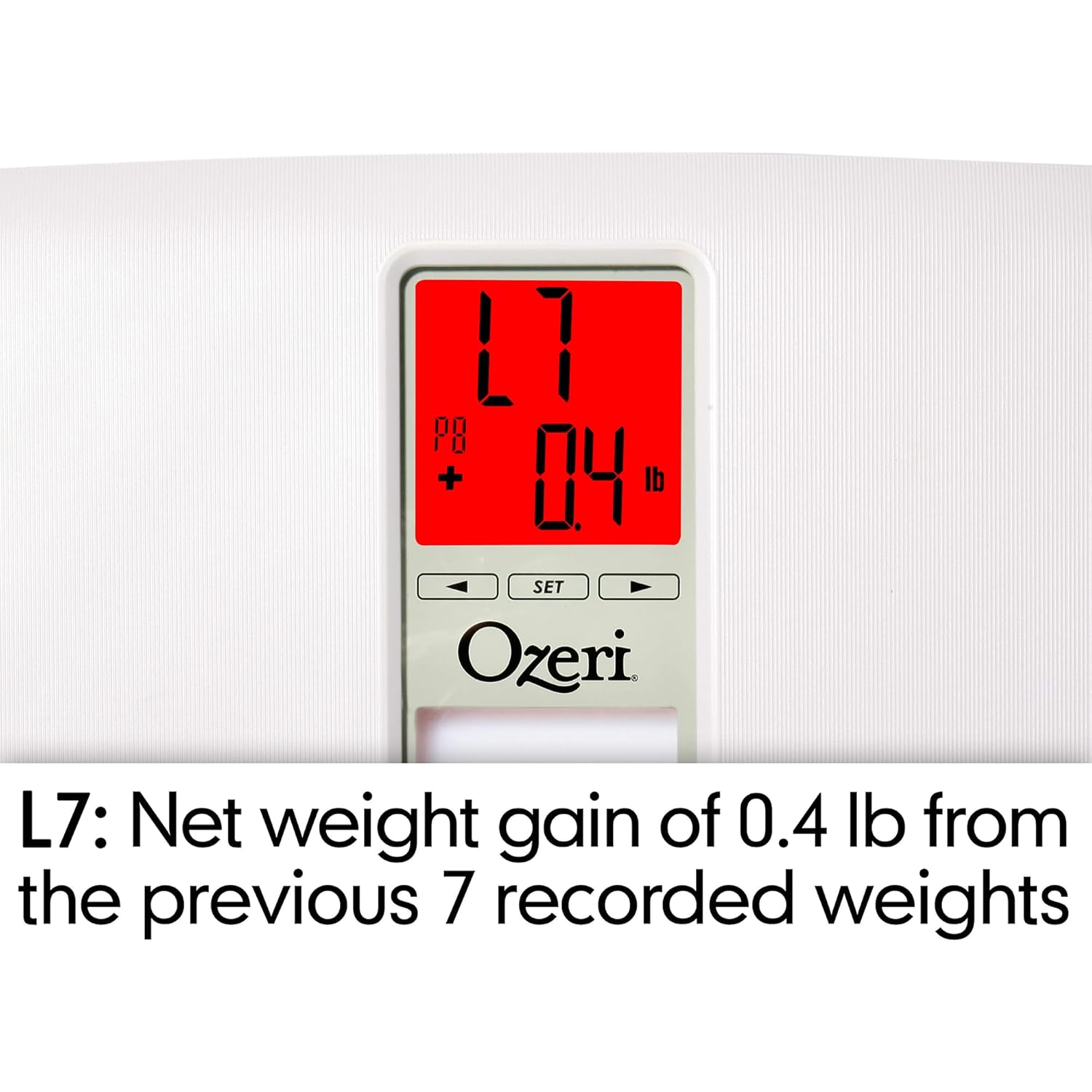
Image: Close-up of the display showing 'L7' in red, indicating a net weight gain from the average of the last 7 recorded weights.

Image: Close-up of the display showing 'L30' in green, indicating a net weight loss from the average of the last 30 recorded weights.
Hooldus
Puhastamine
- Pühkige kaalu pind pehme lapigaamp riie.
- Do not use abrasive cleaners or chemical solvents, as these can damage the finish and electronic components.
- Enne hoiulepanekut või järgmist kasutamist veenduge, et kaal on kuiv.
Patarei vahetus
If the display becomes dim or shows a 'Lo' indicator, it is time to replace the batteries. Follow the battery installation steps in the 'Setup' section.
Säilitamine
Store the scale in a cool, dry place away from direct sunlight and extreme temperatures. Do not place heavy objects on the scale when not in use.
Veaotsing
| Probleem | Võimalik põhjus | Lahendus |
|---|---|---|
| Kaal ei lülitu sisse. | Patareid on tühjad või valesti paigaldatud. | Kontrollige patareide polaarsust või vahetage need uute AA-patareide vastu. |
| Ebatäpsed või vastuolulised näidud. | Scale is on an uneven surface; scale needs re-calibration; user is moving during measurement. | Place scale on a hard, flat surface. Step off and then back on to allow auto-calibration. Stand still during measurement. |
| Ekraanil kuvatakse "Err" või "O-Ld". | Kaal ületab maksimaalse kandevõime (440 naela / 200 kg). | Vähendage kaalul olevat kaalu. |
| Scale shows 440 lbs (or max weight) for all users. | Internal error or severe calibration issue. | Remove batteries for 10 seconds, then reinsert. If problem persists, contact customer support. |
| Ekraanil kuvatakse "Lo". | Aku tühi. | Vahetage patareid välja. |
| Scale does not recognize user. | Kasutaja profile not set or significant weight change from last recorded weight. | Veenduge, et teie kasutajaprofessionaalsusfile is set. If your weight has changed significantly, the scale may not recognize you immediately; it will assign the reading to the closest profile or a new one. |
Tehnilised andmed
- Mudel: ZB20-W
- Kaubamärk: Ozeri
- Kandevõime: 440 naela (200 kg)
- Lugemise täpsus: 0.1 naela (0.05 kg)
- Kuva tüüp: LCD-ekraan värvihoiatustehnoloogiaga
- Materjal: ABS exterior with tempered glass interior
- Mõõdud: 11.75 x 12.5 x 1 tolli (29.8 x 31.75 x 2.54 cm)
- Kauba kaal: 3.75 naela (1.7 kg)
- Toiteallikas: 2 x AA patareid (kaasas)
- Eriomadused: Body Mass Index (BMI) measurement, Weight Change Detection (L1, L3, L7, L30), Auto-recognition for up to 8 users, Step-on technology, Auto-power off.
Garantii ja tugi
Ozeri products are manufactured to high-quality standards. For specific warranty information regarding your Ozeri WeightMaster II scale, please refer to the warranty card included with your purchase or visit the official Ozeri websaidile.
If you encounter any issues or have questions not covered in this manual, please contact Ozeri customer support for assistance. Contact details can typically be found on the product packaging or the official Ozeri websaidile.


