Sissejuhatus
Thank you for choosing the Baseus Encok True Wireless Earbuds W06. This manual provides detailed instructions on how to set up, operate, and maintain your earbuds to ensure optimal performance and longevity. Please read this manual thoroughly before using the product.
Pakendi sisu
Palun kontrollige pakendi sisu pärast karbist võtmist. Kui mõni ese on puudu või kahjustatud, võtke ühendust edasimüüjaga.
- Baseus Encok True Wireless Earbuds (L/R)
- Laadimisümbris
- USB-C laadimiskaabel
- Silicone Eartips (various sizes)
- Kasutusjuhend
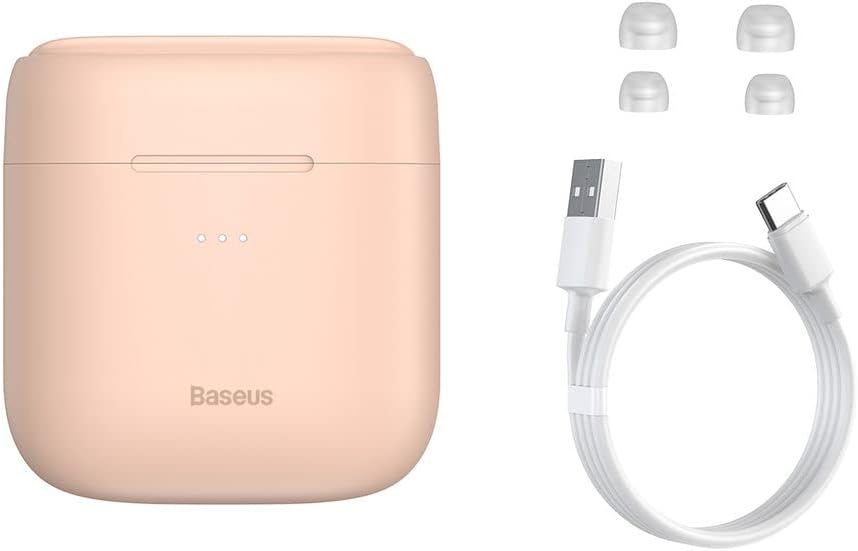
Image: The package contents, showing the charging case, two earbuds, a USB-C charging cable, and several pairs of silicone eartips.
Seadistamine
1. Kõrvaklappide ja ümbrise laadimine
Before first use, fully charge the earbuds and the charging case. Place the earbuds into the charging case. Connect the USB-C cable to the charging case and a power source, or place the charging case on a compatible wireless charging pad.
- Korpuse märgutuled näitavad laadimise olekut.
- Täislaadimine võtab tavaliselt umbes 1.5 tundi.
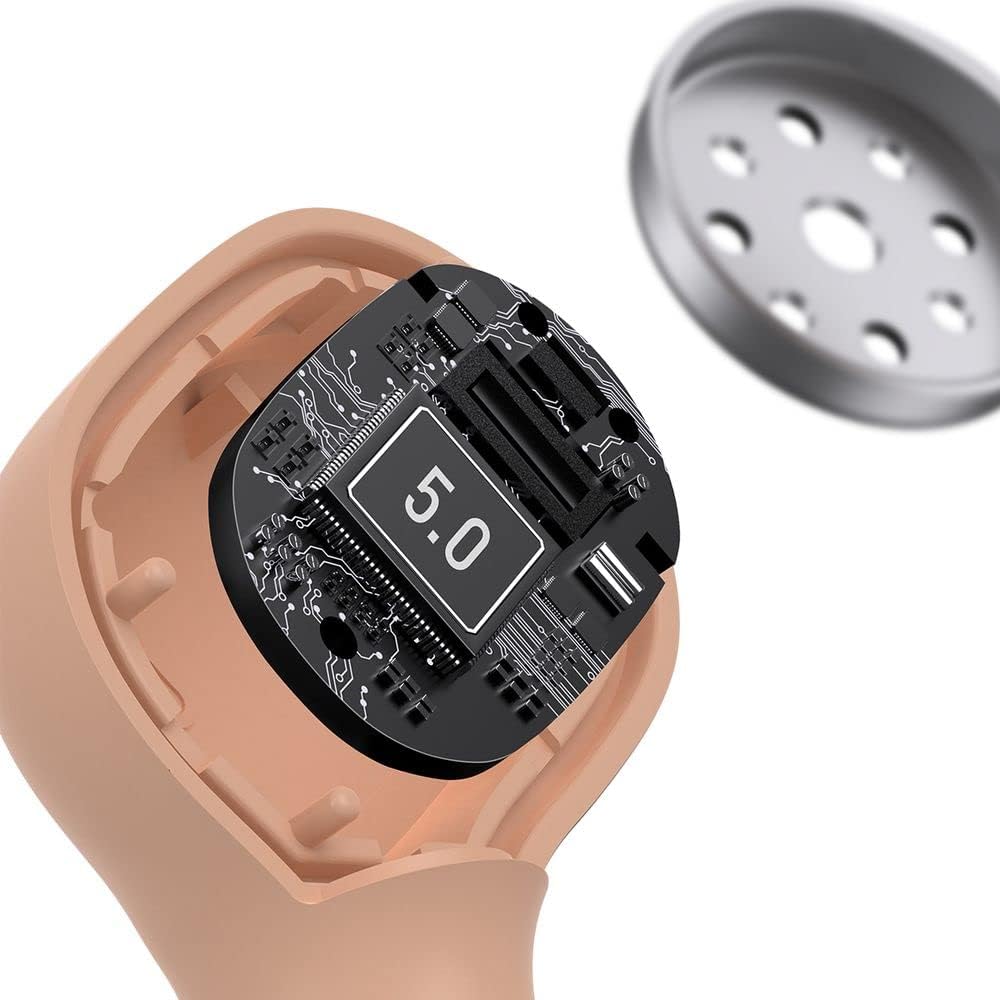
Image: The Baseus Encok W06 earbuds resting inside their open charging case, indicating they are ready for charging or use.

Image: Two Baseus Encok W06 charging cases, one connected via a USB-C cable and another placed on a wireless charging pad, demonstrating charging methods.
2. Bluetoothi sidumine
- Veenduge, et kõrvaklapid on laetud.
- Ava laadimisümbris. Kõrvaklapid sisenevad automaatselt sidumisrežiimi, mida näitab kõrvaklappidel vilkuv tuli.
- Luba oma seadmes (nutitelefon, tahvelarvuti jne) Bluetooth.
- Otsi "Baseus Encok W06" in the list of available Bluetooth devices.
- Select it to connect. Once connected, the indicator light on the earbuds will stop flashing.
Kõrvaklapid ühenduvad ümbrisest väljavõtmisel automaatselt viimati seotud seadmega, kui seadmes on Bluetooth lubatud.
3. Kõrvaklappide kandmine
Choose the silicone eartips that provide the best fit and seal for your ears. Insert the earbuds gently into your ear canal and rotate them slightly until they feel secure and comfortable.

Image: A person wearing a Baseus Encok W06 earbud, illustrating how the earbud sits comfortably and securely in the ear.
Kasutusjuhised
The Baseus Encok W06 earbuds feature touch controls for various functions.
- Toide sisse: Open the charging case, or press and hold the touch panel for 3 seconds if earbuds are out of case.
- Toide välja: Place earbuds back into the charging case and close the lid, or press and hold the touch panel for 5 seconds.
- Esita/peata: Double-tap the touch panel on either earbud.
- Järgmine lugu: Koputage kolm korda paremat kõrvaklappi.
- Eelmine lugu: Koputage kolm korda vasakut kõrvaklappi.
- Kõnele vastamine/lõpetamine: Double-tap the touch panel on either earbud during an incoming call.
- Keeldu kõnest: Press and hold the touch panel on either earbud for 2 seconds during an incoming call.
- Hääleabi aktiveerimine: Vajutage ja hoidke kummagi kõrvaklapi puutepaneeli 3 sekundit all.
Põhifunktsioonid
- Double-sided Wireless Charging: The charging case supports wireless charging from both sides, allowing flexible placement on a wireless charging pad.
- APT-X Audio Decoding: Provides high-quality audio transmission for a superior listening experience.
- CVC Noise Canceling: Clear Voice Capture technology reduces background noise during calls for clearer communication.
- Pikendatud aku tööiga: Offers up to 300 hours of standby time.
- Bluetooth 5.0: Tagab stabiilse ja tõhusa traadita ühenduse.

Image: A visual representation of the Baseus Encok W06 earbuds and charging case, accompanied by text detailing key features such as two-sided wireless charging, APT-X audio decoding, CVC noise canceling, and 300 hours of battery life.

Pilt: detailne view of the internal circuitry of a Baseus Encok W06 earbud, prominently displaying '5.0', signifying its Bluetooth 5.0 connectivity.
Hooldus
Puhastamine
- Puhastage kõrvaklappe ja laadimisümbrist regulaarselt pehme, kuiva ja ebemevaba lapiga.
- Eemaldage kõrvaotsad ja puhastage neid õrna seebi ja veega ning seejärel kuivatage hoolikalt enne tagasipanekut.
- Ärge kasutage abrasiivseid puhastusvahendeid, alkoholi ega keemilisi lahusteid.
- Veenduge, et nii kõrvaklappide kui ka ümbrise laadimiskontaktid oleksid puhtad ja mustusest vabad.
Säilitamine
- Hoidke kõrvaklappe laadimisümbrises, kui neid ei kasutata, et neid kaitsta ja laetuna hoida.
- Vältida hoidmist äärmuslike temperatuuride (kuuma või külma) või kõrge õhuniiskuse korral.
Aku hooldus
- To preserve battery life, charge the earbuds and case regularly, even if not used frequently.
- Vältige aku pikka aega täielikku tühjenemist.
Veaotsing
| Probleem | Lahendus |
|---|---|
| Kõrvaklapid ei ühendu seadmega. |
|
| Ühest või mõlemast kõrvaklapist ei kostu heli. |
|
| Laadimisümbris ei lae. |
|
Tehnilised andmed
| Funktsioon | Detail |
|---|---|
| Kaubamärk | Baseus |
| Mudeli nimi | NGJW06-04 (W06) |
| Kauba mudeli number | B00F2ZIDTS |
| Ühenduvustehnoloogia | Traadita (Bluetooth 5.0) |
| Kõrvaklappide vormitegur | Kõrvasisene |
| Kaabli funktsioon | Juhtmeta |
| Kauba kaal | 50 grammi |
| Toote mõõtmed | 10 x 3 x 2 cm |
| Tootja | Baseus |
| Juhtmeta laadimine | Supported (Double-sided) |
| Heli dekodeerimine | APT-X |
| Mürasummutus | CVC (for calls) |
| Aku tööiga (ooterežiim) | Kuni 300 tundi |
Ohutusteave
- Ärge võtke toodet lahti, parandage ega muutke seda.
- Hoidke toodet eemal veest, niiskusest ja äärmuslikest temperatuuridest.
- Kuulmiskahjustuste vältimiseks vältige pikaajalist kokkupuudet suure helitugevusega.
- Toode ja selle aku tuleb utiliseerida vastutustundlikult vastavalt kohalikele eeskirjadele.
- Hoida lastele ja lemmikloomadele kättesaamatus kohas.
Garantii ja tugi
Baseus products typically come with a limited warranty. For specific warranty terms and conditions, please refer to the warranty card included in your package or visit the official Baseus website. For technical support, product inquiries, or warranty claims, please contact Baseus customer service or your local retailer.
You can visit the official Baseus store for more information: Baseus Store


