Sissejuhatus
This manual provides essential information for the safe installation, operation, and maintenance of the Leviton MS303 Motor Starter Switch. Please read these instructions thoroughly before installation and use to ensure proper function and to prevent electrical hazards.
Ohutusteave
HOIATUS: Elektrilöögi või tulekahju oht.
- Paigalduse peab teostama kvalifitseeritud elektrik vastavalt kõikidele riiklikele ja kohalikele elektrieeskirjadele.
- Disconnect power at the circuit breaker or fuse box before installing or servicing the switch.
- Kasutage ainult vaskjuhte.
- Veenduge, et kõik ühendused on kindlad ja korralikult isoleeritud.
- Do not exceed the specified electrical ratings (30A, 600V, 3 Phase).
- This device is intended for controlling electric motors. Do not use for other applications unless specified.
Pakendi sisu
- 1 x Leviton MS303 Motor Starter Switch
- Kasutusjuhend (see dokument)
Toode läbiview
The Leviton MS303 is a robust 30A, 600V, 3-phase motor starter switch designed for reliable control of electric motors. Its large toggle actuator allows for easy operation, even with gloved hands.
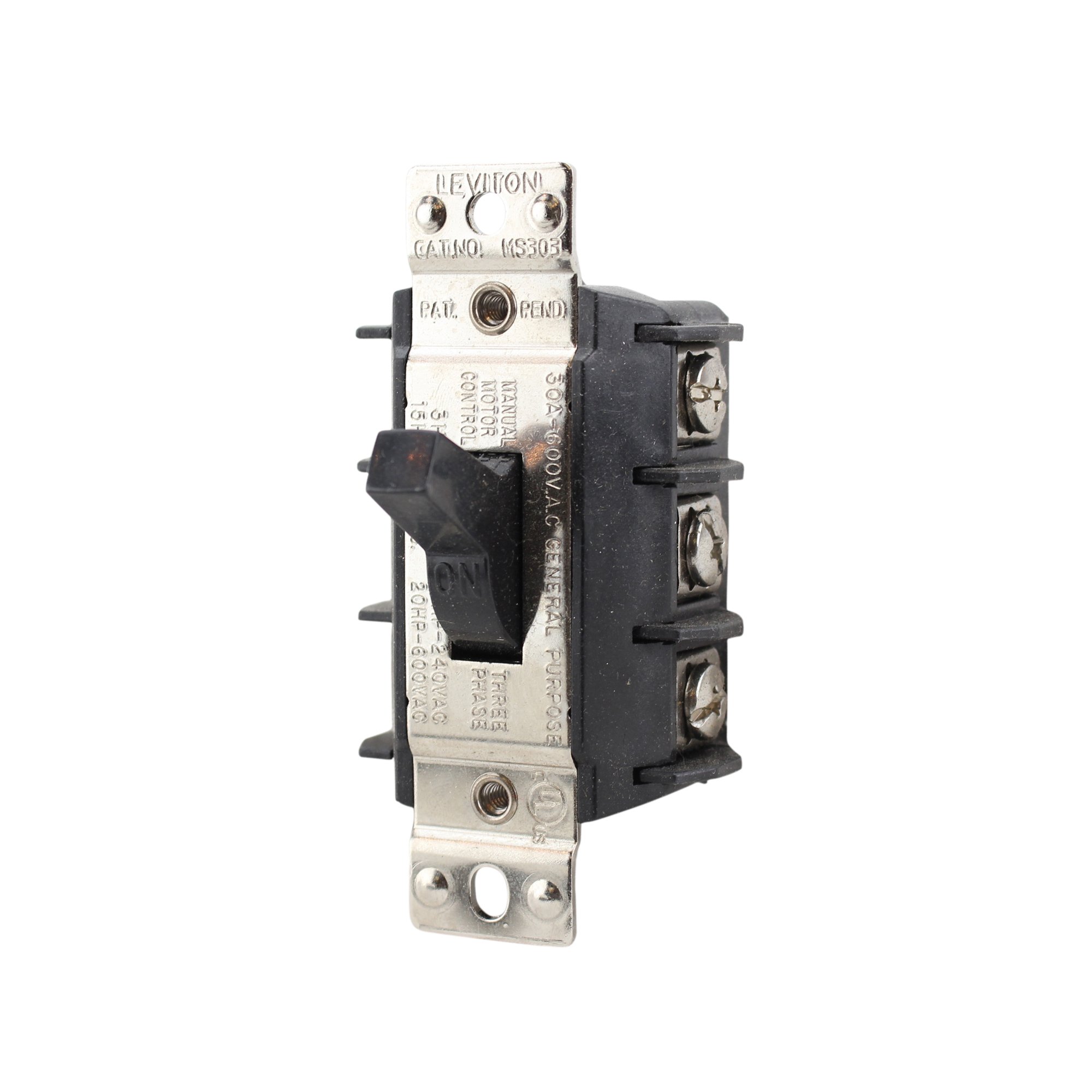
Figure 1: Leviton MS303 Motor Starter Switch. This image shows the front view of the black motor starter switch with its prominent toggle lever.
Peamised omadused:
- Praegune hinnang: 30 Amps
- Operation Voltage: 600 Volts AC
- Faas: 3 faas
- Täiturmehhanismi tüüp: Lülita
- Kontakti tüüp: Tavaliselt avatud
- Ühenduse tüüp: Kruviklemmid
- Värv: Must
Seadistamine ja installimine
TÄHTIS: Ensure all power is disconnected at the main circuit breaker before proceeding with installation. Failure to do so can result in serious injury or death.
- Toite katkestamine: Locate the circuit breaker or fuse controlling the motor circuit and turn it OFF. Verify power is off using a voltage testija.
- Paigaldamine: Securely mount the MS303 switch in a suitable electrical enclosure or junction box. Ensure the mounting surface is stable and the switch is easily accessible for operation.
- Juhtmete ühendused:
- Identify the incoming power lines (L1, L2, L3 for 3-phase) and the motor load lines.
- Connect the incoming power lines to the designated input screw terminals on the switch.
- Connect the motor load lines to the designated output screw terminals on the switch.
- Ensure all wire insulation is stripped to the correct length and that wires are fully inserted into the screw terminals before tightening securely.
- Connect the ground wire to the appropriate ground terminal in the enclosure.
Refer to local electrical codes and the wiring diagram provided with your motor for specific connection details.
- Karbi sulgemine: Once all wiring is complete and verified, close and secure the electrical enclosure cover.
- Toite taastamine: Taastage kaitselüliti toide.
Kasutusjuhised
The Leviton MS303 Motor Starter Switch features a simple toggle mechanism for controlling the power supply to a connected motor.
- SISSE lülitamiseks: Push the toggle lever to the "ON" position. This will supply power to the connected motor.
- VÄLJA lülitamiseks: Push the toggle lever to the "OFF" position. This will disconnect power from the connected motor.
The large toggle is designed for easy manipulation, even when wearing work gloves.
Hooldus
The Leviton MS303 Motor Starter Switch is designed for long-term, reliable operation with minimal maintenance.
- Perioodiline ülevaatus: Annually, or as required by local codes, inspect the switch for any signs of physical damage, loose connections, or overheating.
- Puhastamine: Ensure power is OFF before cleaning. Use a dry, soft cloth to wipe the exterior of the switch. Do not use abrasive cleaners or solvents.
- Ühenduse kontroll: If accessible and power is safely disconnected, periodically check that all screw terminal connections remain tight.
Veaotsing
If the motor starter switch is not functioning as expected, consider the following common issues:
| Probleem | Võimalik põhjus | Lahendus |
|---|---|---|
| Motor does not start when switch is ON. |
|
|
| Lüliti tundub lahti või kahjustatud. | Füüsiline kahjustus või kulumine. | Replace the switch. Do not attempt to repair damaged electrical components. |
If issues persist after attempting these solutions, consult a qualified electrician.
Tehnilised andmed
| Kaubamärk | Leviton |
| Mudeli number | MS303 |
| Praegune reiting | 30 Amps |
| Operation Voltage | 600 volti |
| Faas | 3 faas |
| Töörežiim | Väljas, Lülitage sisse/välja |
| Kontakti tüüp | Tavaliselt avatud |
| Ühenduse tüüp | Kruviklemmid |
| Täiturmehhanismi tüüp | Lülita |
| Värv | Must |
| Kauba mõõtmed (P x L x K) | 2 x 2 x 4 tolli |
| Kauba kaal | 1 naela |
| UPC | 078477020326 |
Garantii teave
For detailed warranty information regarding the Leviton MS303 Motor Starter Switch, please refer to the official Leviton website or contact Leviton customer service. Warranty terms and conditions may vary.
Klienditugi
If you require further assistance, technical support, or have questions not covered in this manual, please visit the official Leviton website or contact their customer support department directly. Contact information can typically be found on the manufacturer's websait või toote pakend.


