1. Sissejuhatus
This manual provides instructions for the setup, operation, and maintenance of your ViewSonic VX2770SMH-LED 27-inch IPS 1080p Frameless LED Monitor. This monitor features a sleek design, Full HD 1920x1080 resolution, and an IPS panel for wide viewing angles and accurate color reproduction. It includes HDMI, DVI, and VGA inputs, along with integrated speakers.
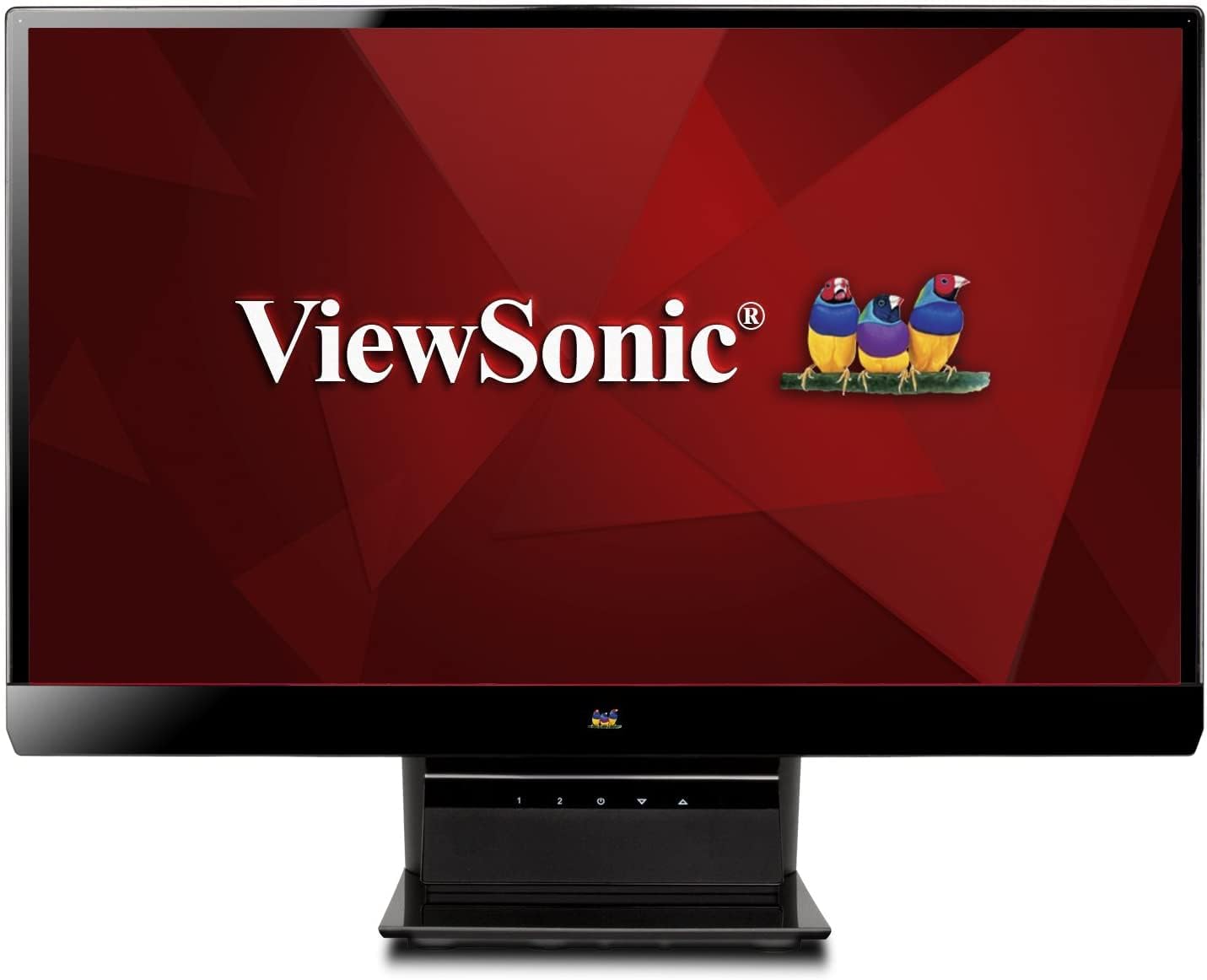
Joonis 1: ViewSonic VX2770SMH-LED 27-inch monitor displaying a tropical beach scene.
2. Pakendi sisu
Veenduge, et tootepakendis on kõik esemed olemas:
- VX2770Smh-LED display
- Toitekaabel
- AC/DC adapter
- VGA kaabel
- HDMI kaabel
- Kiirjuhend
- ViewSonic Wizardi CD
3. Seadistamine
Monitori seadistamiseks järgige neid samme.
- Pange alus kokku: Carefully attach the monitor panel to the stand base according to the Quick Start Guide. Ensure it is securely fastened.
- Ühendage toide: Connect the AC/DC adapter to the monitor's power input, then plug the power cable into the adapter and a power outlet.
- Ühendage videokaabel: Connect one end of the appropriate video cable (HDMI, DVI, or VGA) to the corresponding port on the back of the monitor and the other end to your computer's video output port.
- Toide sisse: Selle sisselülitamiseks vajutage monitori toitenuppu.

Joonis 2: Tagumine view of the monitor, illustrating the stand attachment area and overall design.
4. Monitori kasutamine
The monitor features capacitive control buttons located on the stand for easy access to settings and power functions.

Joonis 3: Esiosa view of the monitor, showing the control buttons on the stand.
Toide sisse/välja
Press the power button (usually indicated by a power symbol) to turn the monitor on or off.
Ekraanikuva (OSD) menüü
Use the control buttons to navigate the OSD menu. This menu allows you to adjust various display settings such as brightness, contrast, color temperature, input source, and more. Refer to the digital manual on the ViewSonic Wizard CD for detailed OSD navigation.
5. Ühenduvus
The ViewSonic VX2770SMH-LED monitor offers multiple input options for versatile connectivity:
- HDMI: Kõrglahutusega digitaalse video ja heli jaoks.
- DVI-D: For digital video input.
- VGA: Analoogvideo sisendi jaoks.
The monitor also features integrated speakers with SRS Premium Sound for audio output.

Joonis 4: Lähivõte view of the HDMI, DVI, and VGA input ports on the monitor's rear panel.
Video 1: Official product video demonstrating the features and design of the ViewSonic VX2770SMH-LED monitor, including its frameless design, IPS panel technology, connectivity options, and energy efficiency.
6. Ekraani funktsioonid
- IPS-paneeli tehnoloogia: Provides consistent and accurate colors with wide 178/178-degree viewing angles, ensuring clear images from nearly any perspective.
- Full HD 1080p eraldusvõime: Delivers sharp and detailed images (1920x1080) for an enhanced viewkogemusi.
- Raamita disain: The ultra-thin bezel creates a seamless visual experience, ideal for multi-monitor setups.
- MEGA Dynamic Contrast Ratio: A 30,000,000:1 dynamic contrast ratio enhances image depth and detail.
- LED taustvalgus: Energy-efficient LED backlighting contributes to lower power consumption.
- Ökorežiim: Further reduces power consumption and extends the monitor's lifespan.
- sRGB Color Correction: Ensures accurate color reproduction for various applications.
7. Hooldus
Monitori pikaealisuse ja optimaalse jõudluse tagamiseks järgige neid hooldusjuhiseid:
- Ekraani puhastamine: Pühkige ekraani õrnalt pehme ja ebemevaba lapiga. Kangekaelsete plekkide korral pühkige õrnaltampNiisutage lappi veega või õrnatoimelise mitteabrasiivse ekraanipuhastusvahendiga. Vältige vedeliku pihustamist otse ekraanile.
- C puhastamineasing: Monitori katte puhastamiseks kasutage pehmet ja kuiva lappi.asing.
- Ventilatsioon: Veenduge, et monitori ventilatsiooniavad poleks blokeeritud, et vältida ülekuumenemist.
- Väljalülitamine, kui seda ei kasutata: Turn off the monitor when not in use to save energy and prolong its life.
8. Veaotsing
Kui teil tekib monitoriga probleeme, vaadake järgmisi levinud tõrkeotsingu samme.
- Toide puudub: Check if the power cable and AC/DC adapter are securely connected to the monitor and a working power outlet.
- Signaali pole: Verify that the video cable is correctly connected to both the monitor and your computer. Ensure the correct input source is selected via the OSD menu.
- Pildiprobleemid (udune, moonutatud, valed värvid): Adjust the display settings through the OSD menu. Ensure your computer's display resolution is set to the monitor's native resolution (1920x1080).
- Heli puudub: Check the audio cable connection (if using VGA) or ensure HDMI audio is selected. Adjust the volume settings on both the monitor and your computer.
For more detailed troubleshooting, consult the digital manual on the ViewSonic Wizardi CD.
9. Tehnilised andmed
| Funktsioon | Spetsifikatsioon |
|---|---|
| Seisva ekraani kuva suurus | 27 tolli |
| Ekraani eraldusvõime | 1920x1080 |
| Maksimaalne ekraani eraldusvõime | 1920 x 1080 |
| seeria | Viewsonic VX2770SMH-LED |
| Kauba mudeli number | VX2770SMH-LED |
| Kauba kaal | 11 naela |
| Toote mõõtmed | 7.6 x 24.5 x 18.1 tolli |
| Värv | Must |
| Ekraani suurus | 27 tolli |
| Resolutsioon | FHD 1080p |
| Kuvasuhe | 1.78:1 |
| Ekraani pinna kirjeldus | Läikiv |

Figure 5: Monitor dimensions for planning your workspace.
10. Garantii ja tugi
See ViewSonic monitor is covered by a 3-aastane piiratud garantii. For warranty claims or technical support, please refer to the contact information provided in your Quick Start Guide or visit the official ViewSonici tugi websaidile.


