Sissejuhatus
This manual provides essential information for the setup, operation, and maintenance of your Logitech USB Keyboard for Business. Designed for efficiency and durability, this keyboard offers a comfortable and reliable typing experience for various computing environments.

Pilt: Ülalt-alla view of the Logitech USB Keyboard for Business, showcasing selle täielik paigutus.
Seadistamine
The Logitech USB Keyboard for Business is designed for simple plug-and-play functionality. No additional software or drivers are typically required for basic operation on compatible systems.
Klaviatuuri ühendamine
- Otsige oma arvutist üles vaba USB-port.
- Sisestage klaviatuuri USB-pistik kindlalt USB-porti.
- Wait for your operating system to recognize the new hardware. This process is usually automatic and takes a few seconds.
- Klaviatuur on nüüd kasutamiseks valmis.

Image: The Logitech K120 keyboard, highlighting its plug-and-play USB connectivity.
Kasutusjuhised
This keyboard features a standard 104-key layout, including a full-size F-key row and a dedicated number pad, providing comprehensive functionality for business and general use.
Põhifunktsioonid
- Madal-Profile Klahvid: Designed for a quiet and comfortable typing experience.
- Täissuuruses paigutus: Includes a complete set of keys, F-keys, and a numeric keypad for efficient data entry.
- Bold, Bright Characters: Key legends are designed to be easy to read and resistant to wear.
- Reguleeritava kaldega jalad: Allows for personalized ergonomic adjustment to suit your typing preference.

Image: A hand positioned on the keyboard, demonstrating the familiar and comfortable typing experience.

Image: A detailed diagram illustrating key features such as spill-proof design, deep-profile keys, full-size layout, adjustable height, Windows layout, and the integrated number pad.
Vastupidavus ja disain
The Logitech USB Keyboard for Business is built to withstand daily use and common office accidents, ensuring long-lasting performance.
Lekkekindel disain
This keyboard features a spill-resistant design, meaning accidental liquid spills can drain out without damaging the internal components. This feature is tested under limited conditions (maximum of 60 ml liquid spillage). It is important not to immerse the keyboard in liquid.

Image: The keyboard surface with water droplets, demonstrating its spill-resistant capabilities.
Reguleeritav trükkimisnurk
The integrated adjustable tilt legs allow you to customize the keyboard's angle for a more comfortable and ergonomic typing position, reducing strain during extended use.
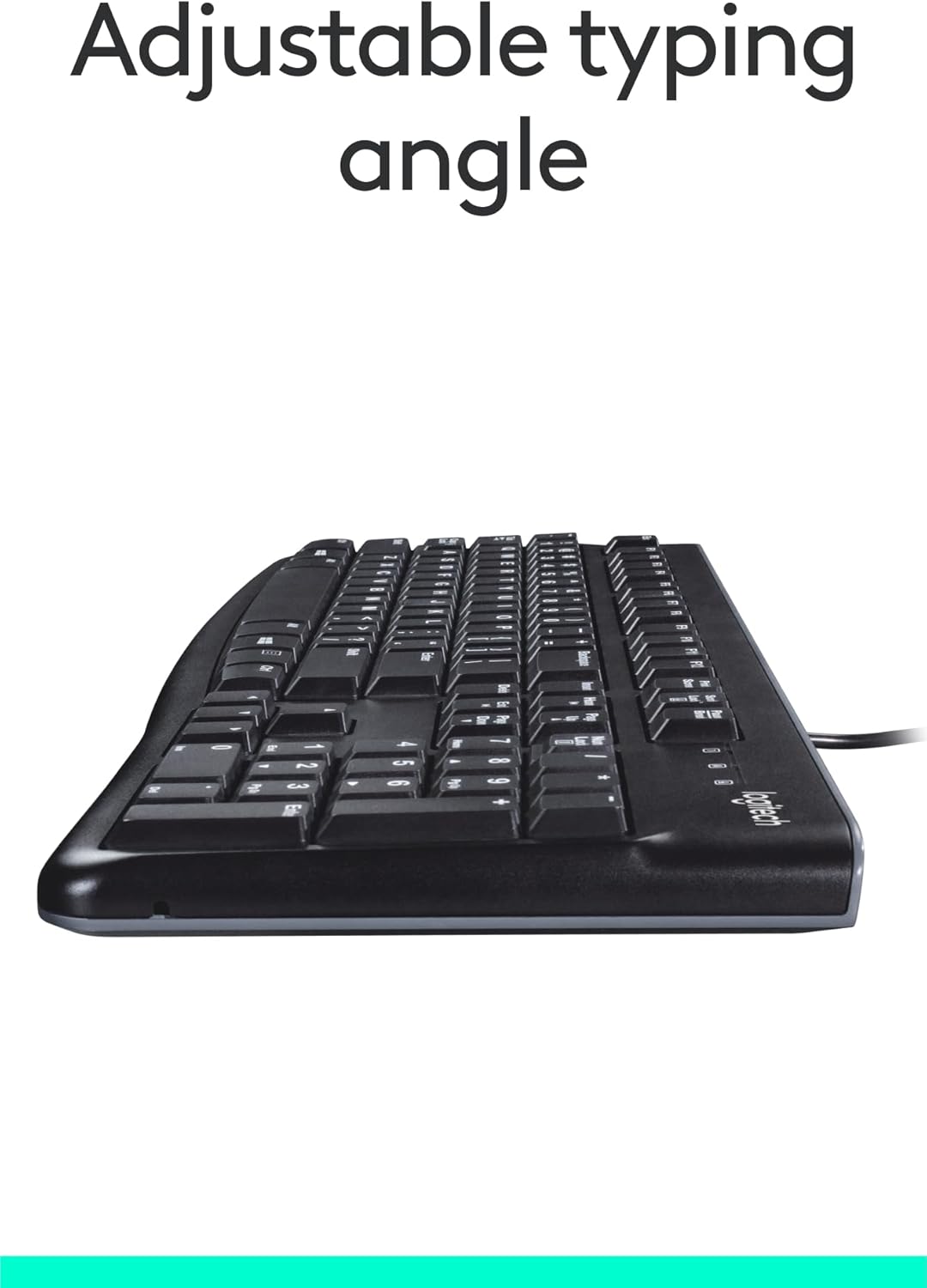
Pilt: Külg view of the keyboard with its adjustable tilt legs extended, showing the elevated typing angle.
Hooldus
Proper care and cleaning will help maintain the performance and appearance of your keyboard.
Puhastusjuhised
- Enne puhastamist ühendage klaviatuur arvutist lahti.
- Kasutage kergelt pehmet ebemevaba lappi dampklaviatuuri pinna pühkimiseks veega või õrna puhastuslahusega niisutatud.
- Avoid using harsh chemicals, abrasive cleaners, or solvents, as these can damage the keyboard's finish and key legends.
- Klahvide vahelt puhastamiseks kasutage tolmu ja prahi eemaldamiseks suruõhku.
- Enne klaviatuuri arvutiga uuesti ühendamist veenduge, et see on täiesti kuiv.
Veaotsing
If you encounter issues with your Logitech USB Keyboard for Business, try the following troubleshooting steps:
Klaviatuur ei reageeri
- Kontrollige USB-ühendust: Ensure the keyboard's USB cable is securely plugged into a working USB port on your computer. Try a different USB port.
- Taaskäivitage arvuti: Lihtne taaskäivitamine võib sageli ühenduvusprobleeme lahendada.
- Test teises arvutis: Võimaluse korral ühendage klaviatuur teise arvutiga, et teha kindlaks, kas probleem on klaviatuuris või teie algse arvuti seadistuses.
- Kontrollige seadmehaldurit (Windows): Open Device Manager, locate 'Keyboards', and check for any error indicators. You may need to update or reinstall the keyboard driver (though typically not required for this plug-and-play model).
Klahvid ei tööta korralikult
- Puhtad klahvid: Ensure no debris is lodged under the non-functioning keys. Use compressed air to clear any obstructions.
- Spill Damage: If the keyboard has been exposed to a significant liquid spill, allow it to dry completely. If issues persist, internal damage may have occurred.
Tehnilised andmed
| Funktsioon | Detail |
|---|---|
| Kaubamärk | Logitech |
| Mudeli number | FBA_920-002582 |
| Ühenduvustehnoloogia | USB, USB-A |
| Klaviatuuri kirjeldus | Ergonoomiline |
| Võtmete arv | 104 |
| Materjal | Plastikust |
| Operatsioonisüsteemi ühilduvus | Windows 10 (and compatible with other standard OS) |
| Kauba kaal | 1.52 naela (umbes 689 grammi) |
| Toote mõõtmed (PxLxK) | 18.43 x 7.24 x 7.24 tolli (umbes 46.8 x 18.4 x 18.4 cm) |

Image: Visual representation of the keyboard with its key dimensions and weight detailed.
Pakendi sisu
The retail package for the Logitech USB Keyboard for Business typically includes the following:
- Logitech USB Keyboard for Business (Model: FBA_920-002582)

Image: The Logitech USB Keyboard for Business, indicating it is the primary item included in the product package.
Garantii ja tugi
Logitech products are manufactured to high quality standards and are backed by a limited hardware warranty. For specific warranty terms and conditions, please refer to the warranty information provided with your product at the time of purchase or visit the official Logitech support websaidile.
For technical support, frequently asked questions, and driver downloads (if applicable), please visit the official Logitech support page or the Logitechi pood Amazonis.


