Sissejuhatus
This instruction manual provides comprehensive guidance for the installation, operation, maintenance, and troubleshooting of your Intel Classic DH61CR Desktop Motherboard. Please read this manual thoroughly before proceeding with installation or operation to ensure proper functionality and to prevent damage to the product or other components.
The Intel DH61CR motherboard is designed to support Intel LGA 1155 socket processors and DDR3 memory, offering a reliable foundation for personal computer systems.
Seadistamine ja installimine
1. Unpacking and Component Overview
Carefully remove the motherboard from its packaging. Inspect all components for any signs of damage. Ensure all accessories listed in the product documentation are present.
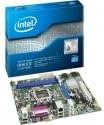
Image: The Intel DH61CR Desktop Motherboard shown alongside its retail packaging. This image provides a visual reference for the product and its initial presentation.
Familiarize yourself with the layout of the motherboard, including the CPU socket, RAM slots, expansion slots, and various connectors.
2. Protsessori paigaldamine (LGA 1155 pesa)
- Leidke emaplaadilt LGA 1155 protsessori pesa.
- Lükake laadimishooba õrnalt alla ja tõmmake seda küljele, et avada protsessori pesa kinnitusraam.
- Joondage protsessori kolmnurkne märk pesa vastava märgisega. Asetage protsessor ettevaatlikult pessa, ilma seda jõuga surumata.
- Close the retention frame and secure it by pushing the load lever back into its locked position.
- Apply a thin, even layer of thermal paste to the top of the CPU (if not pre-applied to the cooler).
- Install the CPU cooler according to its manufacturer's instructions, ensuring it is securely fastened and making good contact with the CPU.
3. RAM-i paigaldamine (DDR3)
- Identify the DDR3 memory slots. The Intel DH61CR supports DDR3 RAM.
- Avage mälupesa mõlemas otsas olevad klambrid.
- Joondage DDR3-mälumooduli sälk mälupesa võtmega.
- Vajutage mälumooduli mõlemat otsa kindlalt alla, kuni klambrid oma kohale klõpsavad ja mooduli kinnitavad.
4. Salvestusseadme paigaldamine
Connect your SATA hard drives or solid-state drives to the SATA ports on the motherboard using SATA data cables. Ensure the power cables from your power supply are also connected to these devices.
5. Toiteühendused
- Connect the 24-pin ATX power connector from your power supply to the main power socket on the motherboard.
- Connect the 4-pin (or 8-pin, if applicable) ATX 12V power connector to the CPU power socket.
- Veenduge, et kõik toiteühendused oleksid kindlad.
6. Esipaneeli ühendused
Connect the front panel cables from your computer case (power button, reset button, HDD LED, power LED, USB ports, audio jacks) to the corresponding headers on the motherboard. Refer to the motherboard's silkscreen labels for correct pin assignments.
7. Laienduskaardid
Install any necessary expansion cards (e.g., graphics card, network card) into the appropriate PCIe x16 or PCIe x1 slots. Secure them with the case's retention mechanism.
Kasutusjuhised
1. Esimene käivitus
After all components are installed and connected, connect your monitor, keyboard, and mouse. Power on the system. The system should display the BIOS POST screen. If not, refer to the Troubleshooting section.
2. BIOS/UEFI ligipääs
BIOS-i/UEFI seadistusutiliidi avamiseks vajutage vastavat klahvi (tavaliselt Del, F2, või F10) during the initial boot sequence. The exact key is usually displayed on the screen during POST.
Within the BIOS/UEFI, you can configure boot order, system time, hardware settings, and other advanced options. Save changes before exiting.
Hooldus
1. Puhastamine
Regularly clean the interior of your computer case to prevent dust buildup, which can lead to overheating. Use compressed air to remove dust from fans, heatsinks, and motherboard components. Ensure the system is powered off and unplugged before cleaning.
2. BIOS-i värskendused
Periodically check the Intel support website for BIOS updates for your DH61CR motherboard. BIOS updates can improve system stability, add support for new hardware, or fix bugs. Follow the instructions provided by Intel carefully when performing a BIOS update to avoid system damage.
Veaotsing
Kui teil tekib probleeme, pöörduge uuestiview järgmised levinud tõrkeotsingu toimingud:
- Toide puudub: Ensure all power cables (24-pin ATX, 4-pin CPU) are securely connected. Check the power supply unit (PSU) switch and wall outlet.
- Kuvarit pole: Verify the monitor is connected and powered on. Ensure the graphics card (if dedicated) is properly seated and powered. If using integrated graphics, confirm the monitor is connected to the motherboard's video output.
- Süsteemi piiksud: A series of beeps during startup usually indicates a hardware issue. Consult the motherboard's beep code guide (often found on the manufacturer's support website) to diagnose the specific problem (e.g., RAM error, graphics card issue).
- Süsteemi ebastabiilsus/krahhid: Check for proper CPU cooler installation and thermal paste application. Ensure RAM modules are correctly seated. Test memory with diagnostic tools. Update drivers and BIOS.
- Operatsioonisüsteem ei laadi: Verify the boot order in BIOS/UEFI. Check SATA cable connections to storage devices. Ensure the operating system is correctly installed on a bootable drive.
For persistent issues, consult the Intel support websaidil või võtke ühendust nende tehnilise toega.
Tehnilised andmed
| Funktsioon | Spetsifikatsioon |
|---|---|
| Kaubamärk | Intel |
| Mudeli nimi | DH61CRB3 |
| CPU pesa | LGA 1155 |
| Ühilduvad protsessorid | Intel Core i3-2100, Intel Core i5-2400, Intel Core i7-2600, Pentium |
| Kiibistiku tüüp | Intel H61 Express |
| RAM-mälu tehnoloogia | DDR3 |
| Maksimaalne RAM | 8 GB |
| Mälu kella kiirus | 1333 MHz |
| Ühilduvad seadmed | Personaalarvuti |
| Salvestusliides | Serial ATA/300 |
| Laienduspesad | 1 x PCIe x16 pesa |
| Videoväljund | CPU Dependent Video |
| Platvorm | Windows 7, Windows Vista Ultimate |
| Toote mõõtmed | 10.5 x 8.5 x 2 tolli |
| Kauba kaal | 1.9 naela |
| Tootja | INTEL |
| Esmakordselt saadaval olev kuupäev | 30. aprill 2012 |
Garantii ja tugi
Warranty information for the Intel Classic DH61CR Desktop Motherboard is typically provided with the product at the time of purchase or can be found on the official Intel webPalun hoidke oma ostutõend garantiinõuete esitamiseks alles.
For technical support, driver downloads, and additional documentation, please visit the official Intel support website. You can often find detailed FAQs and community forums there to assist with common issues.
Note: Intel's official support channels are the primary resource for product-specific assistance.


