1. Sissejuhatus ja lõppview
This manual provides comprehensive instructions for the installation, operation, and maintenance of the Matrox Millennium G200 Graphics Adapter, model G2+/DUALP-PL. This PCI-based graphics card is designed to provide multi-monitor dual analog output, making it suitable for professional workstations and systems requiring reliable display capabilities. The Matrox G200 series is known for its robust performance and stability in various computing environments.
2. Mis on karbis
Pakkige kõik komponendid ettevaatlikult lahti ja kontrollige, kas olete järgmised esemed kätte saanud:
- Matrox Millennium G200 Graphics Adapter (G2+/DUALP-PL)
- DMS-59 to Dual VGA Y-cable
- DMS-59 to DVI and S-Video/Composite Y-cable (may vary by package)
- Driver CD (if included, otherwise drivers can be downloaded from the Matrox websait)
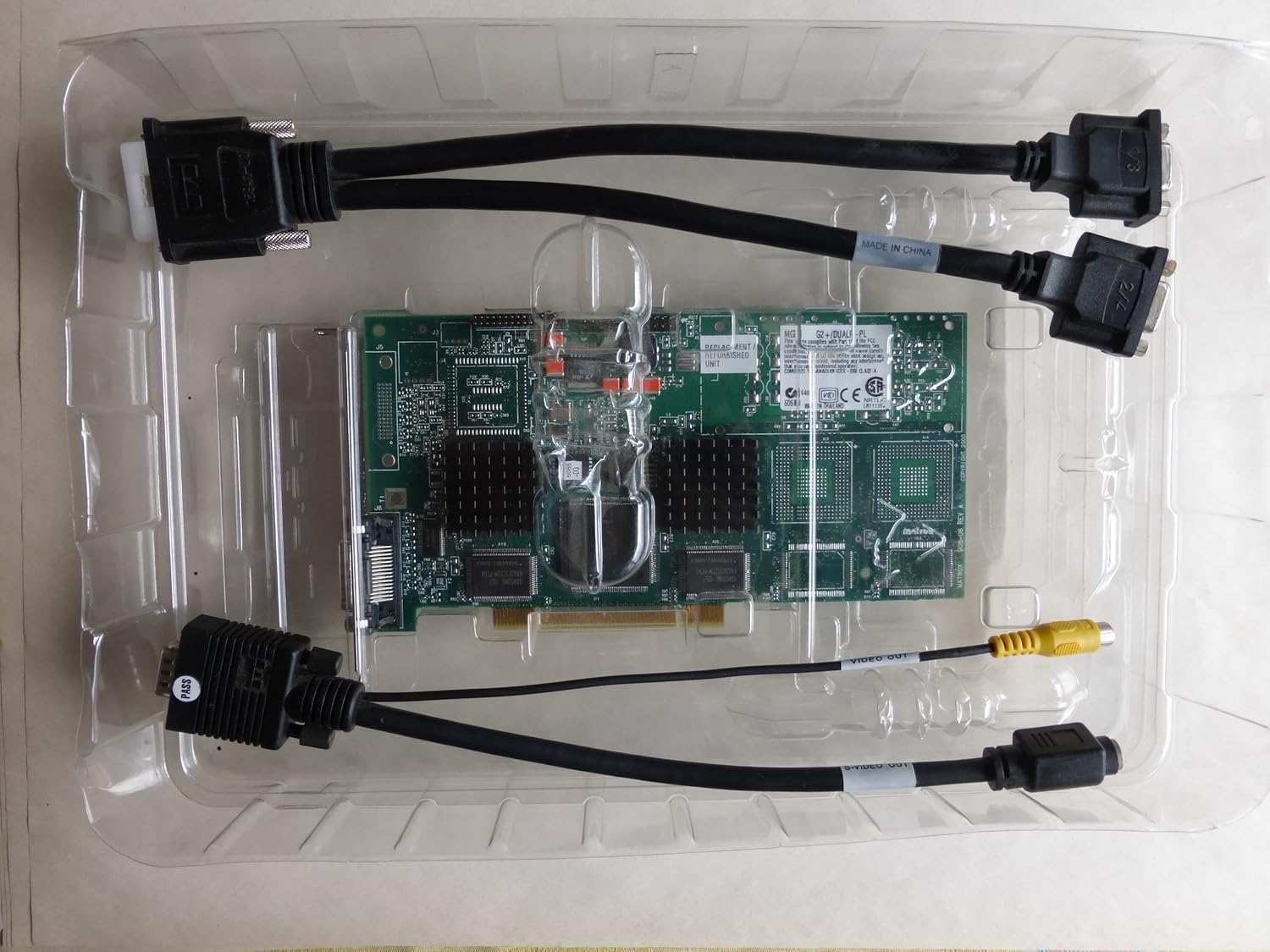
Image: The Matrox Millennium G200 graphics adapter shown within its clear plastic packaging, accompanied by its connecting cables.
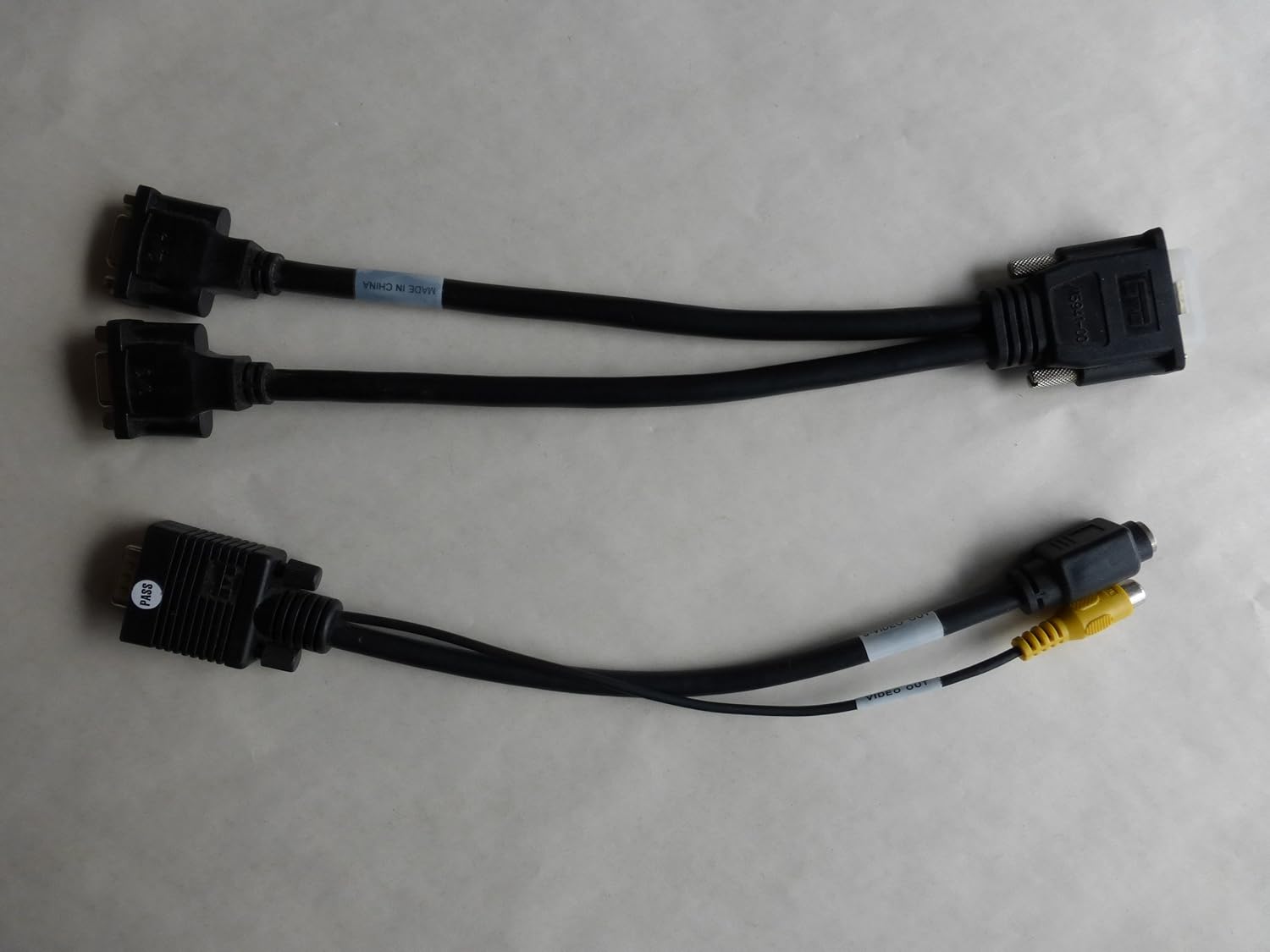
Image: Two types of Y-cables: one for dual VGA output and another for DVI and S-Video/Composite output, used with the graphics adapter.
3. Seadistamine ja installimine
3.1 Ohutusmeetmed
- Always power off your computer and unplug it from the wall outlet before opening the case.
- Discharge any static electricity by touching a grounded metal object (e.g., the computer chassis) before handling internal components.
- Avoid touching the gold connector pins on the graphics card.
3.2 Riistvara paigaldamine
- Avage arvuti korpus: Emaplaadile ligipääsemiseks eemaldage arvuti korpuse külgpaneel.
- Leidke vaba PCI pesa: Identify an empty PCI expansion slot on your motherboard. The Matrox Millennium G200 is a PCI card.
- Eemaldage pesa kate: Carefully remove the metal slot cover corresponding to the chosen PCI slot from the back of your computer case.
- Sisestage graafikakaart: Align the graphics card with the PCI slot and press down firmly and evenly until the card is fully seated. Ensure the metal bracket on the card aligns with the opening in the case.
- Kinnitage kaart: Use a screw or the case's retention mechanism to secure the graphics card's bracket to the computer case.
- Sulgege arvuti korpus: Vaheta arvuti korpuse külgpaneel välja.
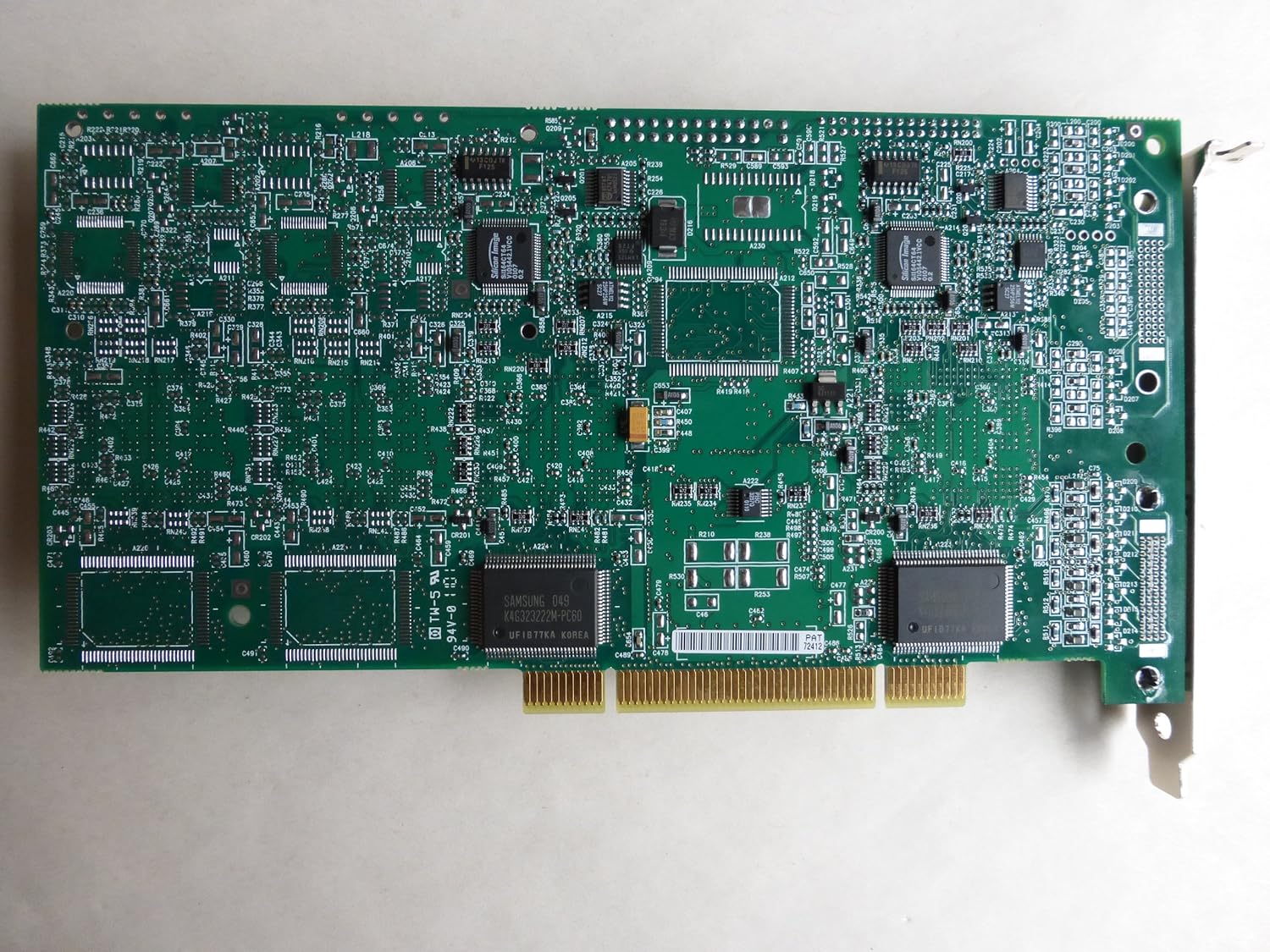
Pilt: Ülalt-alla vaade view of the Matrox Millennium G200 graphics adapter, showcasing its green circuit board with various chips and components.

Pilt: Nurk view of the Matrox Millennium G200 graphics adapter, highlighting the DMS-59 output port and the passive heatsinks on the main chips.
3.3 Draiveri installimine
- Ühenda monitor(id): Connect your monitor(s) to the DMS-59 port on the graphics card using the appropriate Y-cable (DMS-59 to Dual VGA or DMS-59 to DVI/S-Video).
- Power On Computer: Plug in your computer and power it on. The operating system may detect new hardware and attempt to install generic drivers.
- Matroxi draiverite installimine:
- Kui draiveri CD oli kaasas, sisestage see optilisse draivi ja järgige ekraanil kuvatavaid juhiseid.
- Alternatively, download the latest drivers for the Matrox Millennium G200 (G2+/DUALP-PL) from the official Matrox website. Run the installer and follow the prompts.
- Taaskäivitage arvuti: After the driver installation is complete, restart your computer to apply the changes.

Pilt: detailne view of the DMS-59 connector along with S-Video and Composite video output jacks on one of the adapter cables.
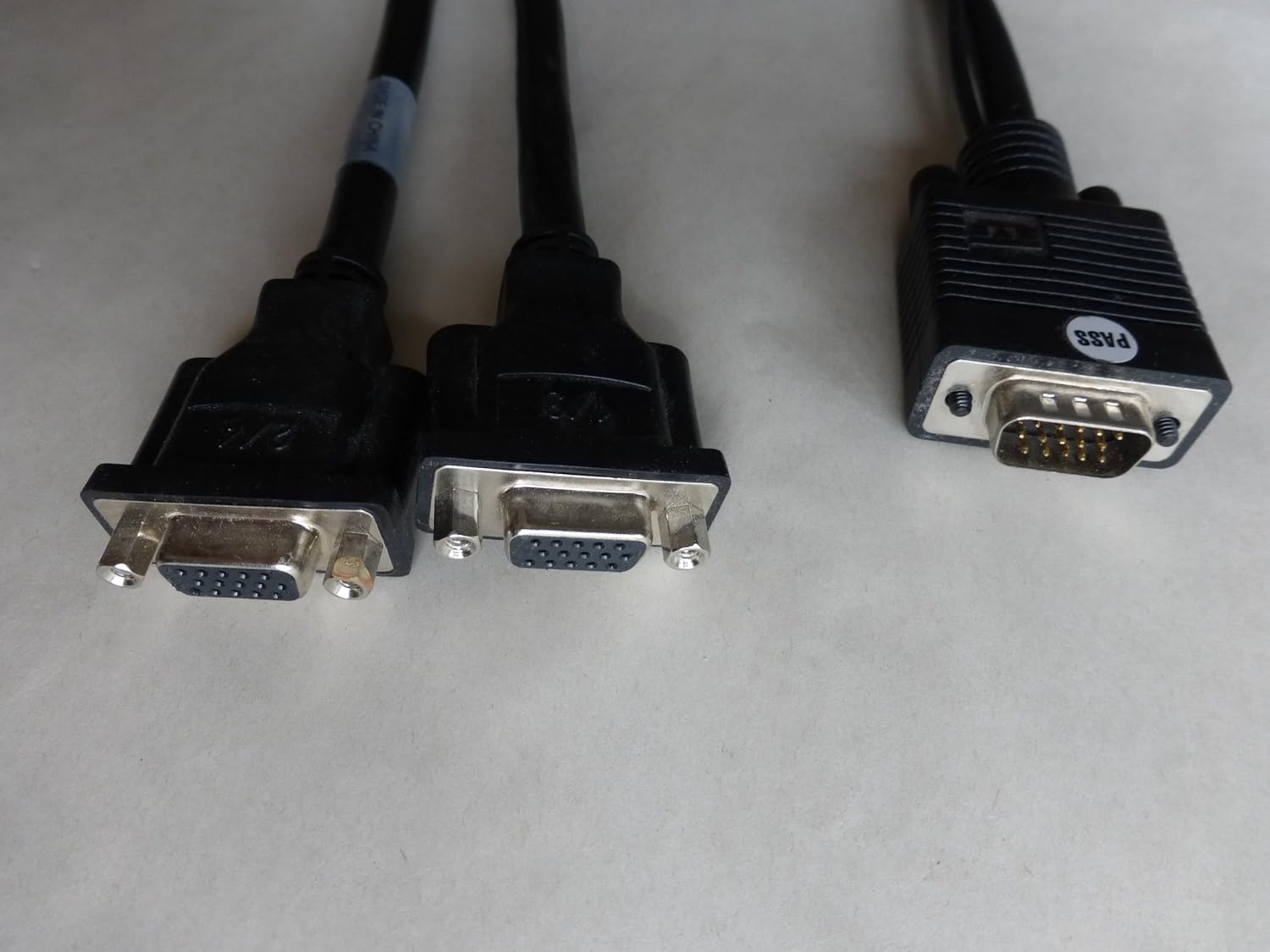
Image: A close-up of the dual VGA connectors and the DMS-59 input connector on the Y-cable, used for connecting two VGA monitors.
4. Kasutusjuhised
4.1 Connecting Monitors
The Matrox Millennium G200 (G2+/DUALP-PL) uses a DMS-59 connector to support dual analog displays. Use the provided Y-cable to connect your monitors:
- For two VGA monitors, use the DMS-59 to Dual VGA Y-cable.
- For one DVI monitor and one S-Video/Composite display, use the DMS-59 to DVI and S-Video/Composite Y-cable.
4.2 Configuring Display Settings
Once drivers are installed, you can configure your display settings through your operating system's display control panel. Matrox also provides its own display utility for advanced settings.
- Eraldusvõime ja värskendussagedus: Adjust these settings to match your monitor's native resolution and preferred refresh rate for optimal display quality.
- Mitme monitori seadistamine:
- Extended Desktop: Extend your desktop across two monitors to increase your workspace.
- Cloned/Mirrored Displays: Duplicate the same image on both monitors.
- Kuva suund: Rotate your display if using a pivot-capable monitor.
5. Hooldus
Proper maintenance ensures the longevity and optimal performance of your graphics adapter.
- Tolmu eemaldamine: Periodically open your computer case and gently clean any dust accumulation on the graphics card and its heatsinks using compressed air. Ensure the computer is powered off and unplugged before cleaning.
- Õhuvool: Ensure your computer case has adequate airflow to prevent overheating, which can affect the performance and lifespan of the graphics card.
- Draiveri värskendused: Check the Matrox website periodically for updated drivers. Keeping your drivers current can improve performance, add new features, and resolve compatibility issues.
6. Veaotsing
If you encounter issues with your Matrox Millennium G200 graphics adapter, refer to the following common troubleshooting steps:
- Kuvarit pole monitoril:
- Ensure the monitor is powered on and correctly connected to the graphics card using the appropriate Y-cable.
- Verify the graphics card is fully seated in its PCI slot. Power off the computer, unplug it, open the case, and reseat the card.
- Check if your monitor input is set to the correct source (VGA, DVI).
- Võimalusel proovi teise monitori või kaabliga.
- Incorrect Resolution or Colors:
- Ensure the latest Matrox drivers are installed.
- Adjust display settings in your operating system's control panel to the monitor's native resolution and desired color depth.
- Süsteemi ebastabiilsus või krahhid:
- Verify that the graphics card is properly installed and secured.
- Veenduge, et teie süsteemi toiteplokk (PSU) vastab kõigi paigaldatud komponentide miinimumnõuetele.
- Check for driver conflicts with other hardware. Try reinstalling the Matrox drivers.
- Monitor system temperatures to ensure the card is not overheating.
7. Tehnilised andmed
| Funktsioon | Detail |
|---|---|
| Mudeli number | G2+/DUALP-PL |
| Kaubamärk | Matrox |
| Graafika kaasprotsessor | MGA G200 |
| Videomälu | 16 MB |
| Graafika RAM-i tüüp | SRAM |
| Video väljundliides | DMS-59 (supporting DVI, VGA via adapter) |
| Liidese tüüp | PCI |
| Kauba kaal | 2 naela (umbes) |
| Esmakordselt saadaval olev kuupäev | 28. jaanuar 2005 |
8. Garantii ja tugi
For detailed warranty information, technical support, and driver downloads, please refer to the official Matrox websaidil või võtke ühendust oma klienditeenindusega.
Matrox Official Websait: https://www.matrox.com/graphics/en/support/
When contacting support, please have your product model number (G2+/DUALP-PL) and any relevant system information ready.


