
Sissejuhatus
Thank you for choosing the Dahle 15E Vantage Guillotine Paper Trimmer/Cutter. This manual provides essential information for the safe and efficient operation, maintenance, and troubleshooting of your new paper trimmer. Please read these instructions carefully before use and retain them for future reference.
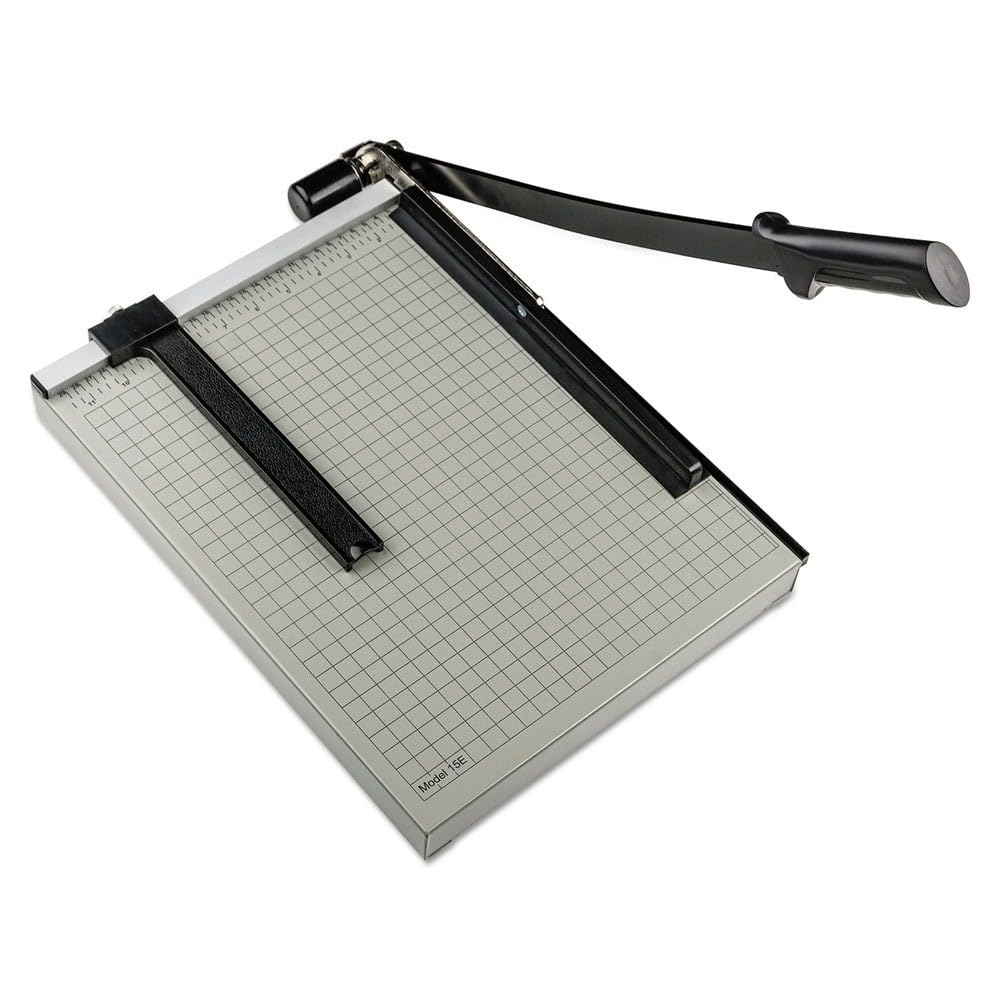
Image: Dahle 15E Vantage Guillotine Paper Trimmer/Cutter, showing the cutting arm and base with grid markings.
Ohutusjuhised
Vigastuste või toote kahjustamise vältimiseks järgige alati järgmisi ohutusnõudeid:
- Terav tera: The guillotine blade is extremely sharp. Always handle with extreme caution. Keep fingers and other body parts clear of the blade path.
- Lapsed ja lemmikloomad: Keep the paper trimmer out of reach of children and pets. The locking handle feature should be utilized when the trimmer is not in use.
- Stabiilne pind: Always operate the trimmer on a stable, flat, and level surface to prevent tipping or accidental movement.
- Õige kasutamine: Use the trimmer only for its intended purpose: cutting paper. Do not attempt to cut other materials.
- Hooldus: Do not attempt to sharpen or modify the blade yourself. Refer to qualified service personnel if the blade requires attention.
Pakendi sisu
Lahtipakkimisel veenduge, et kõik komponendid on olemas:
- Vantage 12.25 x 15.75 Guillotine 15-Sheet Paper Trimmer/Cutter - 15E
Seadistamine
- Pakkige lahti: Carefully remove the paper trimmer from its packaging.
- Paigutus: Place the trimmer on a sturdy, flat, and level work surface. Ensure there is adequate space around the trimmer for safe operation and paper handling.
- Stabiliseeri: The trimmer features non-skid rubber feet. Ensure these feet are firmly gripping the work surface to prevent movement during use.
- Unlock Handle: If the handle is locked, gently lift it to the upright position.
Kasutusjuhised
Follow these steps for safe and effective paper cutting:
- Valmistage ette paber: Gather the sheets of paper you wish to cut. The trimmer can cut up to 15 sheets of standard paper at a time. Do not exceed this capacity.
- Lift Blade: Gently lift the cutting handle (blade arm) to its fully open, upright position. The spring action metal blade is designed to stay up, preventing it from falling down unexpectedly.
- Seisukohadokument: Slide the paper under the blade and against the back guide. Use the printed 1/2 inch grid on the sturdy metal base for precise alignment.
- Reguleerige paberijuhikut: If necessary, use the adjustable paper guide to ensure your paper is perfectly aligned for the desired cut length.
- Secure Paper: The automatic paper clamp will engage as you lower the blade, holding the paper firmly in place to prevent shifting during the cut.
- Lõika: With one hand holding the paper firmly against the back guide (but away from the blade path), use your other hand to firmly and smoothly pull the cutting handle down. Apply even pressure throughout the cut.
- Retrieve Paper: Once the cut is complete, lift the blade and remove the cut paper.
- Lock Handle (Optional): For storage or when not in use, lower the handle and engage the locking mechanism if available, to secure the blade in the down position.
Hooldus
Proper maintenance ensures the longevity and performance of your paper trimmer:
- Puhastamine: Regularly wipe down the metal base and blade with a soft, dry cloth to remove paper dust and debris. Do not use abrasive cleaners or solvents.
- Tera hooldus: The blade is designed for durability. Avoid cutting materials other than paper, as this can dull or damage the blade. Do not attempt to sharpen the blade yourself.
- Hoiustamine: Store the trimmer in a dry, safe place, ideally with the handle locked in the down position, to prevent accidental injury.
Veaotsing
If you encounter issues with your paper trimmer, consider the following:
- Ebaühtlased lõiked: Ensure the paper is properly aligned against the back guide and the adjustable paper guide. Verify that the trimmer is on a stable, level surface.
- Blade Not Cutting Cleanly: Check if you are exceeding the maximum sheet capacity (15 sheets). Ensure the blade is free of debris. If the blade appears dull after extended use, professional servicing may be required.
- Paper Shifting During Cut: Make sure the automatic paper clamp is engaging properly. Ensure you are applying firm, even pressure on the cutting handle throughout the cut.
Tehnilised andmed
| Funktsioon | Spetsifikatsioon |
|---|---|
| Mudeli number | Mod-C26PO-13157 |
| Tera materjal | Metallist |
| Lõika pikkus | 15 tolli |
| Lehe mahutavus | 15 lehte |
| Trimmer Board Type | Giljotiin |
| Base Dimensions (Width x Length) | 12.25 tolli x 15.75 tolli |
| Alusmaterjal | Metallist |
| Eriomadused | Spring action blade, Automatic paper clamp, Adjustable paper guide, Non-skid rubber feet, Locking handle |
Garantii ja tugi
For warranty information and customer support, please refer to the documentation provided at the time of purchase or visit the manufacturer's official websait. Hoidke ostutšekk ostutõendina alles.