
1. Toote lõppview
The HP Laptop 15-fd2353la is a versatile and efficient computing device designed for everyday tasks, entertainment, and productivity. It features an Intel Core Ultra 5 processor, a vibrant 15.6-inch Full HD display, ample memory, and fast solid-state storage. This manual will guide you through the setup, operation, and maintenance of your new laptop.

Esiosa view of the HP Laptop 15-fd2353la, highlighting its Intel Core Ultra 5 processor, 24 GB RAM, 512 GB SSD, and 15.6-inch Full HD display.
2. Seadistamine
2.1 Lahtipakkimine
Carefully remove your laptop and all accessories from the packaging. Ensure the following items are present:
- HP Laptop 15-fd2353la
- Toiteadapter ja kaabel
- Dokumentatsioon (kiirjuhend, garantiiteave)
2.2 Toiteadapteri ühendamine
Before first use, connect the power adapter to the laptop's power port and then plug it into a wall outlet. Allow the battery to charge for a few hours, or until fully charged, before initial use.
2.3 Esmane sisselülitamine ja Windowsi seadistamine
Press the power button located on the keyboard to turn on the laptop. Follow the on-screen instructions to complete the Windows 11 Home setup process. This includes selecting your language, connecting to a Wi-Fi network, and creating a user account.
3. Kasutusjuhised
3.1 Toide sisse/välja ja puhkeolek
- Toide sisse: Vajutage toitenuppu.
- Lülita välja: Klõpsake nuppu Start ja seejärel Toide > Sule arvuti.
- Puhkerežiim: Sulgege kaas või klõpsake nuppu Start ja seejärel Toide > Unerežiim.
3.2 Klaviatuuri ja puuteplaadi kasutamine
The laptop features a full-size Spanish QWERTY keyboard and a precision touchpad. Use the touchpad for navigation, clicking, and multi-touch gestures. Refer to Windows settings for touchpad customization.
3.3 Wi-Fi-ga ühenduse loomine
Traadita võrguga ühenduse loomiseks toimige järgmiselt.
- Klõpsake tegumiribal WiFi ikooni.
- Valige loendist soovitud võrk.
- Sisestage võrguparool, kui seda küsitakse, ja seejärel klõpsake nuppu Loo ühendus.
4. Põhiomadused
The HP Laptop 15-fd2353la offers a range of features designed to enhance your computing experience:
- Protsessor: Intel Core Ultra 5 225U (up to 4.8 GHz with Intel Turbo Boost Technology, 12 MB L3 Cache, 12 cores, 14 threads) for efficient multitasking.
- Hoiustamine: 512 GB PCIe NVMe M.2 Solid State Drive for fast boot times and application loading.
- Mälu: 24 GB DDR5-5600 MT/s RAM for smooth performance across demanding applications.
- Kuva: 15.6-inch Full HD (1920 x 1080) IPS anti-glare display with 250 nits brightness and 62.5% sRGB for clear visuals.
- Operatsioonisüsteem: Eelinstallitud Windows 11 Home'iga.
- Aku eluiga: Up to 9 hours and 45 minutes of AI-optimized battery life, with HP Fast Charge capable of recharging 50% in approximately 30 minutes.
- Webcam and Audio: Integreeritud webcam with a privacy shutter and a clear microphone featuring external noise reduction for improved video calls.
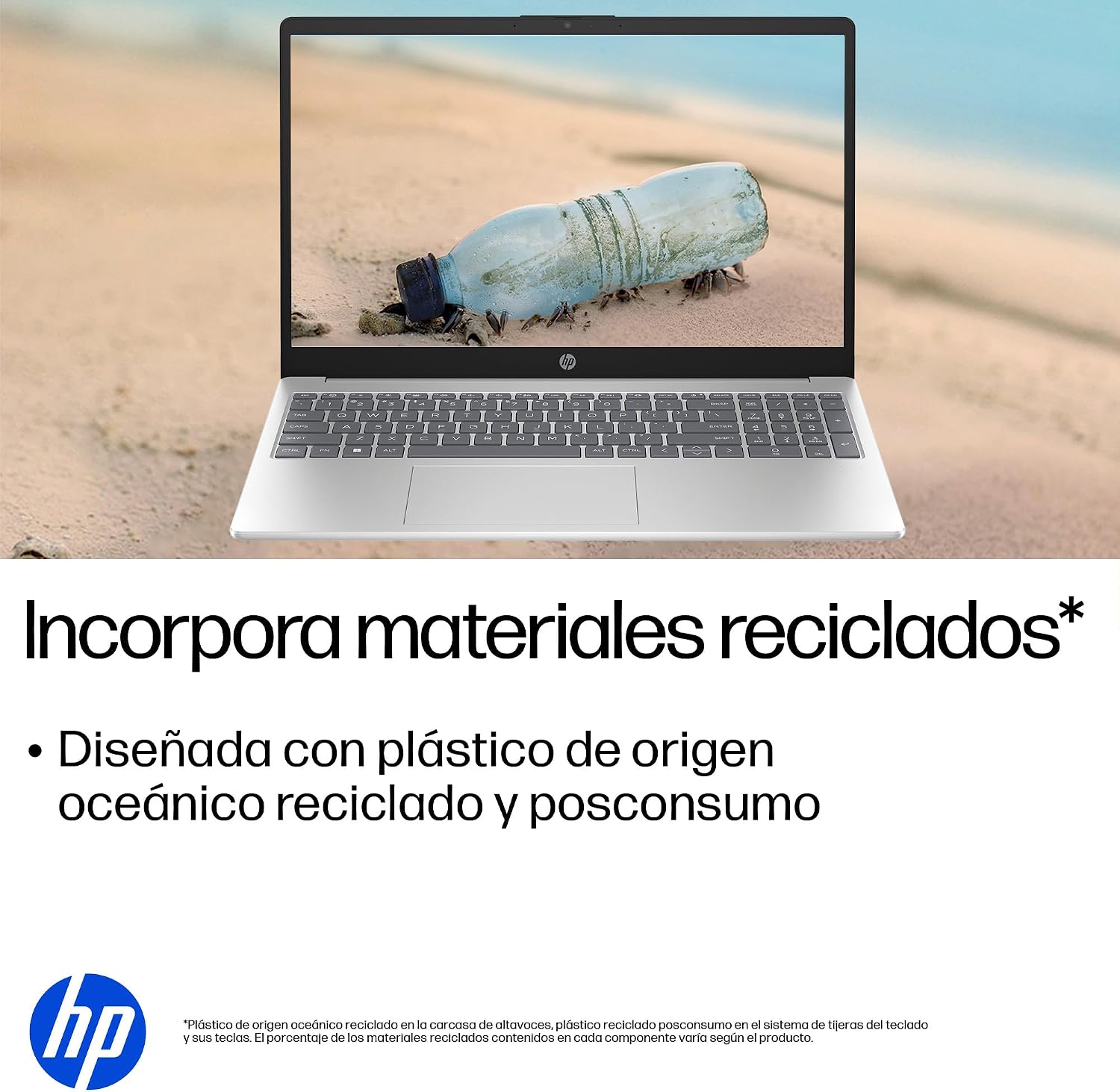
- Säästev disain: Constructed with ocean-bound and post-consumer recycled plastics in various components.

The laptop features an integrated webcam shutter for privacy and a clear microphone with external noise reduction.

Experience an immersive visual display with an 85% screen-to-body ratio and an anti-glare Full HD screen.

Enjoy extended use with up to 9 hours and 45 minutes of AI-optimized battery life, and quickly recharge 50% in 30 minutes with HP Fast Charge.

This laptop incorporates recycled materials, including ocean-bound and post-consumer plastics, in its design.
5. Portid ja ühenduvus
Your HP Laptop 15-fd2353la is equipped with various ports for connecting peripherals and external devices:

Diagram illustrating the location and type of ports on the HP Laptop 15-fd2353la.
- Vasak pool:
- 1 x USB Type-A 5 Gbps signaling rate port
- 1 x HDMI port
- 1 x USB Type-C 5 Gbps signaling rate port
- 1 x Headphone/Microphone combo jack
- Parem pool:
- 1 x USB Type-A 5 Gbps signaling rate port
- 1 x toitepistik
6. Tehnilised andmed
| Funktsioon | Spetsifikatsioon |
|---|---|
| Kaubamärk | HP |
| Mudeli nimi | 15-fd2353la |
| Ekraani suurus | 15.6 tolli |
| Maksimaalne ekraani eraldusvõime | 1920 x 1080 pikslit (FHD) |
| Kuva tüüp | IPS, Anti-glare LCD |
| Värv | Hõbedane |
| CPU mudel | Intel Core Ultra 5 225U |
| Protsessori kiirus | Kuni 4.8 GHz |
| RAM-i suurus | 24 GB |
| RAM-tehnoloogia | DDR5-5600 MT/s |
| Kõvaketta suurus | 512 GB SSD (PCIe NVMe M.2) |
| Operatsioonisüsteem | Windows 11 Home |
| Graafika kaasprotsessor | Inteli integreeritud graafika |
| USB-pordid | 3 (2x USB Type-A, 1x USB Type-C) |
| HDMI pordid | 1 |
| Aku tüüp | Liitiumioon |
| Aku energiasisaldus | 41 vatt-tundi |
| Klaviatuuri paigutus | QWERTY (hispaania keel) |
| Kaal | 1.65 kilogrammi |
| Mõõdud (P x L x K) | 23.6 x 36 x 1.9 cm |
Visual representation of the laptop's dimensions and weight.
7. Hooldus
7.1 Sülearvuti puhastamine
- Kasutage kergelt pehmet ebemevaba lappi dampekraani puhastamiseks veega või ekraanipuhastusvahendiga loputatud.
- Klaviatuuri ja korpuse puhastamiseks kasutage pehmet lappi. Vältige karme kemikaale või abrasiivseid materjale.
- Klaviatuuri klahvide ja ventilatsiooniavade tolmust puhastamiseks kasutage suruõhku.
7.2 Aku hooldus
- Vältige äärmuslikke temperatuure.
- Ärge tühjendage akut sageli täielikult.
- Kui sülearvutit pikemat aega hoiule ei panda, veenduge, et aku oleks laetud umbes 50% ulatuses.
7.3 Tarkvaravärskendused
Optimaalse jõudluse ja turvalisuse tagamiseks värskendage regulaarselt oma Windowsi operatsioonisüsteemi ja draivereid. Windows Update'ile pääseb ligi menüüs Seaded > Windows Update.
7.4 Salvestushaldus
Perioodiliselt review ja kustutage mittevajalikud files to maintain sufficient free space on your 512 GB SSD, which helps in sustaining system performance.
8. Veaotsing
8.1 Toiteprobleemid
- Sülearvuti ei lülitu sisse: Veenduge, et toiteadapter oleks kindlalt ühendatud nii sülearvuti kui ka töötava pistikupesaga. Kontrollige, kas pistikupesa on töökorras.
- Aku ei lae: Verify the power adapter is correctly connected. Try a different power outlet.
8.2 Kuvamisprobleemid
- Ekraanil pole pilti: Connect an external monitor to the HDMI port to check if the issue is with the laptop's display or the graphics card.
- Tuhm või virvendav ekraan: Adjust screen brightness using the keyboard function keys. Update display drivers.
8.3 Ühenduvusprobleemid
- WiFi-ühendust ei toimu: Veenduge, et WiFi oleks lubatud. Taaskäivitage ruuter ja modem. Kontrollige Windowsi võrguseadeid.
- USB-seadmeid ei tuvastata: Try connecting the device to a different USB port. Ensure device drivers are installed.
8.4 Jõudlusprobleemid
- Aeglane jõudlus: Close unnecessary applications. Check for background processes consuming high resources (Task Manager). Ensure sufficient free storage space.
- Süsteem hangub: Restart the laptop. Check for recent software installations or updates that might be causing conflicts.
9. Garantii ja tugi
9.1 Garantii teave
Your HP Laptop 15-fd2353la comes with a 1-aastane piiratud garantii. This warranty covers manufacturing defects and hardware failures under normal use conditions. Please refer to the warranty documentation included with your product for full terms and conditions.
9.2 Tehniline tugi
For technical assistance, warranty claims, or service inquiries, please visit the official HP support website or contact HP customer service. Have your product model number (15-fd2353la) and serial number ready when contacting support.
You can find more information and support resources at the official HP websait: www.hp.com/support