
Sissejuhatus
This manual provides detailed instructions for the Philips SPK7858 Wireless Optical Mouse. Designed for ergonomic comfort and versatile performance, this mouse features multi-connection options, adjustable DPI settings, and a rechargeable battery, making it suitable for everyday use, office tasks, and gaming. Please read this manual thoroughly to ensure proper setup and operation.
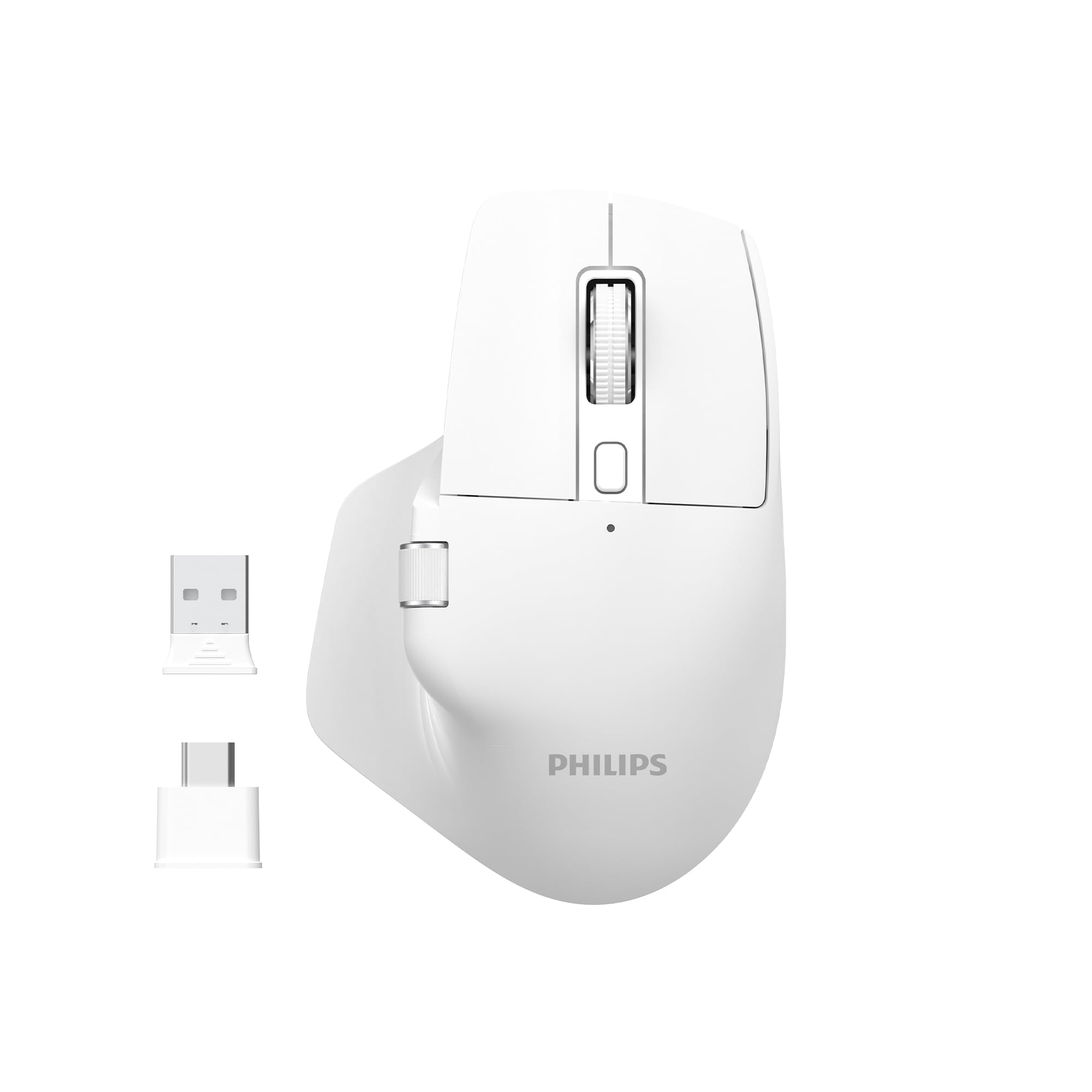
Image: The Philips SPK7858 Wireless Optical Mouse in white, shown with its USB receiver and Type-C adapter.
Seadistamine
1. Pakendi sisu
Enne alustamist veenduge, et pakendis on kõik esemed olemas:
- Philips SPK7858 Wireless Optical Mouse
- USB vastuvõtja
- C-tüüpi USB-adapter
- Laadimiskaabel (tüüp-C)
- Kasutusjuhend (see dokument)
2. Hiire laadimine
The mouse comes with a built-in rechargeable battery. For first-time use, it is recommended to fully charge the mouse.
- Leidke hiire esiküljel asuv C-tüüpi laadimisport.
- Connect the provided charging cable to the mouse and a USB power source (e.g., computer USB port, USB wall adapter).
- Laadimise märgutuli süttib. Kui aku on täielikult laetud, võib tuli värvi muuta või kustuda.

Pilt: Külg view of the Philips SPK7858 mouse, highlighting the Type-C charging port.
3. Hiire ühendamine
The mouse connects wirelessly via a 2.4GHz USB receiver.
- Remove the USB receiver from its storage compartment on the underside of the mouse.
- Plug the USB receiver directly into an available USB-A port on your computer. If your computer only has Type-C ports, use the provided Type-C adapter.
- Lülitage hiir sisse, kasutades allküljel asuvat toitelülitit.
- Teie arvuti peaks automaatselt tuvastama ja installima vajalikud draiverid. Hiir on kasutusvalmis.

Image: Underside of the Philips SPK7858 mouse, illustrating the USB dongle storage area and the optical sensor.
Hiire kasutamine
Nuppude funktsioonid
The Philips SPK7858 mouse features 7 programmable buttons for enhanced control and efficiency.
- Vasakklõpsu nupp: Standardne esmane klõpsufunktsioon.
- Paremklõpsu nupp: Standardne teisejärgulise klõpsu funktsioon.
- Kerimisratas: Scrolls vertically. Can also be pressed for middle-click functionality.
- DPI reguleerimise nupp: Liigub DPI tundlikkuse sätete vahel.
- Edasi nupp: Liigub edasi web brauserid või file uurijad.
- Tagasikäigu nupp: Liigub tagasi web brauserid või file uurijad.
- Külgmine kerimisratas: Provides horizontal scrolling functionality.

Pilt: Esikülg view of the Philips SPK7858 mouse, detailing the main scroll wheel, DPI button, and side buttons.
DPI reguleerimine
Adjust the mouse sensitivity (DPI) to match your preference or task requirements. The SPK7858 offers 5 adjustable DPI levels.
- Press the DPI adjustment button (located behind the main scroll wheel) to cycle through the available DPI settings.
- Each press will switch to the next DPI level: 800, 1600, 2400, 3200, and 4000 DPI.
- Select the DPI setting that provides the most comfortable and precise cursor movement for your current activity.

Image: A visual representation of the five adjustable DPI levels (800, 1600, 2400, 3200, 4000) available on the Philips SPK7858 mouse.
Universaalne ühilduvus
The Philips SPK7858 mouse is designed for broad compatibility across various operating systems, ensuring seamless integration with your devices.

Image: Icons representing universal compatibility with Windows, Apple (macOS), Chrome OS, Linux, and Android operating systems.
Hooldus
Puhastamine
Optimaalse jõudluse ja välimuse säilitamiseks puhastage hiirt regulaarselt.
- Hiire pinna pühkimiseks kasutage pehmet, kuiva ja ebemevaba lappi.
- Kangekaelse mustuse korral kergelt dampLoputage lappi veega või õrna puhastuslahusega. Vältige tugevatoimelisi kemikaale.
- Do not allow liquids to enter the mouse body.
- Täpse jälgimise tagamiseks puhastage alumist optilist andurit regulaarselt vatitupsuga.
Aku hooldus
The mouse features a rechargeable battery designed for long service life.
- Laadige hiirt, kui aku indikaator näitab madalat laetuse taset.
- Aku eluea pikendamiseks vältige selle sagedast täielikku tühjendamist.
- Kui hiirt pikemat aega hoiustate, laadige see enne hoiulepanekut umbes 50% ulatuses ja laadige uuesti iga paari kuu tagant.
Veaotsing
Hiir ei reageeri
- Kontrollige võimsust: Veenduge, et hiir on sisse lülitatud ja selle aku on piisavalt laetud. Vajadusel laadige.
- Kontrollige ühendust: Veenduge, et USB-vastuvõtja on kindlalt arvuti töötavasse USB-porti ühendatud. Proovige mõnda teist USB-porti.
- Siduge uuesti: Turn off the mouse, unplug the receiver, then plug the receiver back in and turn on the mouse.
- Häired: Move the mouse closer to the receiver or away from other wireless devices that might cause interference.
Inaccurate Tracking or Cursor Jumps
- Puhas andur: Puhastage hiire alumisel küljel asuv optiline andur.
- Pind: Ensure you are using the mouse on a suitable surface. Highly reflective, transparent, or uneven surfaces may affect tracking performance. A mouse pad is recommended.
- DPI seadistus: Kui kursor on liiga tundlik, vähendage DPI-sätet.
Nupud ei tööta
- Kontrollige akut: Tühja aku tase võib mõnikord mõjutada nuppude reageerimisvõimet.
- Tarkvara konflikt: If using custom button assignments, check your operating system's mouse settings or any third-party software for conflicts.
Tehnilised andmed
| Funktsioon | Detail |
|---|---|
| Kaubamärk | Philips |
| Mudeli nimi | SPK7858 |
| Ühenduvustehnoloogia | Juhtmeta (USB-vastuvõtja) |
| Liikumise tuvastamise tehnoloogia | Optiline |
| DPI tasemed | 800, 1600, 2400, 3200, 4000 |
| Nuppude arv | 7 |
| Erifunktsioon | Ergonomic Design, Rechargeable Battery |
| Värv | Valge |
| Kauba kaal | u. 99 g (koos akuga) |
| Patareid | 1 Nonstandard Battery (included, rechargeable) |
| Kasti sisu | Hiir |

Image: Diagram illustrating the dimensions of the Philips SPK7858 mouse: Height 12.3cm, Width 8.27cm, Depth 4.48cm, and approximate weight of 99g (including battery).
Garantii teave
Philips products are manufactured to the highest standards and undergo rigorous quality checks. For detailed warranty information, including terms, conditions, and duration, please refer to the warranty card included with your product or visit the official Philips websait. Hoidke ostutšekk ostutõendina alles.
Klienditugi
If you encounter any issues or have questions not covered in this manual, please contact Philips customer support. You can find contact details, FAQs, and additional resources on the official Philips support websaidile.
Veebitugi: Külastage www.philips.com/support