
Sissejuhatus
This instruction manual provides detailed information on the setup, operation, and maintenance of your Kuephom CD Player Boombox with Cassette Player, Model CD-X2A. Please read this manual thoroughly before using the device to ensure proper functionality and to maximize your listening experience. Keep this manual for future reference.
Toode läbiview
The Kuephom CD Player Boombox is a versatile audio system designed for both modern and classic audio formats. It features CD, cassette, Bluetooth, FM/AM radio, USB, and AUX input capabilities.

This image displays the Kuephom CD Player Boombox, highlighting its versatile features including CD/MP3 playback, Bluetooth connectivity, Type I/II tape support, USB input, FM/AM radio, sleep timer, remote control, phone jack, AUX input, and tape recording capabilities.
Pakendi sisu

This image shows the items included in the product package: the CD Player Boombox, an AC Power Cord, the User Manual, and a Remote Control.
- Kuephom CD Player Boombox (Model CD-X2A)
- Vahelduvvoolu toitejuhe
- Kaugjuhtimispult
- Kasutusjuhend
Seadistamine
Seadme toide
Your Kuephom CD Player Boombox can be powered by either AC power or batteries.

This image illustrates the dual power options for the boombox: AC power for indoor use and battery power (6 C-size batteries, not included) for portable outdoor use.
AC Power (for Home Use)
- Ensure the boombox is turned off.
- Connect the AC power cord to the AC input jack on the back of the unit.
- Ühendage vahelduvvoolu toitejuhtme teine ots tavalisse seinakontakti.
Battery Power (for Outdoor/Portable Use)
- Ensure the boombox is turned off.
- Avage seadme põhjas asuv patareipesa kaas.
- Insert 6 C-size batteries (not included), ensuring correct polarity (+/-).
- Sulgege akupesa kaas kindlalt.
Antenni reguleerimine
For optimal FM/AM radio reception, extend the telescopic antenna fully and adjust its position. For AM reception, rotating the unit itself may improve signal quality.
Kasutusjuhised
Üldised juhtnupud
Familiarize yourself with the main controls on the unit and the remote control for easy operation.

This image shows the Kuephom CD Player Boombox along with its remote control, demonstrating its convenience for operation from a distance.
CD taasesitus

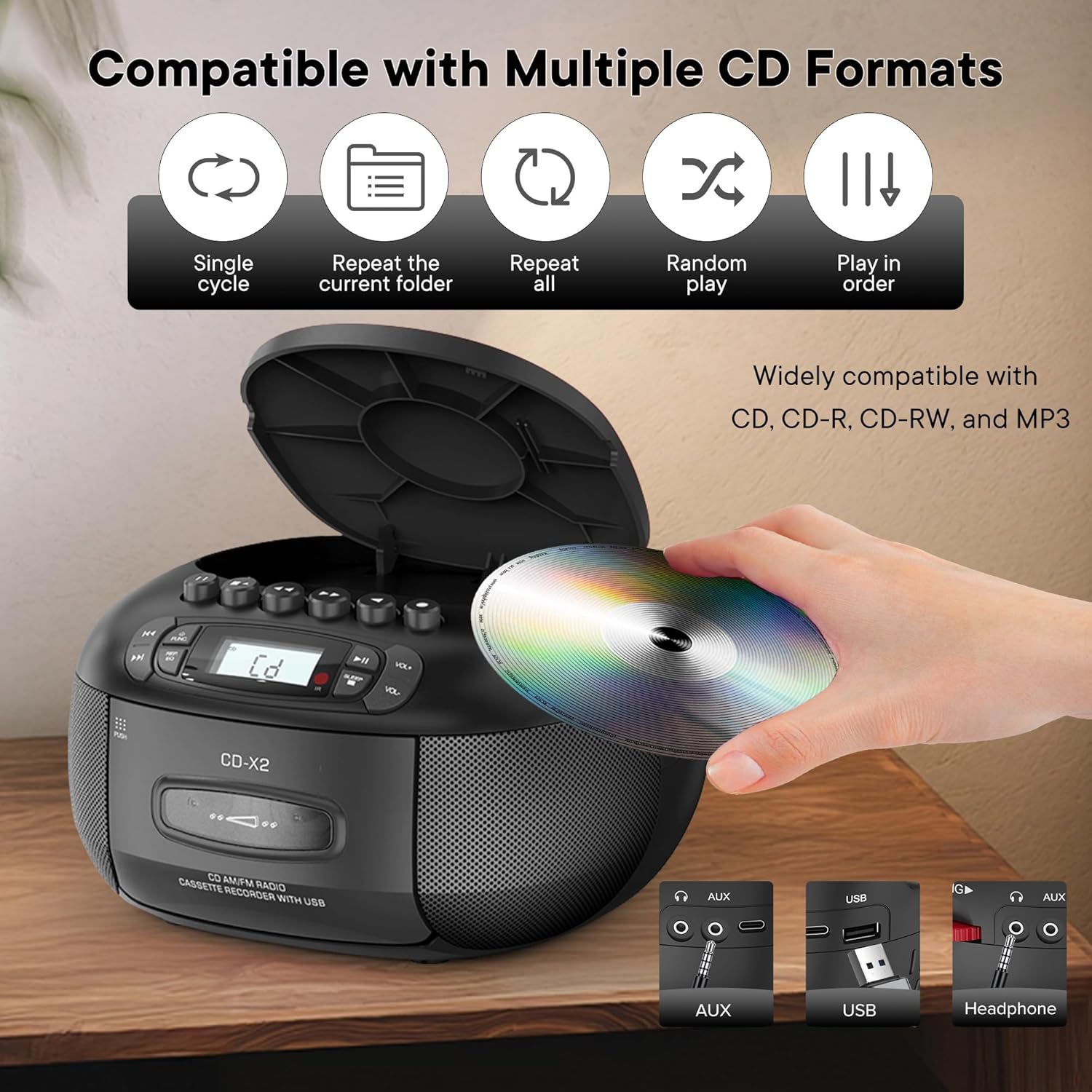
This image illustrates the CD compatibility of the boombox, supporting CD, CD-R, CD-RW, and MP3 formats. It also shows various playback modes: single cycle, repeat current folder, repeat all, random play, and play in order.
- Vajutage nuppu TÖÖTAJA button to select CD mode. The display will show "CD".
- Avage CD-pesa kaas, vajutades AVA/SULE nuppu.
- Asetage CD (CD, CD-R, CD-RW või MP3 CD) sildiga ülespoole spindlile.
- Close the CD compartment cover. The unit will read the disc and display the total number of tracks.
- Vajutage nuppu ESITA/PAUS taasesituse alustamiseks nuppu.
- Kasutage JÄTKA EDASI or JÄTKAKE TAGASI nupud lugude vahel navigeerimiseks.
- Vajutage nuppu REP/EQ button repeatedly to cycle through repeat modes (single track, repeat all, random play).
- Reguleerige helitugevust nupu abil VOL+ ja VOL- nupud.
Kasseti taasesitus ja salvestamine
This image shows a user inserting a cassette tape into the boombox, emphasizing its cassette playback and recording functions.
Taasesitus
- Vajutage nuppu TÖÖTAJA button to select TAPE mode. The display will show "TAP".
- Vajutage nuppu PUSH nuppu kassetipesa avamiseks.
- Insert a cassette tape with the open edge facing up.
- Sulgege kassetipesa.
- Vajutage nuppu MÄNGI button (usually indicated by a triangle symbol) to start playback.
- Kasutage KIIRE EDASI or KERIA TAGASI nupud lindi kiireks sirvimiseks.
- Vajutage nuppu PEATA/VÄLJATA button to stop playback or eject the tape.
Salvestamine
You can record audio from CD, Bluetooth, USB, or FM/AM radio onto a cassette tape.
- Sisestage kassetipesasse tühi kassett.
- Select the desired source (CD, Bluetooth, USB, or Radio) using the TÖÖTAJA nuppu.
- Start playback on the source (e.g., play a CD track, start Bluetooth streaming).
- Vajutage nuppu SALVESTA button (usually indicated by a red circle) on the boombox. The unit will begin recording the audio onto the cassette.
- Vajutage nuppu STOP nuppu salvestamise lõpetamiseks.
FM/AM raadio
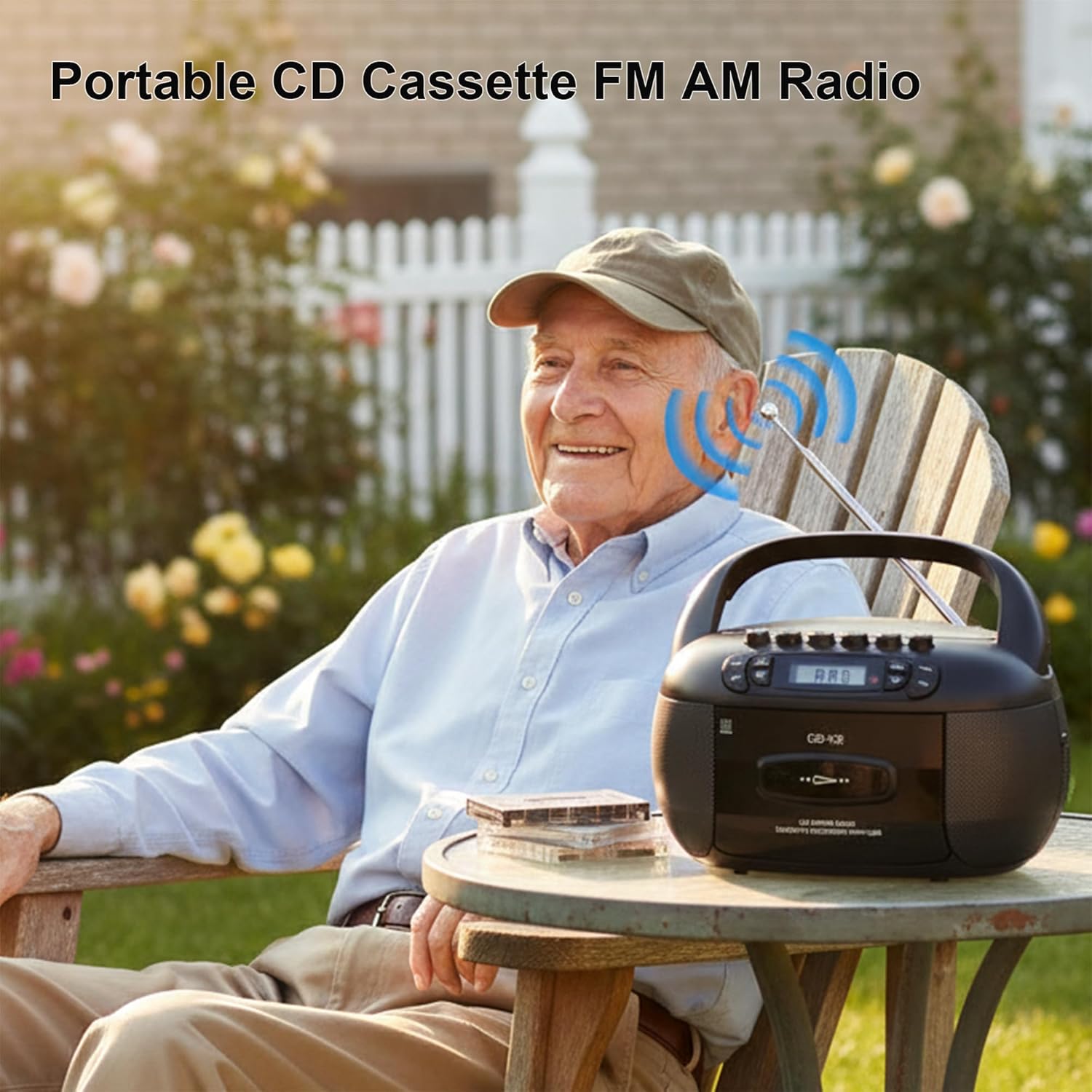
This image depicts a user enjoying the portable FM/AM radio function of the boombox outdoors, with the antenna extended for better reception.
- Vajutage nuppu TÖÖTAJA button to select RADIO mode. The display will show "rAd".
- Extend the telescopic antenna for FM reception. For AM, adjust the unit's position.
- Kasutage TUUNING nupp (või JÄTA VÄLJA buttons if available) to tune to your desired FM or AM station. The frequency will be displayed.
- Reguleerige helitugevust nupu abil VOL+ ja VOL- nupud.
Bluetooth-ühenduvus

The image demonstrates the boombox's Bluetooth functionality, allowing wireless audio streaming from a smartphone.
- Vajutage nuppu TÖÖTAJA button to select Bluetooth mode. The display will show "bt" and flash, indicating it's in pairing mode.
- Luba oma nutitelefonis või muus Bluetooth-seadmes Bluetooth ja otsi saadaolevaid seadmeid.
- Select "Kuephom CD-X2A" (or similar name) from the list of devices.
- Once paired, the "bt" indicator on the boombox display will stop flashing and remain solid.
- You can now play audio from your connected device through the boombox.
USB/MP3 taasesitus
- Vajutage nuppu TÖÖTAJA button to select USB mode. The display will show "USB".
- Sisestage USB-mälupulk seadme USB-porti.
- The unit will automatically detect and begin playing MP3/WMA files USB-draivilt.
- Kasutage ESITA/PAUS, JÄTKA EDASI, ja JÄTKAKE TAGASI nupud taasesituse juhtimiseks.
AUX sisend
- Vajutage nuppu TÖÖTAJA AUX-režiimi valimiseks vajutage nuppu. Ekraanile kuvatakse "AUX".
- Connect an external audio device (e.g., smartphone, tablet, MP3 player) to the AUX input jack on the boombox using a 3.5mm audio cable (not included).
- Alusta taasesitust oma välisel seadmel. Heli suunatakse boomboxi kõlarite kaudu.
- Reguleerige helitugevust nupu abil VOL+ ja VOL- boomboxi ja/või välisseadme nupud.
Unetaimer

This image shows the boombox on a bedside table next to a sleeping person, highlighting the convenient sleep timer function that automatically stops playback.
- While the unit is playing, press the MAGA nuppu.
- Each press will cycle through available sleep timer durations (e.g., 10, 20, 30, 60, 90 minutes).
- Select your desired duration. The unit will automatically power off after the set time.
Hooldus
Seadme puhastamine
- Pühkige seadme välispinda pehme, damp riie. Ärge kasutage abrasiivseid puhastusvahendeid ega lahusteid.
- For the CD lens, use a specialized CD lens cleaning kit. Do not touch the lens directly.
- Keep the cassette head and pinch rollers clean to ensure optimal tape playback and recording quality. Use a cotton swab lightly dampisopropüülalkoholiga.
Säilitamine
When not in use for extended periods, disconnect the AC power cord and remove batteries. Store the unit in a cool, dry place away from direct sunlight and extreme temperatures.
Veaotsing
| Probleem | Võimalik põhjus | Lahendus |
|---|---|---|
| Pole jõudu | Vahelduvvoolujuhe pole ühendatud; patareid on tühjad või valesti sisestatud. | Kontrollige vahelduvvoolujuhtme ühendust; Vahetage patareid välja või veenduge õiges polaarsuses. |
| Ei mingit heli | Helitugevus on liiga madal; valitud on vale režiim; kõrvaklapid on ühendatud. | Increase volume; Select correct source mode; Disconnect headphones. |
| CD ei mängi | CD inserted incorrectly; CD dirty or scratched; Disc format not supported. | Reinsert CD label side up; Clean or replace CD; Ensure CD is supported format (CD, CD-R, CD-RW, MP3). |
| Halb raadiovastuvõtt | Antenn pole välja tõmmatud; nõrk signaal; häired. | Pikendage ja reguleerige FM-antenni; pöörake seadet AM-sageduse jaoks; liikuge elektroonikaseadmetest eemale. |
| Bluetoothiga sidumine ebaõnnestub | Boombox ei ole sidumisrežiimis; seade on liiga kaugel; Bluetooth on seadmes keelatud. | Ensure boombox is in BT pairing mode; Move device closer; Enable Bluetooth on your device. |
| Kassett ei mängi/salvesta | Tape inserted incorrectly; Tape damaged; Cassette head dirty. | Reinsert tape correctly; Use a different tape; Clean cassette head. |
Tehnilised andmed
| Funktsioon | Detail |
|---|---|
| Kaubamärk | Kuephom |
| Mudeli number | CD-X2A |
| Ühenduvustehnoloogia | Abiseade, Bluetooth, USB |
| Värv | Must |
| Kõlari tüüp | Stereo |
| Kauba mõõtmed (P x L x K) | 8.39 x 4.8 x 8.54 tolli |
| Toiteallikas | Corded Electric, Battery (6 C-size) |
| Wattage | 12 vatti |
| Bluetoothi tugi | Jah |
| Kõnelejate arv | 2 |
| Signaali-müra suhe | 80 dB |
| Heliväljundi režiim | Stereo |
| Kauba kaal | 1.57 kilogrammi |
Garantii ja tugi
Kuephom products are manufactured with attention to quality and performance. For any questions, technical assistance, or warranty claims, please refer to the contact information provided with your purchase or visit the official Kuephom webPalun hoidke oma ostutõend garantiinõuete täitmiseks alles.