
1. Sissejuhatus
This manual provides detailed instructions for the operation and maintenance of your Generic XL-026N Electronic Stopwatch. Designed for precision timing, this device features a double-row display, 10-memory storage, and multiple functions including a clock, calendar, countdown timer, alarm, and metronome. Please read this manual thoroughly to ensure proper use and to maximize the lifespan of your stopwatch.
2. Toote lõppview
The XL-026N stopwatch is built with an ABS plastic shell, offering wear-resistant, drop-resistant, shock-resistant, and anti-skid properties. Its life waterproof design allows for use in various conditions, including light rain. The large screen display ensures numbers are clear and easy to read.
Peamised omadused:
- Double Row Display
- 10 Mälu salvestamine
- Clock and Calendar Display
- Taimer
- 4 Groups of Alarm Clocks
- Metronoomi funktsioon
- 1/100 Second Timing Accuracy
- 3-Key Operation for simplicity
- Life Waterproof Design
- Durable ABS Plastic Shell
- Powered by 1 x CR2032 Button Battery
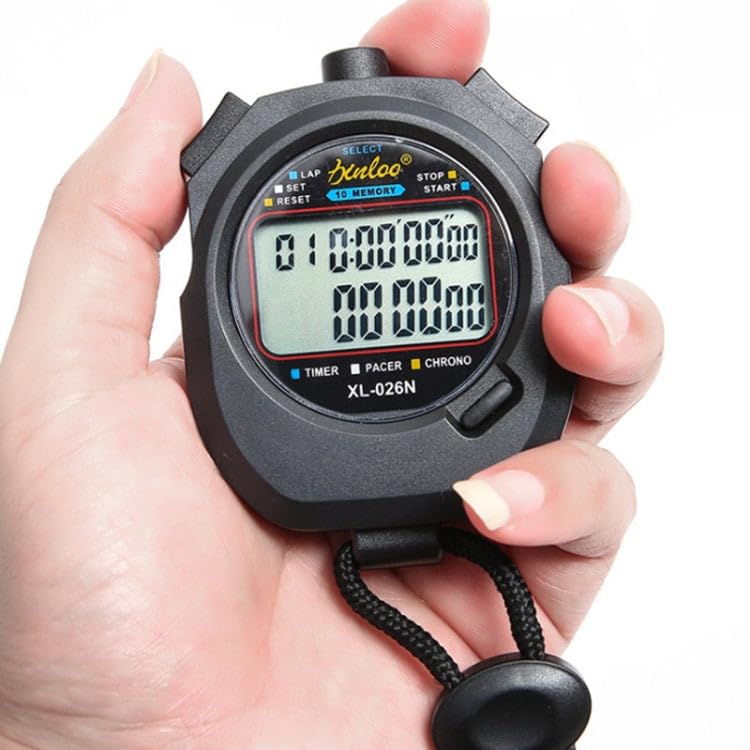
Joonis 2.1: Esiosa view of the XL-026N Electronic Stopwatch, showing the display and main buttons. The stopwatch is held in a hand, illustrating its compact size.
3. Seadistamine
3.1 Aku paigaldamine
The XL-026N stopwatch is powered by one CR2032 button battery. The battery is typically pre-installed. If the display is dim or unresponsive, the battery may need replacement.
- Leidke stopperi tagaküljel olev patareipesa.
- Use a small screwdriver or coin to open the battery cover by turning it counter-clockwise.
- Eemaldage vana CR2032 patarei.
- Sisestage uus CR2032 patarei nii, et positiivne (+) pool jääb ülespoole.
- Pange patarei kate tagasi ja keerake seda päripäeva, et see kinnitada.
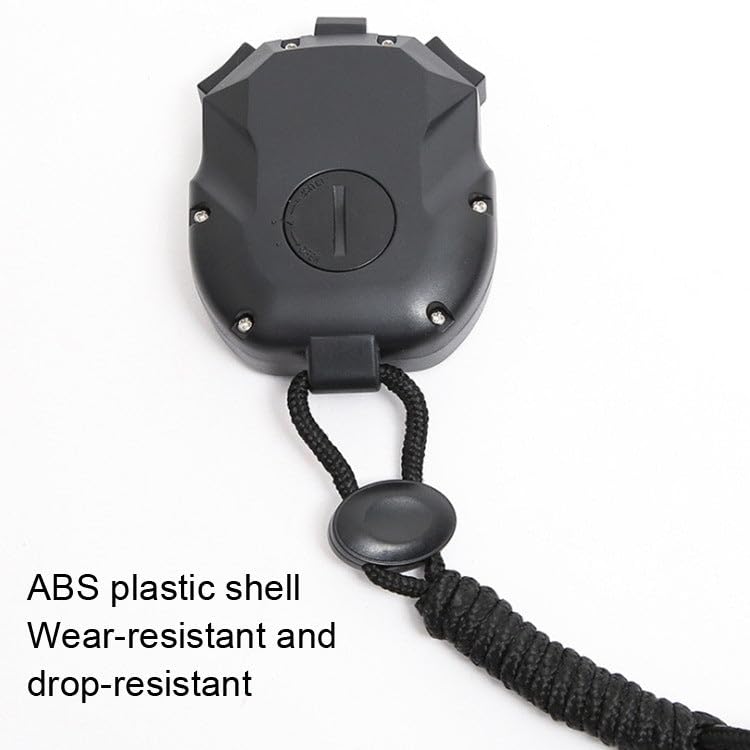
Joonis 3.1: Tagumine view of the XL-026N Electronic Stopwatch, indicating the battery compartment for CR2032 battery replacement.
3.2 Esmane sisselülitamine
Upon battery installation or first use, the stopwatch should automatically power on and display the current time or a default screen. If not, press any button to activate the display.
4. Kasutusjuhised
The XL-026N stopwatch features a simple 3-key operation. Familiarize yourself with the buttons:
- VALI: Used to switch between modes (Time, Stopwatch, Countdown, Alarm, Metronome) and to confirm settings.
- LAP/SET: Used to record lap times in stopwatch mode, and to enter/adjust settings in setup modes.
- START/STOP/RESET: Used to start, stop, and reset the timer functions.
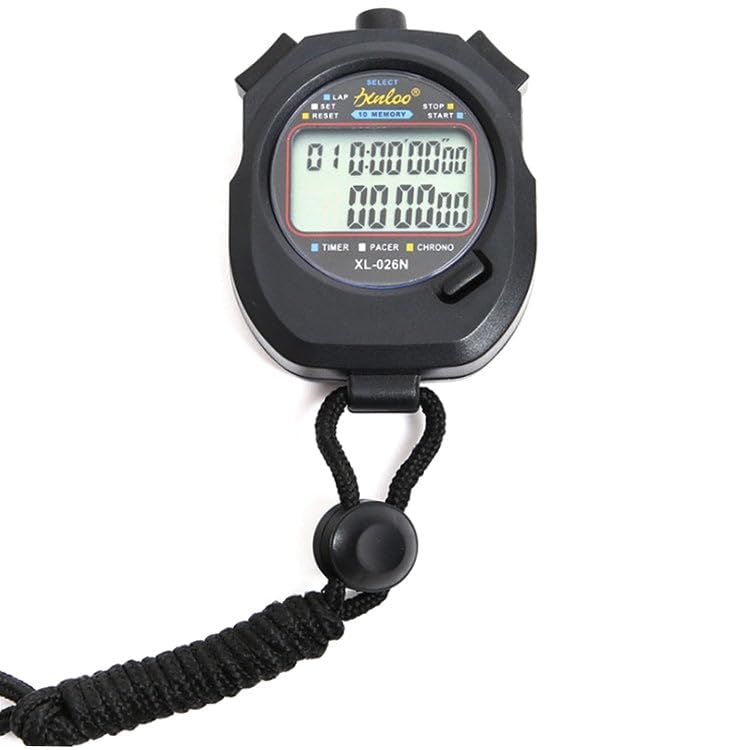
Joonis 4.1: üksikasjalik view of the XL-026N stopwatch's front panel, highlighting the SELECT, LAP/SET, and START/STOP/RESET buttons.
4.1 Time and Calendar Display
In the default mode, the stopwatch displays the current time (hour, minute, second) and date (month, day, day of the week).
- From any mode, press the VALI button repeatedly until the clock icon or "TIME" indicator is visible on the display.
- Kellaaja ja kuupäeva määramiseks toimige järgmiselt.
- In Time mode, press and hold LAP/SET until the digits begin to flash.
- Vajutage VALI to cycle through hours, minutes, seconds, month, day, and year.
- Kasutage START/STOPP/LÄHTESTA vilkuva väärtuse reguleerimiseks.
- Kui kõik seaded on õiged, vajutage LAP/SET uuesti seadistusrežiimist väljumiseks.
4.2 Stopwatch Function (1/100 Timing)
This mode is used for precise timing of events.
- Vajutage VALI until the "CHRONO" or stopwatch icon appears.
- Vajutage START/STOPP/LÄHTESTA taimeri käivitamiseks.
- To record a lap time, press LAP/SET. The lap time will be displayed on the upper row, while the running total time continues on the lower row.
- Vajutage LAP/SET uuesti juurde view the next lap time or return to the running display.
- To stop the timer, press START/STOPP/LÄHTESTA.
- To reset the timer to zero, press LAP/SET while the timer is stopped.
4.3 10 Memory Storage
Stopper suudab salvestada kuni 10 ringi-/vaheaega.
- After stopping the stopwatch (see 4.2), press LAP/SET to enter memory recall mode.
- Kasutage VALI to scroll through the stored lap times. The memory number will be displayed.
- Vajutage LAP/SET again to exit memory recall.
4.4 Taimer
Määrake stopperilt kindel aeg, millest alates aeg maha loendama hakkab.
- Vajutage VALI until the "TIMER" or countdown icon appears.
- Tagasiloendusaja määramiseks vajutage ja hoidke all LAP/SET kuni numbrid vilguvad.
- Kasutage VALI tundide, minutite ja sekundite vahel liikumiseks.
- Kasutage START/STOPP/LÄHTESTA vilkuva väärtuse reguleerimiseks.
- Vajutage LAP/SET to confirm the setting and exit.
- Vajutage START/STOPP/LÄHTESTA loenduse alustamiseks.
- Vajutage START/STOPP/LÄHTESTA uuesti peatamiseks/jätkamiseks.
- Kui loendur jõuab nullini, kostab äratus. Äratuse peatamiseks vajutage suvalist nuppu.
4.5 Alarm Clocks (4 Groups)
The stopwatch supports setting up to 4 independent alarms.
- Vajutage VALI until the "ALARM" icon appears. Repeated presses of VALI in this mode will cycle through AL1, AL2, AL3, AL4.
- To set an alarm, select the desired alarm (e.g., AL1) and press and hold LAP/SET kuni tunninumbrid vilguvad.
- Kasutage VALI tundide ja minutite vahel vahetamiseks.
- Kasutage START/STOPP/LÄHTESTA vilkuva väärtuse reguleerimiseks.
- Vajutage LAP/SET äratuse aja kinnitamiseks.
- To turn an alarm ON/OFF, in the alarm display mode, press START/STOPP/LÄHTESTA. Ilmub/kaob äratuseikoon, mis näitab selle olekut.
- When an alarm sounds, press any button to silence it.
4.6 Metronoomi funktsioon
The metronome provides a rhythmic beat for training or pacing.
- Vajutage VALI until the "PACER" or metronome icon appears.
- To set the beat per minute (BPM), press and hold LAP/SET until the BPM value flashes.
- Kasutage START/STOPP/LÄHTESTA BPM-i reguleerimiseks.
- Vajutage LAP/SET BPM-i kinnitamiseks.
- Vajutage START/STOPP/LÄHTESTA to start the metronome.
- Vajutage START/STOPP/LÄHTESTA uuesti, et metronoom peatada.
5. Hooldus
5.1 Puhastamine
Wipe the stopwatch with a soft, dry cloth. For stubborn dirt, a slightly damp cloth can be used. Avoid using harsh chemicals, abrasive cleaners, or solvents, as these can damage the casing või kuvar.
5.2 Veekindlus
The XL-026N features a life waterproof design, meaning it is resistant to splashes and light rain. It is mitte suitable for swimming, showering, or submersion in water. Do not press buttons while the stopwatch is wet to prevent water ingress.
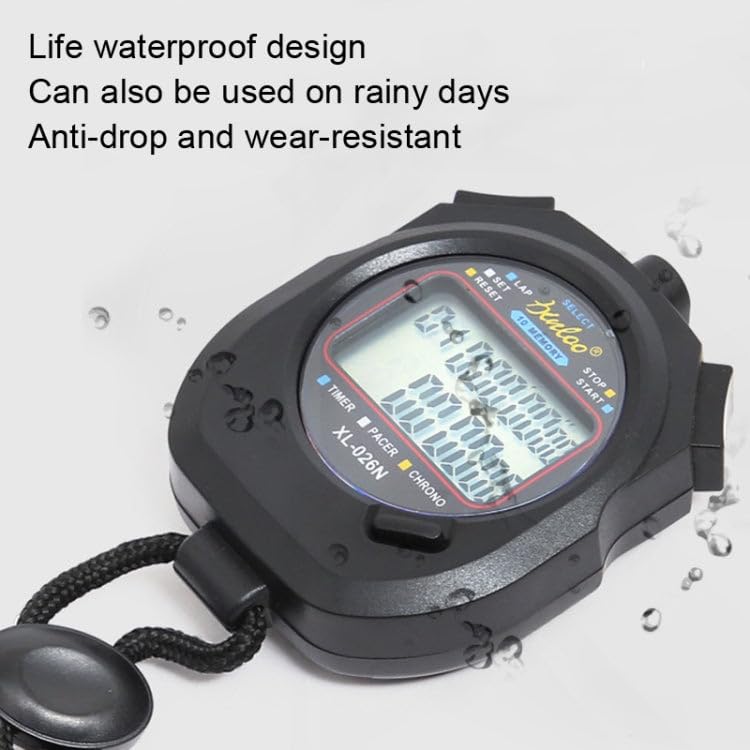
Figure 5.1: The XL-026N stopwatch demonstrating its life waterproof capability with water droplets on its surface.
5.3 Aku vahetamine
Refer to Section 3.1 for instructions on replacing the CR2032 button battery. Ensure the battery is disposed of properly according to local regulations.
6. Veaotsing
| Probleem | Võimalik põhjus | Lahendus |
|---|---|---|
| Ekraan on tühi või tuhm. | Tühi või tühi aku. | Replace the CR2032 battery (refer to Section 3.1). |
| Nupud ei reageeri. | Ajutine tarkvaratõrge või niiskus. | Remove and reinsert the battery to perform a soft reset. Ensure the stopwatch is dry. |
| Vale kellaaeg/kuupäev. | Kellaaeg/kuupäev pole õigesti seadistatud. | Refer to Section 4.1 to set the time and calendar. |
| Stopper ei mõõda täpselt aega. | Rarely a defect; usually user error. | Ensure you are in the correct mode and operating the buttons as described in Section 4.2. |
7. Tehnilised andmed
- Mudel: XL-026N
- Funktsioonid: Stopwatch (1/100s), Lap/Split Memory (10), Clock, Calendar, Countdown Timer, 4 Alarms, Metronome
- Kuva: Double Row, Large Screen
- Materjal: ABS plastik
- Toiteallikas: 1 x CR2032 nööppatarei
- Mõõdud (umbes): 7.9 cm x 6.2 cm x 2 cm (P x L x K)
- Kaal (umbes): 85 g
- Veekindlus: Life Waterproof (splash/rain resistant, not submersible)
8. Garantii ja tugi
This product is manufactured by Generic. For any queries or support, please refer to your retailer or the point of purchase. Please retain your proof of purchase for any warranty claims. Specific warranty terms may vary by region and retailer.
For general inquiries, please contact the seller directly as indicated on your purchase platform.