
1. Sissejuhatus
Thank you for choosing the KRPTQJoo Replacement Remote Control. This remote is designed to provide seamless control for various Blaupunkt and Alba television models. This manual will guide you through the setup, operation, and maintenance of your new remote control.
This remote control is a direct replacement and does not require any programming or pairing. Simply insert the batteries, and it is ready for use with compatible models.
Compatible Models include, but are not limited to:
- Blaupunkt: 32/194I-GB-FHBKU-DE, B32FX122BK, B32A2124TC, B32A22TC, B32SHE126, B32A112TC-3B2, B32A133TCHD, B32A191TCFHD-3D, BA32M191BF3BKUER01
- Alba: 22/207, 22-207-B, 22-207-S, UNFRMC0002, 50/211F, 22/207DVD, 22/207FDVD, 22/207F
2. Toote lõppview
The KRPTQJoo replacement remote control features a standard layout for easy navigation and control of your television. Below are images illustrating the front and back of the remote.
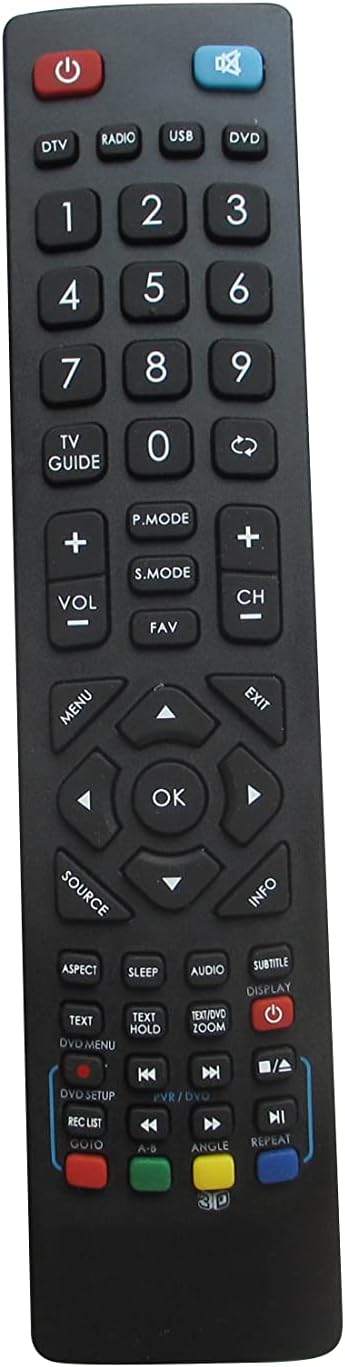
Joonis 2.1: Esiosa view of the remote control. This image displays the full button layout, including power, number keys, channel and volume controls, navigation pad, and various function buttons for TV, DVD, and media playback.
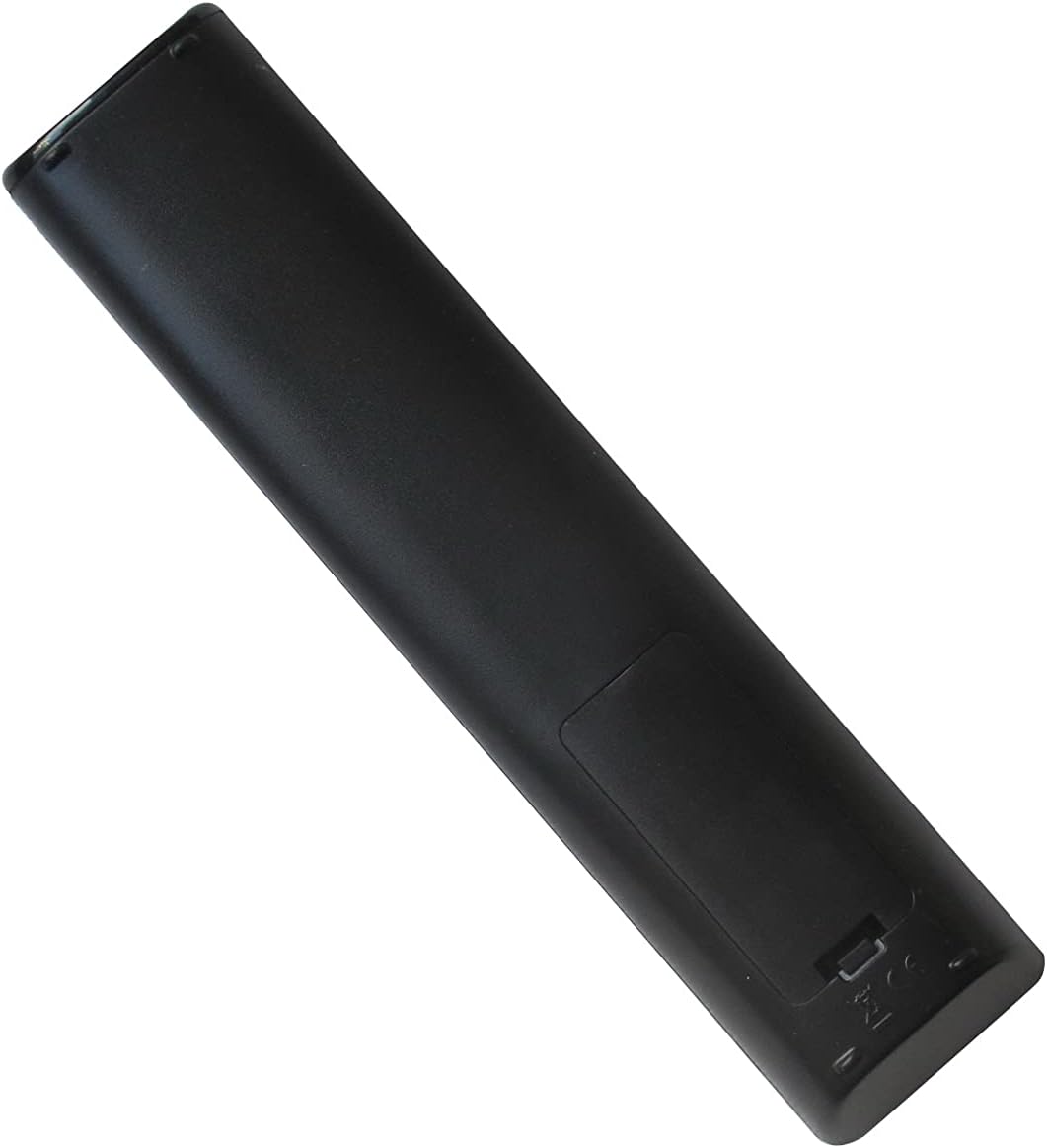
Joonis 2.2: Tagakülg view of the remote control. This image shows the smooth, ergonomic design and the location of the battery compartment cover.
3. Seadistamine
3.1 Aku paigaldamine
- Leidke kaugjuhtimispuldi tagaküljel olev patareipesa.
- Avamiseks libistage akupesa katet allapoole või vajutage riivi ja tõstke see üles.
- Sisestage kaks (2) AAA-patareid, veendudes, et positiivsed (+) ja negatiivsed (-) klemmid vastavad patareipesa sees olevatele joonistele.
- Pange patareipesa kate tagasi, veendudes, et see klõpsatusega kindlalt paika lukustub.
Märkus. This remote control operates using infrared (IR) technology and does not require any programming or pairing with your television. It is ready for use immediately after battery installation.
4. Kasutusjuhised
Point the remote control directly at your television's IR receiver. Ensure there are no obstructions between the remote and the TV.
4.1 Nuppude funktsioonid
| Nupp | Funktsioon |
|---|---|
| Võimsus (⏻) | Lülitab teleri sisse või välja. |
| DTV / Radio / USB / DVD | Selects the corresponding input source or mode. |
| 0-9 (numbrinupud) | Kanali otsevalik või numbriline sisend. |
| TV JUHEND | Accesses the Electronic Program Guide (EPG). |
| Vol +/- | Reguleerib helitugevust. |
| Ch +/- | Vahetab telekanalit. |
| Vaigista (🔇) | Vaigistab või tühistab teleri heli. |
| P.MODE | Liigub pildirežiimide vahel (nt Standardne, Dünaamiline, Film). |
| S.MODE | Cycles through sound modes (e.g., Standard, Music, Movie). |
| FAV | Avab lemmikkanalite loendi. |
| MENÜÜ | Avab teleri peamenüü. |
| Navigation Arrows (▲ ▼ ◄ ►) | Navigeerib menüüvalikute vahel. |
| OK | Kinnitab valiku menüüdes. |
| Väljumine | Väljub praegusest menüüst või funktsioonist. |
| ALLIKAS | Selects input sources (e.g., HDMI, AV, Component). |
| INFO | Kuvab teavet praeguse programmi või sisendi kohta. |
| ASPEKT | Muudab ekraani kuvasuhet. |
| MAGA | Määrab unetaimeri. |
| AUDIO | Valib heliradasid või režiime. |
| SUBTITLE | Lülitab subtiitrid sisse või välja. |
| EKRAAN | Kuvab ekraanil kuvatavat teavet. |
| TEXT / TEXT HOLD | Accesses teletext functions. |
| ZOOM | Reguleerib ekraani suumitaset. |
| DVD SETUP / REC LIST / GOTO | Functions related to DVD player setup, recording lists, or specific time jumps. |
| Playback Controls (◀◀ / ▶▶ / ■ / ▶ / ██ / ▣) | Standard media playback controls: Rewind, Fast Forward, Stop, Play, Pause, Record. |
| Värvilised nupud (punane, roheline, kollane, sinine) | Context-sensitive functions, often used in menus or teletext. |
| ANGLE / REPEAT / 3D | Functions for DVD angle selection, repeating playback, or 3D mode activation (if supported by TV). |
Märkus. The functionality of some buttons may vary depending on your specific TV model and its features. Refer to your television's original manual for detailed information on specific functions.
5. Hooldus
5.1 Puldi puhastamine
Kaugjuhtimispuldi puhastamiseks pühkige seda õrnalt pehme ja kuiva lapiga. Kangekaelse mustuse korral kuivatage seda kergeltampLoputage lappi veega või õrnatoimelise mitteabrasiivse puhastusvahendiga. Vältige tugevate kemikaalide ja liigse niiskuse kasutamist, kuna see võib pulti kahjustada.
5.2 Aku vahetamine
Replace batteries when the remote's response becomes sluggish or stops working. Always replace both batteries at the same time with new AAA batteries. Do not mix old and new batteries, or different types of batteries, as this can lead to leakage or malfunction.
Remove batteries if the remote will not be used for an extended period to prevent potential leakage and damage.
6. Veaotsing
- Remote is not working:
- Veenduge, et patareid on õigesti ja õige polaarsusega (+/-) sisestatud.
- Vahetage vanad patareid uute AAA patareide vastu.
- Kontrollige, kas kaugjuhtimispuldi ja teleri infrapunavastuvõtja vahel on takistusi.
- Veenduge, et olete efektiivse tööraadiuse piires (kuni 8 meetrit).
- Some buttons do not function:
- Verify that your TV model supports the specific function of that button. Not all TVs have the same features (e.g., 3D, specific DVD functions).
- This remote is a replacement for specific models; some advanced or unique functions of your original TV remote might not be replicated.
- Piiratud ulatus või vahelduv reageering:
- Vahetage patareid välja.
- Ensure the remote's IR emitter and the TV's IR receiver are clean and unobstructed.
- Avoid strong light sources (like direct sunlight or bright fluorescent lights) that might interfere with the IR signal.
7. Tehnilised andmed
- Kaubamärk: KRPTQJoo
- Mudel: Joo5661
- Ühenduvustehnoloogia: Infrapuna (IR)
- Maksimaalne vahemik: 8 meetrit (umbes 26 jalga)
- Toiteallikas: 2 x AAA patareid (ei kuulu komplekti)
- Ühilduvad seadmed: Television (specific Blaupunkt and Alba models)
- Värv: Must
8. Toetus
If you encounter any issues that cannot be resolved using the troubleshooting guide, or if you have questions regarding your KRPTQJoo replacement remote control, please contact customer service for assistance.
For the quickest resolution, please provide your product model number (Joo5661) and a detailed description of the issue when contacting support.