
Sissejuhatus
The YDS-USB1A-GC1054 V1.0 is a compact 1-megapixel USB camera module designed for various applications requiring high-speed, 720P resolution imaging. This module features a 1/4" GC1054 image sensor and a fixed-focus M12 lens, making it suitable for integration into small devices. It offers plug-and-play functionality via USB 2.0 and is UVC compliant, ensuring broad compatibility with different operating systems.
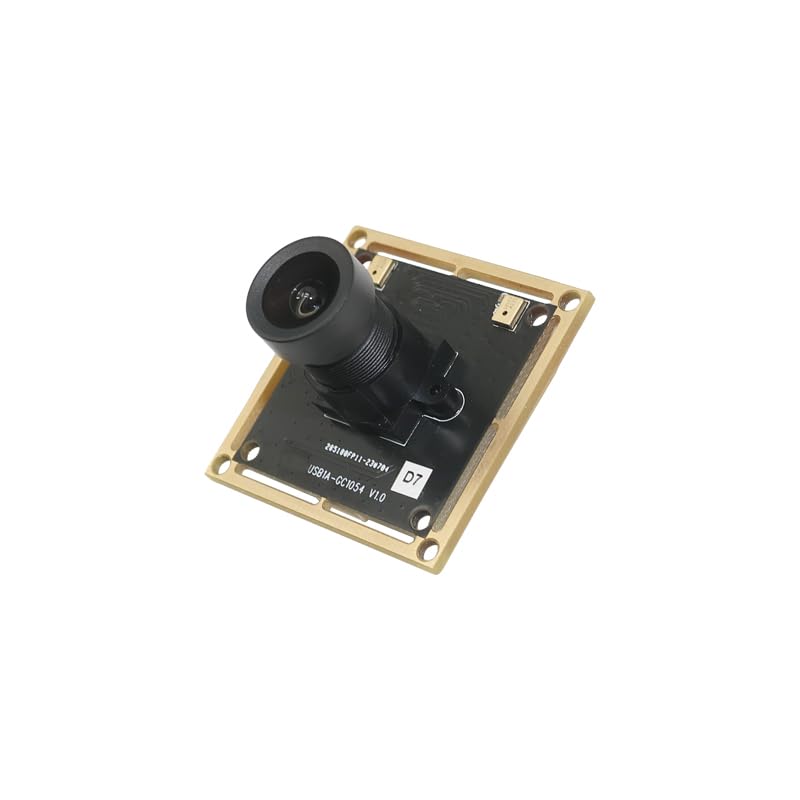
Pilt: Külg view of the YDS-USB1A-GC1054 V1.0 USB camera module, showing the lens assembly extending from the PCB.
Põhifunktsioonid
- Resolutsioon: 720P (1280 x 720 pixels) with GC1054 sensor.
- Ühenduvus: High-speed USB 2.0, Plug and Play.
- Väljundvorming: MJPG.
- Võimsus: Madal energiatarve.
- Disain: Kompaktne suurus.
- Ühilduvus: UVC compliant with Windows, Linux, and macOS.
- Täiendav tugi: USB OTG (On-The-Go) support.
Pakendi sisu
Veenduge, et pakis on kõik esemed olemas:
- YDS-USB1A-GC1054 V1.0 Camera Module
- USB Cable (if included in your specific kit)

Pilt: Nurk view of the YDS-USB1A-GC1054 V1.0 USB camera module, showing the lens and the square PCB with mounting holes.
Seadistusjuhised
- Ühendage USB-kaabel: If your module came with a separate USB cable, connect one end to the USB port on the camera module.
- Ühenda hostseadmega: Plug the other end of the USB cable into an available USB 2.0 port on your computer (Windows, Linux, macOS) or compatible device (e.g., Raspberry Pi, Android device with OTG support).
- Draiveri installimine: The camera module is UVC (USB Video Class) compliant. This means that in most modern operating systems (Windows XP SP2/SP3, Vista, 7, 8, 10, 11, Android, Mac OS, Linux), drivers will be installed automatically upon connection. No manual driver installation is typically required.
- Ühenduse kinnitamine: After connecting, the operating system should recognize the camera. You can verify this in your device manager (Windows) or system information (macOS/Linux).
Kasutusjuhised
Once connected and recognized by your system, the camera module can be used with various camera applications.
- Select Camera Input: Open your preferred camera software (e.g., AMCAP, Webnukk Viewer, VLC Player, OBS Studio, or built-in camera applications). In the software settings, select the "YDS-USB1A-GC1054 V1.0" or similar name as your video input device.
- Seadete kohandamine: Most camera applications allow you to adjust video settings such as resolution, brightness, contrast, saturation, white balance, and exposure. The module supports auto-control for saturation, contrast, acutance, white balance, and exposure.
- Fikseeritud fookus: This module features a fixed-focus lens. Manual focus adjustment is not required or possible. Ensure your subject is within the optimal focal range for clear images.
- Optimaalne jõudlus: For best performance, ensure adequate lighting in your environment.

Pilt: Ülemine view of the YDS-USB1A-GC1054 V1.0 USB camera module, showing the lens and the main components on the PCB.
Hooldus
- Puhastamine: Use a soft, dry cloth to gently clean the lens and the module's surface. Avoid using liquid cleaners or abrasive materials.
- Hoiustamine: When not in use, store the camera module in a clean, dry, and dust-free environment.
- Käitlemine: Handle the module by its edges to avoid touching the lens or electronic components.
- Temperatuur: Operate and store the module within the specified operating temperature range of -30°C to +80°C.

Pilt: Alumine osa view of the YDS-USB1A-GC1054 V1.0 USB camera module, displaying the electronic components and connectors on the PCB.
Veaotsing
- Kaamerat ei tuvastatud:
- Ensure the USB cable is securely connected to both the module and the host device.
- Proovige oma arvutis teist USB-porti.
- Kui võimalik, proovige teise USB-kaabliga.
- Taaskäivitage arvuti või hostseade.
- Check your device manager (Windows) or system information (macOS/Linux) to see if the device is listed.
- No Image or Black Screen:
- Verify that the correct camera is selected in your camera application settings.
- Ensure there is sufficient lighting in the environment.
- Close other applications that might be using the camera.
- Kehv pildikvaliteet:
- Clean the lens gently with a soft, dry cloth.
- Ensure the subject is within the optimal focal range for the fixed-focus lens.
- Adjust brightness, contrast, and exposure settings in your camera software.
- Kontrollige piisavat valgustust.
- Katkendlik ühendus:
- Ensure the USB connection is stable and not loose.
- Avoid using excessively long or unshielded USB extension cables.
- Check for power fluctuations if using a USB hub.
Tehnilised andmed
| Mudeli number | YDS-USB1A-GC1054 V1.0 |
| Pildi andur | GC1054 |
| Anduri tüüp | CMOS, 1/4" |
| Tõhus liikumatu eraldusvõime | 0.9 MP |
| Video jäädvustamise eraldusvõime | 1280 x 720 (720p) |
| Piksli suurus | 3.0 µm x 3.0 µm |
| Objektiivi tüüp | M12 Fixed Focus, 650nm IR Cut |
| EFL (efektiivne fookuskaugus) | 3.75 mm |
| View Nurk | 79.0° (DFOV), 67.0° (HFOV), 38° (VFOV) |
| Maksimaalne ava | 2.15 f |
| Ühenduvus | USB 2.0 |
| Väljundvorming | MJPG |
| Sisend Voltage | DC 5V |
| Töövool | Maksimaalselt 500mA |
| Töötemperatuur | -30°C kuni +80°C |
| PCB suurus | 38.00 x 38.00 mm (1.5" x 1.5") |
| Objektiivi mõõtmed | 13.00 x 13.00 x 24.31 mm |
| Süsteemi ühilduvus | Windows XP (SP2, SP3), Vista, 7, 8, 10, 11, Android, Mac OS, Linux, or OS with UVC Driver (e.g., Raspberry Pi by USB Port) |
| Tarkvara ühilduvus | AMCAP, Webnukk Viewer, V4L2 Controls, Contacam, VLC Player, MotionEye OS, iSpy, ZoneMinder, Yawcam |
Garantii ja tugi
Selle tootega on kaasas a 1-aastane garantii as specified by the manufacturer, YDSCAM.
For technical support or warranty claims, please contact the seller, YingDeShun Co. Ltd., through the platform where the product was purchased. Ensure you have your purchase details and model number (YDS-USB1A-GC1054 V1.0) available when contacting support.