
Sissejuhatus
Welcome to the GUHUAVMI GT4 Pro Smartwatch user manual. This guide provides detailed instructions on how to set up, operate, and maintain your new smartwatch. The GT4 Pro combines advanced health monitoring, comprehensive fitness tracking, and smart connectivity features in a durable, stylish design. Please read this manual carefully to ensure optimal performance and longevity of your device.
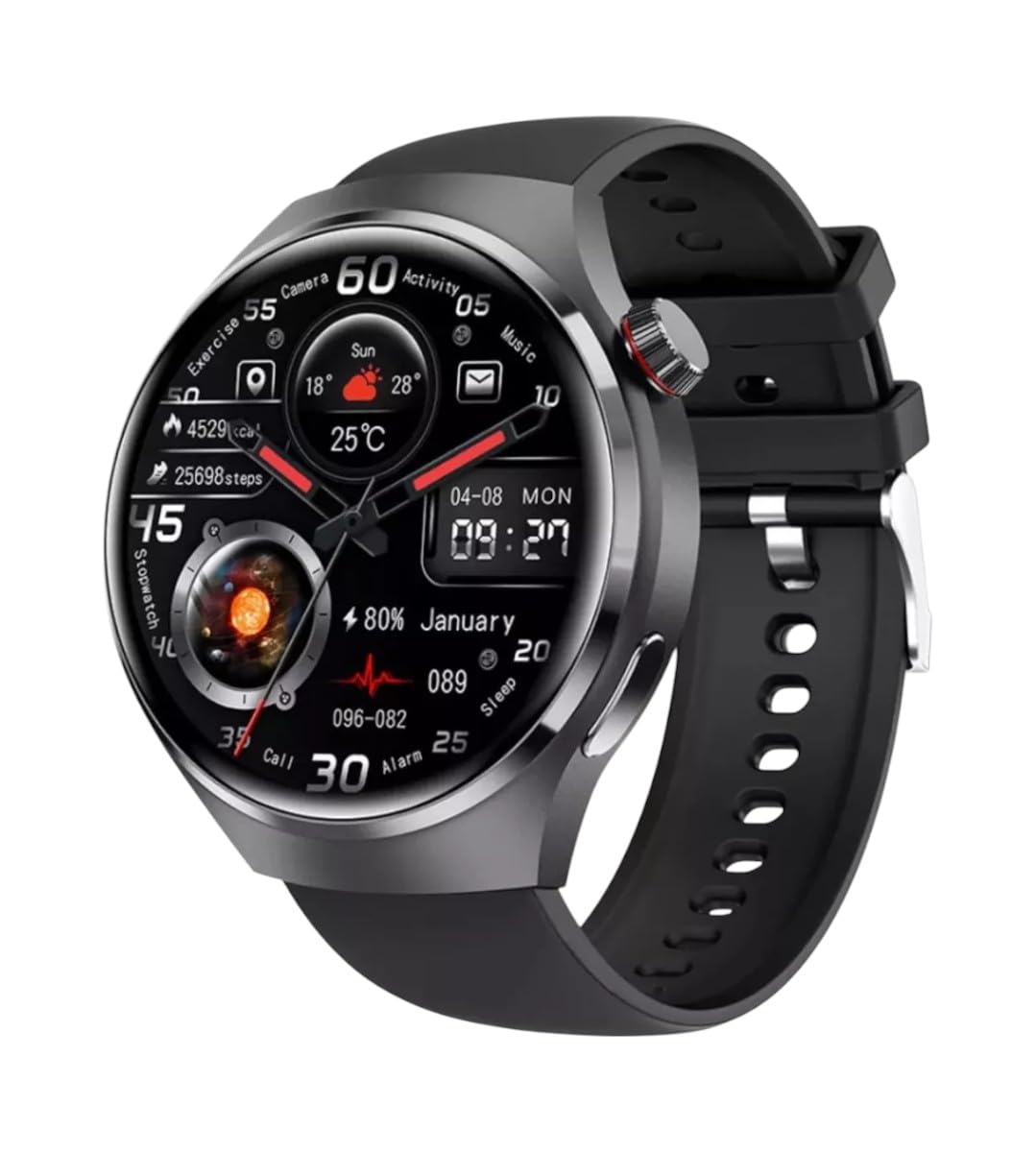
Pilt: Esikülg view of the GUHUAVMI GT4 Pro Smartwatch, showcasinselle elegantse disaini ja ekraaniga.
Seadistamine
1. Karbist lahtivõtmine ja komponendid
Enne alustamist veenduge, et pakendis on kõik komponendid olemas:
- GUHUAVMI GT4 Pro Smartwatch
- Juhtmeta laadija
- Kasutusjuhend (see dokument)
2. Nutikella laadimine
For first-time use, fully charge your GT4 Pro Smartwatch. Connect the wireless charger to a USB power adapter (not included) and place the smartwatch onto the magnetic charging base. The watch will indicate charging status on its screen.
- Laadimisaeg: Umbes 3 tundi täislaadimiseks.
- Aku eluiga: Typical usage provides 5-7 days of battery life.

Image: The GUHUAVMI GT4 Pro Smartwatch placed on its magnetic wireless charger, displaying battery life and charging time information.
3. Toide sisse/välja
- Toide sisse: Vajutage ja hoidke külgmist nuppu all, kuni ekraan süttib.
- Toide välja: Vajutage ja hoidke külgmist nuppu all, seejärel valige ekraanil suvand „Lülita välja”.
4. Rakenduse allalaadimine ja sidumine
To unlock the full potential of your GT4 Pro, download the companion app on your smartphone. Scan the QR code provided in the watch's initial setup screen or search for the app name (usually indicated on the watch or packaging) in your phone's app store.
- Lubage oma nutitelefonis Bluetooth.
- Ava kaasrakendus ja järgi ekraanil kuvatavaid juhiseid konto loomiseks või sisselogimiseks.
- In the app, select 'Add Device' or 'Pair Device' and choose 'GT4 Pro' from the list of available devices.
- Kinnitage sidumistaotlus nii oma nutitelefonis kui ka nutikellas.
Kasutusjuhised
1. Põhiline navigeerimine
The GT4 Pro features a 1.6-inch HD AMOLED touchscreen and a side crown button for navigation.
- Pühkige üles/alla: Kerige menüüsid ja teavitusi.
- Pühkige vasakule/paremale: Ligipääs kiirvidinatele või erinevatele kella sihverplaatidele.
- Puudutage: Valige üksus või avage rakendus.
- Vajutage külgmist nuppu: Naaske avakuvale või avage rakenduste loend.
2. Tehisintellektil põhinev häälassistent
Your GT4 Pro is equipped with an integrated AI voice assistant for hands-free operation.
- Aktiveerimine: Tap the voice assistant icon on the watch face or use a designated gesture/button press (refer to watch settings).
- Käsud: Speak clearly to ask questions, set reminders, make calls, or control music.
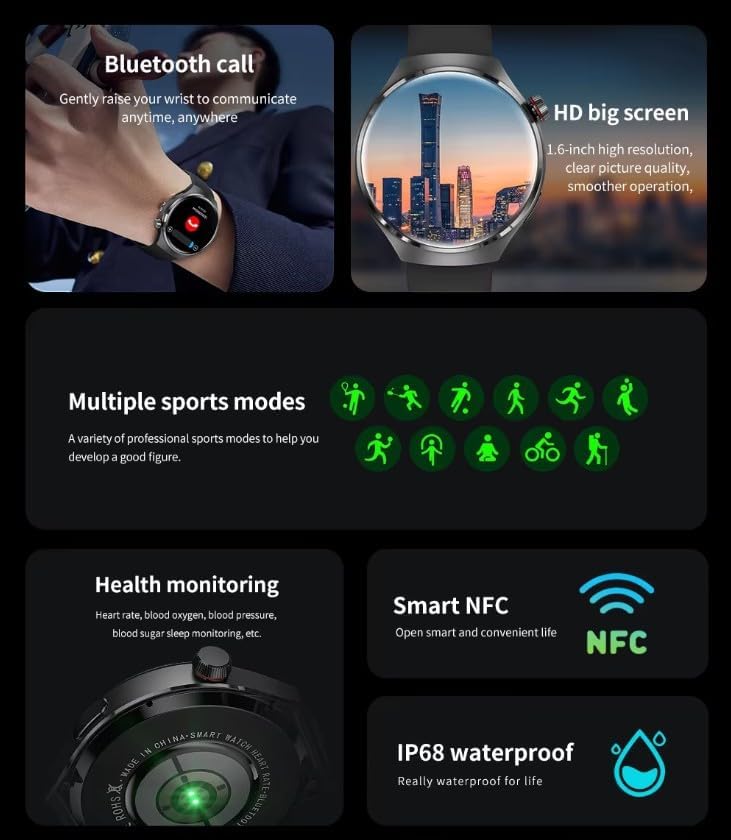
Image: The GUHUAVMI GT4 Pro Smartwatch displaying the AI voice assistant interface, showing examphäälkäskluste vähesus.
3. Bluetooth-kõned
Kui kell on nutitelefoniga ühendatud, saate otse oma nutikellast kõnesid teha ja vastu võtta.
- Helistamine: Avage oma kellas numbrivalija või kontaktide loend.
- Kõnede vastuvõtmine: Vastake sissetulevatele kõnedele või keelduge neist otse kella ekraanilt.
4. Tervise jälgimine
The GT4 Pro provides real-time health data to help you monitor your well-being.
- Südame löögisagedus: Pidev jälgimine kogu päeva jooksul.
- Vere hapnik (SpO2): Mõõtke oma vere hapniku küllastuse taset.
- Blood Sugar: Provides estimated blood sugar readings.
- Une jälgimine: Jälgib undtages ja kvaliteet.
View detailed health reports in the companion app.
5. Treeningjälgimine
Jälgi oma treeninguid ja igapäevast aktiivsust täpselt.
- Mitu spordirežiimi: Select from various activities like running, cycling, swimming, and more for accurate data.
- Sisseehitatud GPS: Records your route, distance, and pace during outdoor activities.
- Kompass: Provides directional guidance for outdoor adventures.

Image: The GUHUAVMI GT4 Pro Smartwatch showcasing icons for NFC, GPS, compass, heart rate, and Bluetooth call, highlighting its comprehensive features.
6. NFC Features
The GT4 Pro supports NFC for convenient interactions.
- Juurdepääsukontroll: Use your watch for compatible access systems.
- Leia minu iPhone: Utilize NFC to locate your paired iPhone.
7. Dynamic Island Function
Experience enhanced interactive displays for notifications, music, and charging status.
- Interactive Displays: Smart displays adapt to show relevant information dynamically.
- OTA versiooniuuendused: New functional interactive displays may be added through future over-the-air updates.
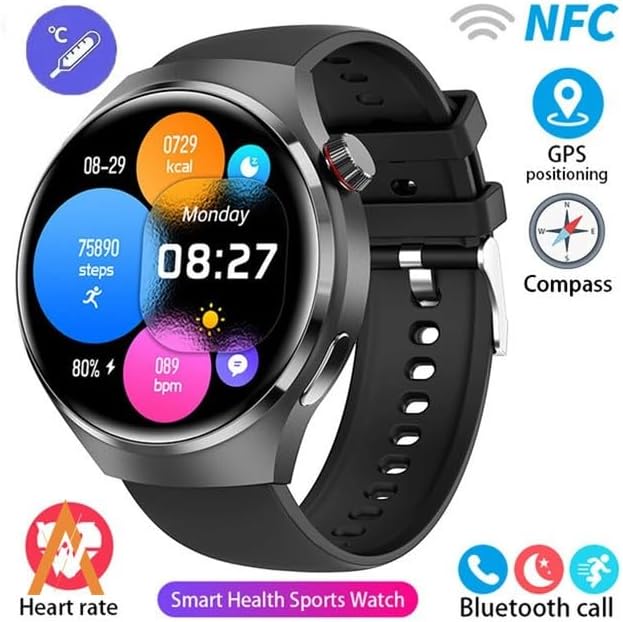
Image: The GUHUAVMI GT4 Pro Smartwatch screen demonstrating the Dynamic Island function, showing notifications and active processes.
8. Other Utility Features
The smartwatch includes several convenient tools:
- Kaugkaamera: Juhtige oma nutitelefoni kaamerat eemalt.
- Äratuskell: Määrake äratused otse randmelt.
- Stopper ja taimer: Täpse ajaarvestuse jaoks.
- Temperatuuri mõõtmine: Monitor ambient temperature.
- Multi-Time Zone Settings: Keep track of different time zones.
- Muusika taasesituse juhtimine: Manage music on your paired smartphone.
Hooldus
1. Veekindlus (IP68)
The GT4 Pro has an IP68 waterproof rating, meaning it is resistant to dust and can withstand immersion in water up to 1.5 meters for 30 minutes. It is suitable for swimming and use in rainy conditions.
- Do not use in hot water, saunas, or steam rooms.
- Avoid exposure to high-velocity water.
- Pärast veega kokkupuudet pühkige kell pehme lapiga kuivaks.
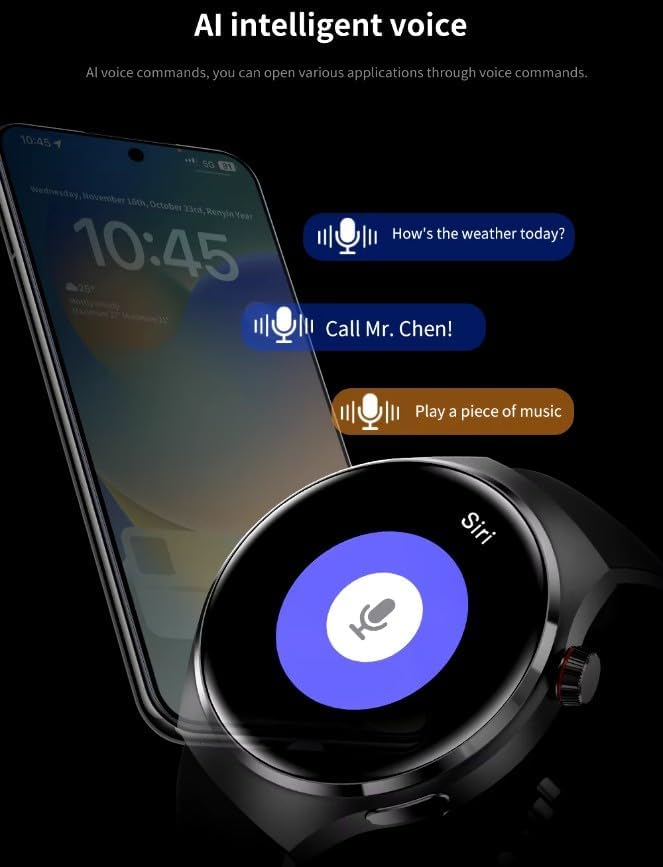
Image: Two GUHUAVMI GT4 Pro Smartwatches shown with water droplets, illustrating their IP68 waterproof capability.
2. Puhastamine
Regularly clean your smartwatch to maintain its appearance and sensor accuracy.
- Pühkige ekraani ja korpust pehme lapigaamp, ebemevaba riie.
- Clean the charging contacts and heart rate sensor on the back of the watch to ensure proper function.
- Vältige tugevate kemikaalide või abrasiivsete materjalide kasutamist.
3. Tarkvaravärskendused
Periodically check for software updates through the companion app. Updates can provide new features, performance improvements, and bug fixes.
Veaotsing
- Kell ei lülitu sisse: Veendu, et kell on täielikult laetud. Ühenda see laadijaga vähemalt 30 minutiks.
- Ei saa nutitelefoniga siduda:
- Veenduge, et Bluetooth oleks teie telefonis ja kellas lubatud.
- Veenduge, et kell oleks teie telefoni leviala piires.
- Taaskäivitage nii kell kui ka telefon.
- Kontrollige, kas kaasrakendus on värskendatud uusimale versioonile.
- Ebatäpsed terviseandmed:
- Veendu, et kell on randmel tihedalt, mitte liiga pingul ega liiga lõdvalt.
- Puhastage kella tagaküljel olevad andurid.
- Vältige mõõtmise ajal liigset liikumist.
- Lühike aku tööiga:
- Vähendage ekraani heledust.
- Disable unnecessary notifications or features.
- Piira pidevat pulsisageduse jälgimist, kui see pole vajalik.
Tehnilised andmed
| Funktsioon | Kirjeldus |
|---|---|
| Mudeli number | GT4 Pro |
| Ekraan | 1.6-inch HD AMOLED, 360x360 resolution |
| Ühenduvus | Bluetooth 5.0 |
| Veekindluse reiting | IP68 |
| Tervise jälgimine | Heart Rate, Blood Oxygen, Blood Sugar, Sleep Tracking |
| Fitnessi jälgimine | Built-in GPS, Compass, Multiple Sports Modes |
| Hääleabiline | AI Voice Assistant Integrated |
| NFC | Supported (e.g., Find My iPhone, Access Control) |
| Laadimise tüüp | Magnetiline traadita laadimine |
| Tüüpiline aku tööiga | 5-7 päeva |
| Laadimisaeg | u. 3 tundi |
| Kaasatud komponendid | Smartwatch, User Manual, Wireless Charger |
Garantii ja tugi
Garantii teave
The GUHUAVMI GT4 Pro Smartwatch comes with a 6-kuuline garantii alates ostukuupäevast. See garantii katab tootmisdefektid normaalse kasutamise korral. See ei kata kahjustusi, mis on tekkinud väärkasutuse, õnnetuste, volitamata muudatuste või normaalse kulumise tagajärjel.
Klienditugi
If you encounter any issues or have questions regarding your GUHUAVMI GT4 Pro Smartwatch, please refer to the troubleshooting section of this manual. For further assistance, contact your retailer or the manufacturer's customer support channel. Please have your purchase receipt and product model number (GT4 Pro) ready when contacting support.