
Sissejuhatus
Tänan ostu eestasing the MangoKit MS1 DAB Radio with CD Player. This compact wooden Hi-Fi stereo system offers a versatile audio experience, combining DAB/DAB+ and FM radio, a CD player, Bluetooth connectivity, and USB playback/charging capabilities. This manual provides detailed instructions for setup, operation, and maintenance to ensure optimal performance and longevity of your device.
Ohutusteave
- Read all instructions carefully before use and retain for future reference.
- Ärge jätke seadet vihma, niiskuse ega äärmuslike temperatuuride kätte.
- Tagage piisav ventilatsioon; ärge blokeerige ühtegi ventilatsiooniava.
- Kasutage ainult seadmega kaasas olevat toiteadapterit.
- Ärge proovige seadet lahti võtta ega muuta. Jätke kogu hooldus kvalifitseeritud personalile.
- Hoidke seade eemal tugevatest magnetväljadest.
- Puhastage seadet pehme ja kuiva lapiga. Ärge kasutage vedelaid puhastusvahendeid ega aerosoole.
Pakendi sisu
Palun kontrollige, kas kõik esemed on olemas:
- MangoKit MS1 Main Unit
- Kaugjuhtimispult
- Toiteadapter
- Kasutusjuhend (see dokument)
Toode läbiview
Esipaneel ja juhtnupud

The image above displays the front of the MangoKit MS1 unit, highlighting its primary functions: CD playback, FM radio, Bluetooth connectivity, and alarm clock features. The central display shows operational information, while buttons and a rotary dial provide control over various modes and settings.
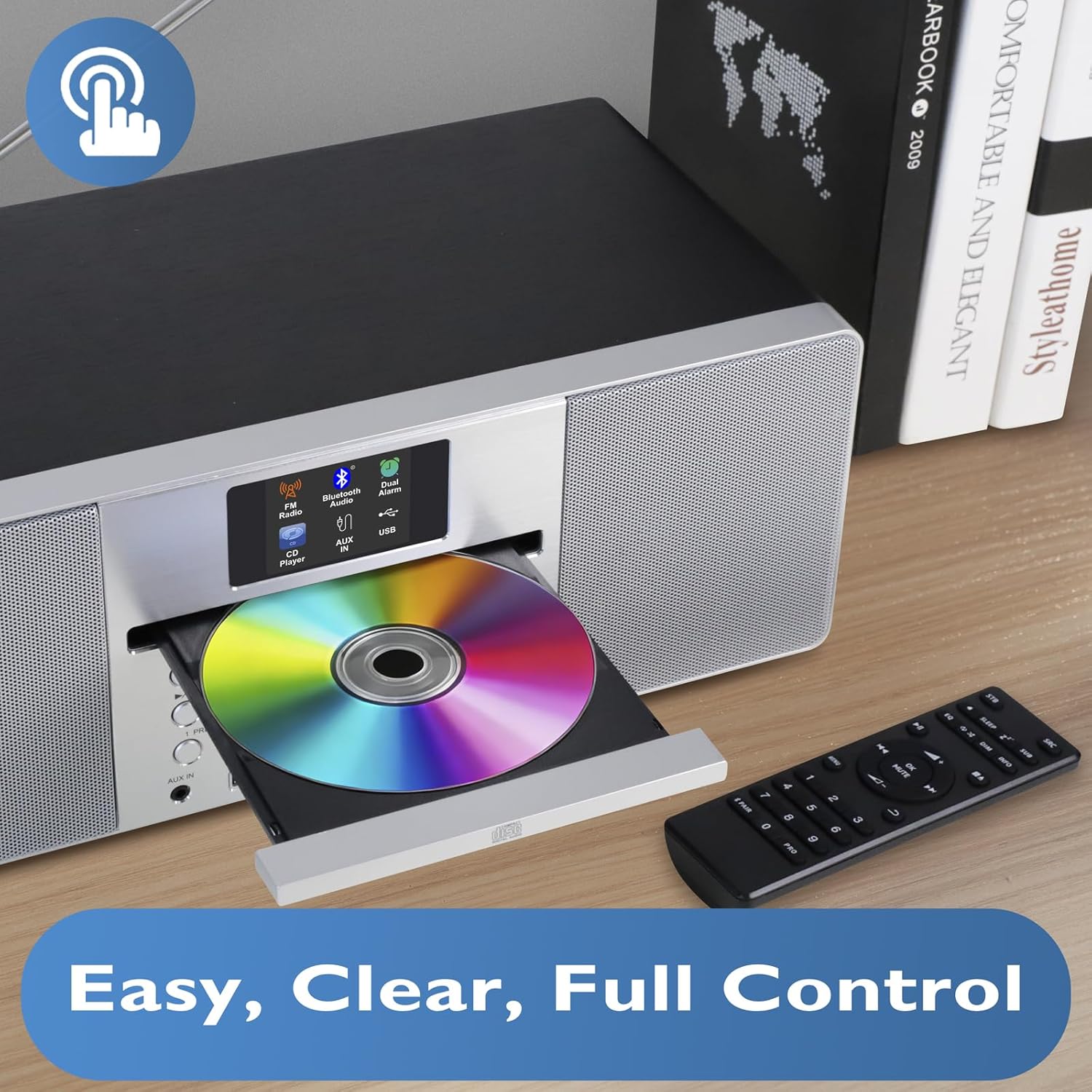
See pilt annab lähemalt ülevaate view of the CD player with its tray open, ready for disc insertion. The remote control is also visible, indicating convenient wireless operation for all functions, including CD playback, radio tuning, and volume adjustment.
Tagapaneel ja ühendused
The rear panel typically includes the power input, antenna connection, and potentially additional audio input/output ports. Refer to the physical unit for exact port locations.
Seadistamine
1. Lahtipakkimine
Eemaldage seade ja kõik lisatarvikud ettevaatlikult pakendist. Hoidke pakend alles edaspidiseks transportimiseks või hoiustamiseks.
2. Toiteühendus
- Insert the DC plug of the power adapter into the DC IN socket on the rear of the MS1 unit.
- Plug the power adapter into a standard AC wall outlet (100-240V, 50/60Hz).
3. Antenni seadistamine
Extend the telescopic antenna fully for optimal DAB/DAB+ and FM radio reception. Adjust its position to achieve the best signal quality.
4. Esialgne sisselülitamine
Press the Power button on the unit or remote control. The display will illuminate, and the unit will typically enter standby or the last used mode. Upon first use, it may initiate an automatic DAB scan.
Kasutusjuhised
Üldine toimimine
- Toide sisse/välja: Vajutage toitenuppu.
- Helitugevuse juhtimine: Use the Volume knob or +/- buttons on the remote.
- Režiimi valik: Press the Mode button to cycle through DAB, FM, CD, Bluetooth, and USB modes.
- Menüüs navigeerimine: Use the navigation buttons (Up/Down/Left/Right) and Select/OK button to browse menus and confirm selections.
DAB/DAB+ and FM Radio
The MS1 allows you to enjoy a wide range of digital and analog radio stations with superior sound quality.
- Valige raadiorežiim: Press the Mode button until DAB or FM is selected.
- Automaatne skaneerimine (DAB): Upon first use or if stations are not found, the unit will perform an auto-scan for DAB stations. You can also initiate a scan from the menu.
- Tuning (FM): In FM mode, use the tuning buttons to manually tune or auto-scan for stations.
- Eelseaded: Store up to 20 favorite stations by pressing and holding the Preset button, then selecting a preset number. Recall stations by pressing the Preset button and selecting the desired number.
CD-mängija
Play your favorite audio CDs with the integrated CD player.
- Sisestage CD: Gently press the Eject button to open the CD tray. Place a CD with the label side up into the tray and close it.
- Valige CD-režiim: Press the Mode button until CD is selected. The unit will begin playing automatically.
- Taasesituse juhtnupud: Use Play/Pause, Stop, Skip Forward/Backward buttons on the unit or remote for control.
Bluetooth-ühenduvus
Stream music wirelessly from your smartphone, tablet, or other Bluetooth-enabled devices.

This image illustrates the MS1 unit wirelessly connected to a smartphone via Bluetooth, demonstrating its capability for streaming music. The display shows 'Bluetooth' mode, indicating a successful connection for audio playback.
- Valige Bluetoothi režiim: Press the Mode button until Bluetooth is selected. The unit will enter pairing mode, indicated on the display.
- Sidumine: On your device, enable Bluetooth and search for 'MS1'. Select it to pair.
- Esita muusikat: Once paired, play audio from your device, and it will stream through the MS1.
USB Playback and Charging
The MS1 features two dedicated USB ports for MP3 file playback and device charging.
- USB taasesitus: Sisestage MP3-d sisaldav USB-draiv files into the designated USB port. Select USB mode to browse and play files.
- USB laadimine: Connect your device (e.g., smartphone) to the 1A USB charging port using a compatible USB cable. The unit will provide power to charge your device.
Äratuskell koos edasilükkamisega
Set dual alarms to wake up to your favorite radio station or a buzzer.

This image shows the MS1 unit positioned on a bedside table, accompanied by headphones. This setup highlights its utility as an alarm clock and its capability for private listening, allowing users to enjoy audio without disturbing others.
- Alarmide seadistamine: Access the Alarm settings via the menu. Set the desired time, alarm source (DAB/FM/Buzzer), and volume for Alarm 1 and Alarm 2.
- Korduse funktsioon: When an alarm sounds, press the Snooze button to temporarily silence it for a short period.
Kõrvaklappide kasutamine
For private listening, connect standard 3.5mm headphones to the headphone jack located on the unit. The main speakers will mute automatically.
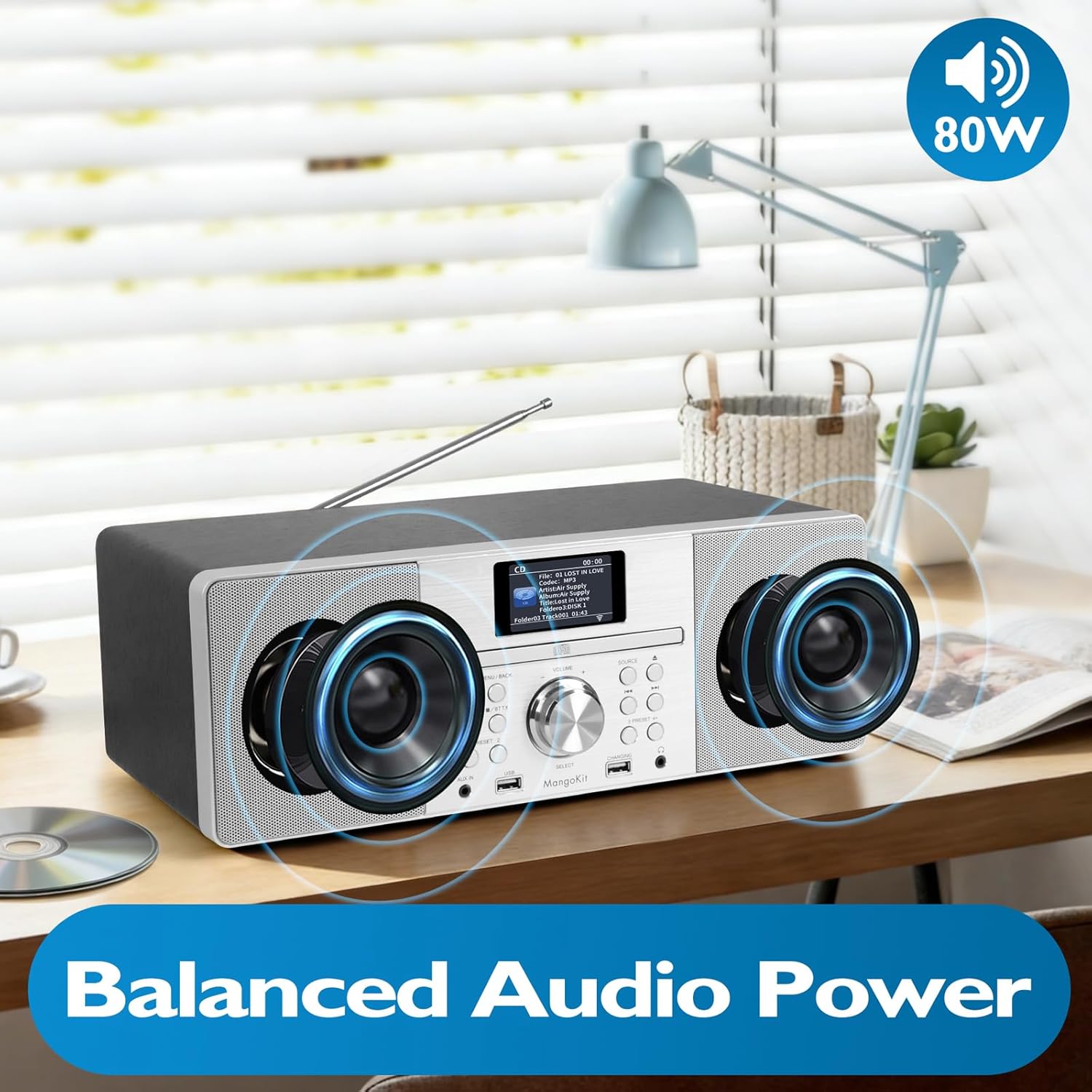
This image focuses on the internal speaker design of the MangoKit MS1, illustrating its balanced audio power. It visually represents the stereo sound delivery through its custom, high-quality speakers, contributing to a rich audio experience.
Hooldus
Puhastamine
- Enne puhastamist ühendage toide lahti.
- Välispindade pühkimiseks kasutage pehmet, kuiva ja ebemevaba lappi.
- Ärge kasutage abrasiivseid puhastusvahendeid, vaha ega lahusteid.
- For the CD lens, use a specialized CD lens cleaning kit if necessary.
Säilitamine
If storing the unit for an extended period, disconnect it from the power supply and store it in a cool, dry place, preferably in its original packaging.
Veaotsing
| Probleem | Võimalik põhjus | Lahendus |
|---|---|---|
| Pole jõudu | Toiteadapter pole ühendatud; pistikupesa ei ole aktiivne. | Kontrollige toiteadapteri ühendust; proovige teist pistikupesa. |
| Ei mingit heli | Helitugevus liiga madal; kõrvaklapid ühendatud; vale režiim. | Increase volume; disconnect headphones; select correct mode. |
| Halb raadiovastuvõtt | Antenna not extended/positioned correctly; weak signal. | Extend and adjust the telescopic antenna; try repositioning the unit. |
| CD ei mängi | CD inserted incorrectly; disc dirty/scratched; incorrect mode. | Re-insert CD label side up; clean or replace disc; select CD mode. |
| Bluetoothiga sidumine ebaõnnestus | Device not in pairing mode; MS1 not discoverable; device too far. | Ensure MS1 is in Bluetooth pairing mode; restart Bluetooth on your device; move device closer. |
Tehnilised andmed
- Mudel: MS1
- Kaubamärk: MangoKit
- Ühenduvustehnoloogia: USB, Bluetooth
- Toiteallikas: AC Power (via adapter)
- Wattage: 20 vatti
- Kauba mõõtmed (P x L x K): 38 x 21 x 14 cm
- Omadused: DAB/DAB+ Radio, FM Radio, CD Player, Bluetooth Streaming, USB Playback, USB Charging (1A), Dual Alarms, Headphone Port
Garantii ja tugi
For warranty information and technical support, please refer to the documentation provided at the time of purchase or contact MangoKit customer service. Keep your proof of purchase for warranty claims.