
Sissejuhatus
Tänan ostu eestasing the MangoKit MS1 CD Player HiFi System. This manual provides essential information for setting up, operating, and maintaining your device. Please read these instructions carefully before use and retain them for future reference.

Image: The MangoKit MS1 CD Player HiFi System in a maple finish, showcasintänu oma kompaktsele disainile ja esipaneeli juhtnuppudele.
Oluline ohutusteave
- Enne seadme kasutamist lugege läbi kõik juhised.
- Keep the unit away from water, moisture, and direct sunlight.
- Ärge blokeerige ventilatsiooniavasid.
- Kasutage ainult tootja poolt määratud tarvikuid/tarvikuid.
- Ühendage seade vooluvõrgust lahti äikesetormi ajal või kui seda ei kasutata pikema aja jooksul.
- Andke kõik hooldustööd kvalifitseeritud teeninduspersonalile.
Pakendi sisu
Veenduge, et kõik esemed on karbis olemas:
- 1 x MangoKit MS1 CD Player System
- 1x kaugjuhtimispult
- 1 x NA Mains Power Adapter with Cable
- 1 x Kasutusjuhend (käesolev dokument)
Toode läbiview
The MangoKit MS1 is a versatile HiFi system featuring a CD player, FM radio, Bluetooth streaming, AUX input, and USB playback/charging. It includes a full-color display, 60 presets, and a remote control for convenient operation.
Video: Üleview of the MangoKit MS1 CD Player FM Radio HiFi System, demonstrating its various features and functions.
Seadistamine
1. Toiteühendus
- Connect the provided NA mains power adapter to the DC IN port on the rear of the MS1 unit.
- Ühendage toiteadapter tavalisse seinakontakti.
2. Antenni seadistamine
For optimal FM radio reception, fully extend the telescopic antenna located on the rear of the unit. Adjust its position for the best signal quality.
3. Esialgne sisselülitamine
Vajutage nuppu VÕIMSUS button on the front panel or remote control to turn on the unit. The display will illuminate, and the system will enter the last used mode.
Kasutusjuhised
1. Allika valik
Vajutage nuppu ALLIKAS button repeatedly on the front panel or remote control to cycle through available modes: CD, FM Radio, Bluetooth, AUX In, and USB Playback.
2. CD-mängija kasutamine
- Valige CD allikas.
- Gently insert a CD into the disc tray with the label side facing up. The tray will automatically draw the disc in.
- Taasesitus algab automaatselt. Kasutage ESITA/PAUS, JÄTKA EDASI, ja JÄTKAKE TAGASI nupud taasesituse juhtimiseks.

Image: A hand inserting a CD into the MangoKit MS1 CD player, with the remote control positioned next to the unit, showing ease of use.
3. FM-raadio kasutamine
- Valige FM raadio allikas.
- Vajutage nuppu SKANNI nuppu, et automaatselt otsida ja salvestada saadaolevaid jaamu.
- Kasutage TUNE +/- buttons to manually tune to a specific frequency or navigate between scanned stations.

Image: The MangoKit MS1 CD Player HiFi System on a shelf, with its full-color display showing FM radio station information.
4. Bluetoothi voogesitus
- Valige Bluetooth source. The display will show "Pairing".
- On your smartphone or other Bluetooth device, enable Bluetooth and search for "MangoKit MS1".
- Select "MangoKit MS1" to pair. Once connected, you can stream audio from your device to the MS1.
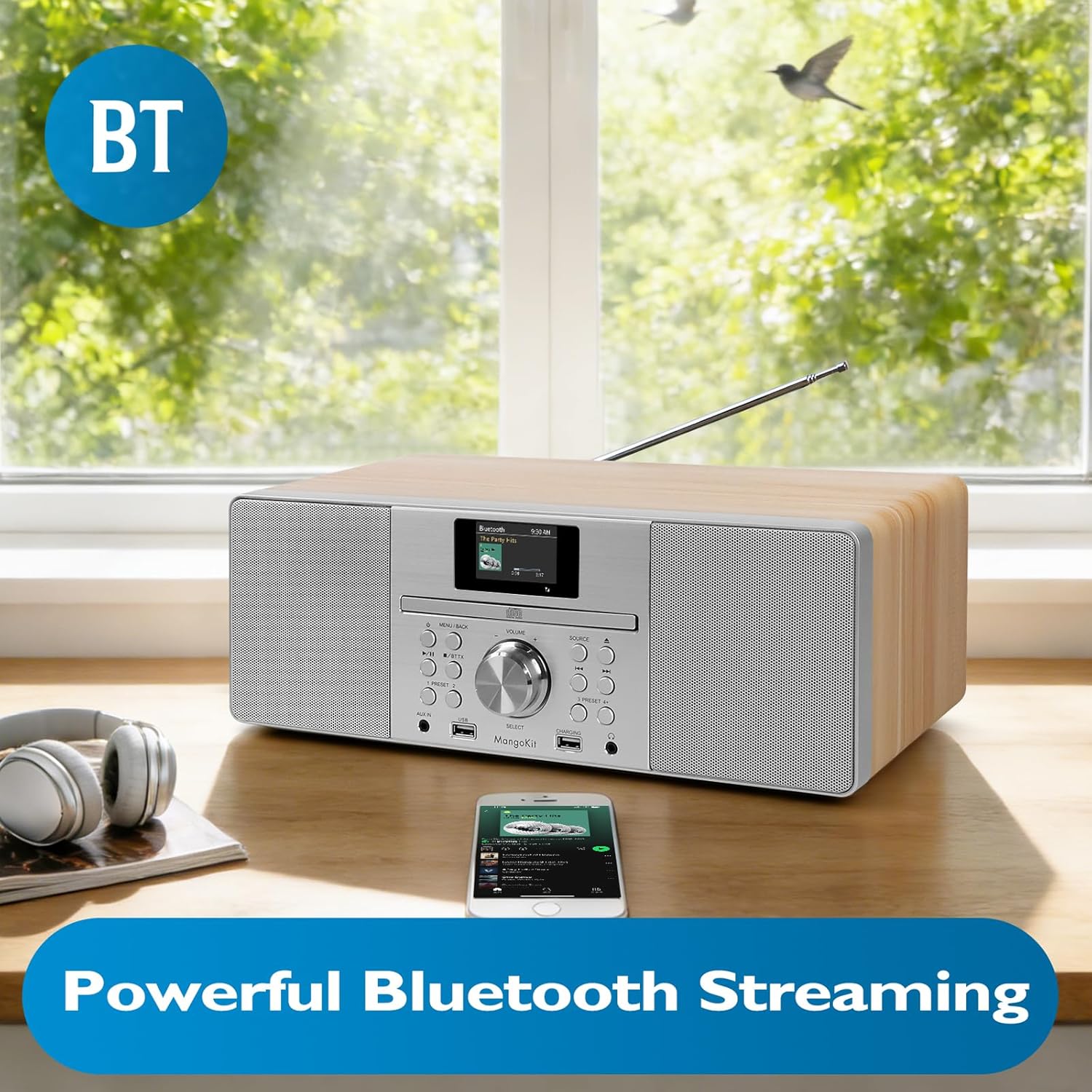
Image: The MangoKit MS1 HiFi System positioned next to a smartphone, illustrating a successful Bluetooth connection for wireless music streaming.
5. AUX sisend
Ühendage väline heliseade (nt MP3-mängija) teleriga. AUX IN port on the front panel using a 3.5mm audio cable. Select the AUX sisend source to play audio from the connected device.
6. USB-taasesitus ja laadimine
Sisestage MP3-helifailidega USB-mälupulk files sisse USB port. Select the USB taasesitus source to access and play your music files. The dedicated LAADIMINE USB port can be used to charge compatible devices.
7. Kõrvaklappide kasutamine
Ühendage kõrvaklapid 3.5 mm pistikuga HP Jack on the front panel for private listening. The main speakers will mute automatically when headphones are connected.
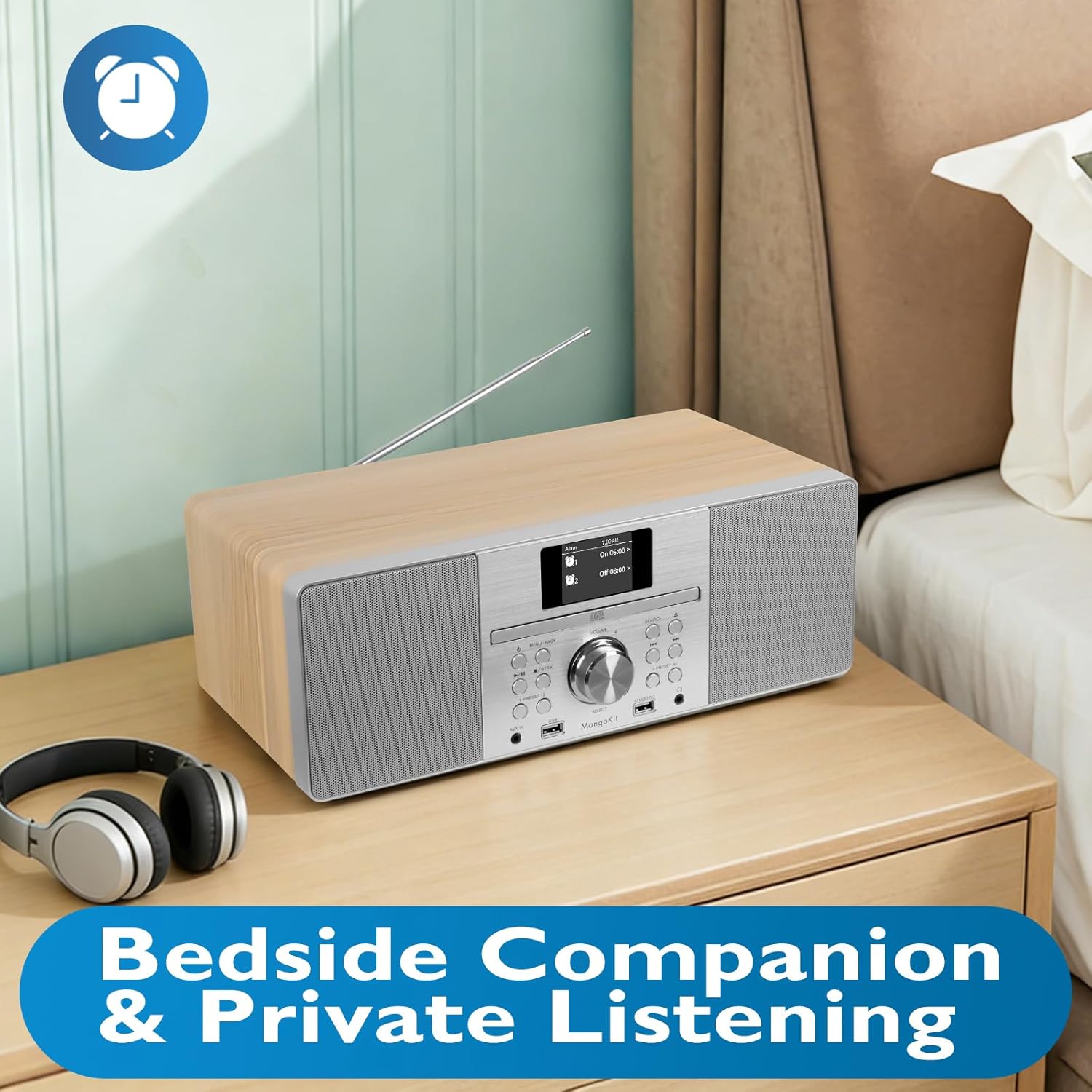
Image: The MangoKit MS1 HiFi System placed on a bedside table, accompanied by a pair of headphones, illustrating its suitability for private listening.
8. Setting Alarms and Sleep Timer
Juurdepääs MENÜÜ to set dual alarms (Alarm 1, Alarm 2) to wake up to your favorite radio station or a buzzer. The sleep timer function allows the unit to automatically turn off after a set period.
9. Saving Radio Presets
The MS1 allows you to store up to 60 favorite radio stations. Tune to your desired station, then press and hold a PRESSET button (1-60) until the display confirms the station is saved. To recall, simply press the corresponding PRESSET nuppu.
10. Audio Equalizer Settings
Navigeerige Süsteemi sätted menu to adjust the equalizer. You can select from preset EQ modes or customize your own settings for bass and treble to optimize sound for music or speech.
Hooldus
1. Puhastamine
Wipe the unit with a soft, dry cloth. Do not use abrasive cleaners, waxes, or solvents as they may damage the finish. Ensure the unit is unplugged before cleaning.
2. Ladustamine
Kui seadet pikemaks ajaks hoiule panna, eemaldage see vooluvõrgust ja hoidke seda jahedas, kuivas ja otsese päikesevalguse ning äärmuslike temperatuuride eest kaitstud kohas.
Veaotsing
| Probleem | Võimalik põhjus | Lahendus |
|---|---|---|
| Jõudu pole | Toitekaabel pole ühendatud; pistikupesa on vigane. | Veenduge, et toitekaabel on kindlalt ühendatud. Proovige teist pistikupesa. |
| Heli puudub | Volume too low; Mute activated; Headphones connected. | Increase volume. Check if mute is active. Disconnect headphones. |
| Halb FM-vastuvõtt | Antenn pole välja tõmmatud või on valesti paigutatud. | Pikendage teleskoopantenn täielikult ja reguleerige seda. |
| Bluetoothi sidumine ebaõnnestus | Device too far; Bluetooth not enabled on source device; MS1 not in pairing mode. | Ensure devices are close. Enable Bluetooth on your device. Select Bluetooth source on MS1 to enter pairing mode. |
| CD vahelejätmine | Dirty or scratched CD; Unit on unstable surface. | Clean the CD. Place the unit on a stable, flat surface. |
Tehnilised andmed
| Funktsioon | Detail |
|---|---|
| Kaubamärk | MangoKit |
| Mudeli number | MS1 |
| Ühenduvustehnoloogia | Abiseade, Bluetooth |
| Värv | Vaher |
| Kõlari tüüp | Stereo |
| Kauba mõõtmed (P x L x K) | 14.96 x 8.27 x 5.51 tolli |
| Toiteallikas | Juhtmega elekter |
| Ühilduvad seadmed | MP3-mängija, nutitelefon, tahvelarvuti |
| Wattage | 20 vatti |
| Toetatud standardid | Bluetooth, CD |
| Bluetoothi tugi | Jah |
| Toetatud helivorming | MP3, CD-DA |
| Kõnelejate arv | 2 |
| Heliväljundi režiim | Stereo |
| Nutika kodu ühilduvus | Not Smart Home Compatible |
| Ruumilise heli kanali konfiguratsioon | 2.0 |
Garantii teave
The MangoKit MS1 CD Player HiFi System comes with a Limited Warranty. Please refer to the warranty card included in your package for specific terms, conditions, and duration of coverage. Retain your proof of purchase for warranty claims.
Klienditugi
If you encounter any issues not covered in this manual or require further assistance, please contact MangoKit customer support. Refer to the contact information provided on the warranty card or the official MangoKit websaidile.