
Sissejuhatus
Tänan ostu eestasing the Gueray ZL2401 Portable CD Player. This manual provides essential information for the safe and efficient operation of your device. Please read it thoroughly before use and retain it for future reference.
Toode läbiview
The Gueray ZL2401 is a compact and versatile portable CD player designed for various audio formats and playback scenarios. It features anti-skip protection, multiple play modes, and connectivity options.
Põhifunktsioonid
- Wide compatibility with CD, CD-R, CD-RW, and MP3 discs.
- Supports MP3, WMA, and CD-DA audio formats.
- Anti-Skip Protection (ASP) for uninterrupted playback.
- Multiple playback modes: Repeat a track, Repeat all, Shuffle (SHUF), Intro (play first 10 seconds).
- Memory Playback: Resumes from the last interrupted position.
- 3.5mm AUX output for connecting to external speakers or car audio systems.
- Bluetooth connectivity for wireless audio output.
- USB Type-C charging and support for 2x AA batteries.
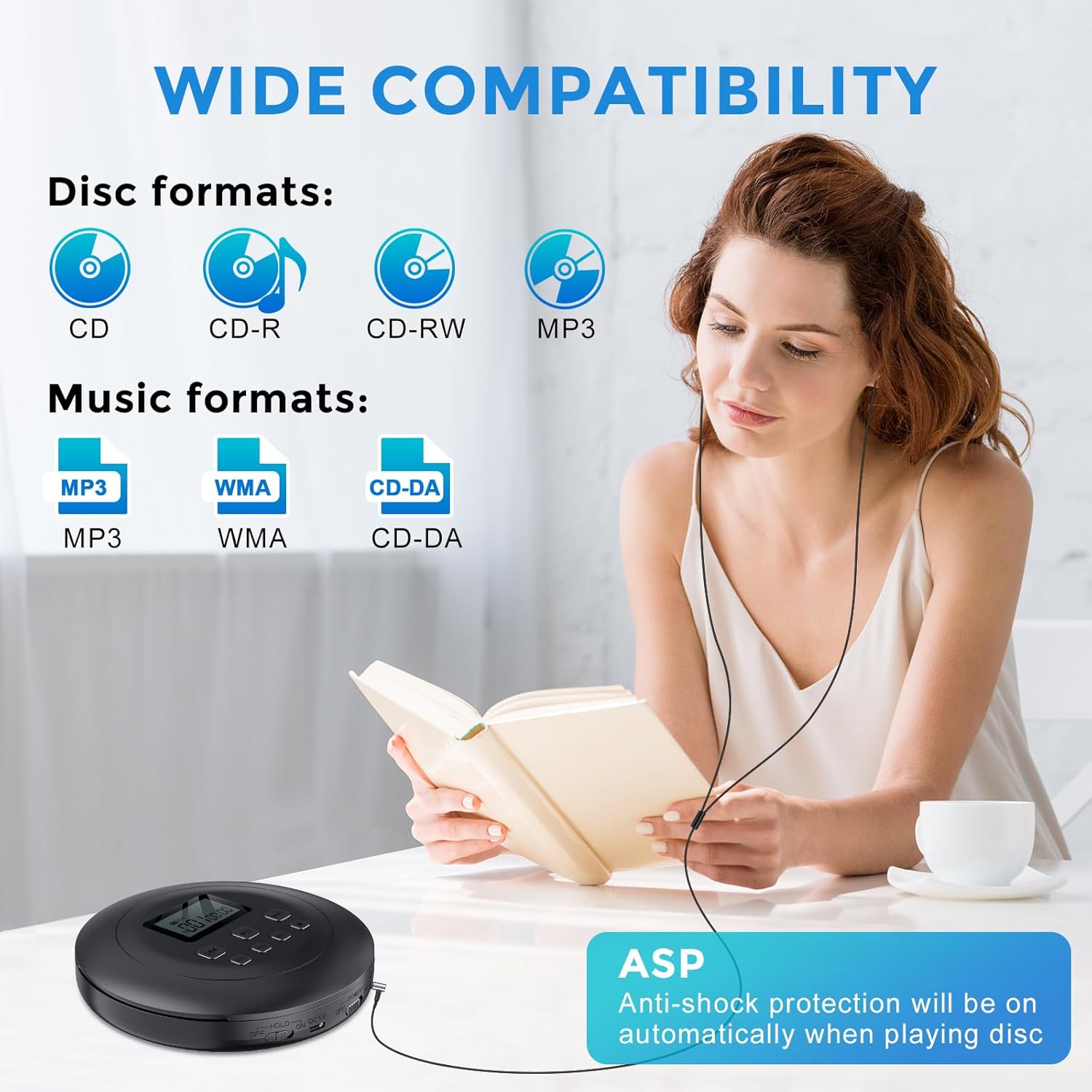
Figure 1: Wide Compatibility and Anti-Shock Protection. The player supports various disc and music formats, ensuring broad usability. Anti-shock protection activates automatically during disc playback.

Figure 2: 3.5mm AUX Connectivity. The player can connect to car audio systems or external speakers using a standard 3.5mm AUX cable for versatile audio output.

Figure 3: Play Modes. The device offers four distinct playback modes, including repeating tracks or albums, shuffling, and an intro scan feature for MP3 discs.

Figure 4: Memory Playback. This feature allows the player to resume audio playback from the exact point where it was last stopped, providing convenience for listeners.
Seadistamine
Seadme toide
The Gueray ZL2401 can be powered by either a USB Type-C connection or two AA batteries.
- USB-toide: Connect the provided USB Type-C cable to the "DC 5V" port on the player and the other end to a USB power adapter (not included) or a compatible USB port.
- Aku võimsus: Open the battery compartment on the underside of the player. Insert two 1.5V AA alkaline dry batteries (not included), ensuring correct polarity (+/-). Close the compartment securely.

Figure 5: Power Options. The player supports both USB Type-C charging (adapter not included) and operation with two AA alkaline batteries.
CD sisestamine
- Slide the "OPEN" switch to open the CD compartment lid.
- Carefully place a CD, CD-R, CD-RW, or MP3 disc onto the spindle with the label side facing up.
- Vajutage ketast õrnalt alla, kuni see klõpsuga oma kohale lukustub.
- Sulgege CD-pesa kaas kindlalt, kuni see lukustub.
Connecting Headphones or External Devices
- Kõrvaklapid: Plug your 3.5mm headphones into the "PHONE" jack.
- External Speaker/Car Audio: Connect a 3.5mm AUX cable from the "AUX OUT" jack on the player to the AUX input of your speaker or car audio system.
- Bluetooth: To connect via Bluetooth, ensure the player is powered on. Refer to the operating instructions for Bluetooth pairing.
Kasutusjuhised
Tavaline taasesitus
- Ensure the player is powered on and a disc is inserted.
- Slide the "HOLD" switch to the OFF position if it is engaged.
- Vajutage nuppu ESITA/PAUS nupp (►▮▮) taasesituse alustamiseks.
- Vajutage ESITA/PAUS Taasesituse peatamiseks vajutage uuesti. Jätkamiseks vajutage veel üks kord.
- Taasesituse peatamiseks vajutage STOP nupp (■).
Raja navigeerimine
- Vajutage nuppu JÄRGMINE nupp (►►) järgmise loo juurde liikumiseks.
- Vajutage nuppu EELMINE nupp (◄◄) to go back to the beginning of the current track. Press it again to go to the previous track.
- Hoidke kinni JÄRGMINE or EELMINE button to fast-forward or rewind within a track.
Helitugevuse juhtimine
Reguleerige helitugevust nupu abil VOL+ ja VOLU - buttons located on the side of the player.
Taasesitusrežiimid
Vajutage nuppu REŽIIM button repeatedly to cycle through the following playback options:
- Korda 1: Kordab praegust lugu.
- Korda kõike: Kordab kõiki plaadil olevaid lugusid.
- SHUF (Shuffle): Esitab lugusid juhuslikus järjekorras.
- SISSEJUHATUS: Plays the first 10 seconds of each track (for MP3 discs only).
Programmi taasesitus
The player allows you to program a specific order of tracks:
- While playback is stopped, press the PROG nuppu.
- Kasutage JÄRGMINE or EELMINE nuppe, et valida soovitud loo number.
- Vajutage PROG again to confirm the track and add it to the program list.
- Repeat steps 2-3 to add more tracks.
- Vajutage ESITA/PAUS programmeeritud taasesituse alustamiseks.
Bluetoothi sidumine
To connect the CD player to Bluetooth headphones or speakers:
- Ensure the CD player is powered on and in playback mode.
- Aktiveerige oma Bluetooth-kõrvaklappide või kõlari sidumisrežiim.
- The CD player will automatically search for and connect to nearby Bluetooth devices. The Bluetooth indicator on the player will confirm connection.
Hooldus
Seadme puhastamine
- Pühkige mängija välispind pehme ja kuiva lapiga. Ärge kasutage abrasiivseid puhastusvahendeid ega lahusteid.
- To clean the optical lens, use a specialized CD lens cleaning kit. Avoid touching the lens directly.
Plaadi hooldus
- Käsitsege plaate servadest, et vältida sõrmejälgi ja kriimustusi.
- Hoidke plaate ümbrises, kui neid ei kasutata.
- Puhastage määrdunud plaate pehme, ebemevaba lapiga, pühkides keskelt väljapoole.
Aku teave
- Kui mängijat pikemat aega ei kasutata, eemaldage patareid, et vältida lekkeid.
- Kõrvaldage kasutatud patareid vastutustundlikult vastavalt kohalikele eeskirjadele.
Veaotsing
| Probleem | Võimalik põhjus | Lahendus |
|---|---|---|
| Mängija ei lülitu sisse. | No power source or depleted batteries. | Check USB connection or replace AA batteries. Ensure the "ON/OFF" switch is in the "ON" position. |
| Plaati ei esitata. | Disc inserted incorrectly, dirty/scratched disc, unsupported format, "HOLD" switch engaged. | Ensure disc is clean and inserted correctly. Check if the disc format (CD, CD-R, CD-RW, MP3) is supported. Disengage the "HOLD" switch. |
| Heli või moonutatud heli puudub. | Volume too low, headphones/speakers not connected properly, faulty headphones/speakers. | Increase volume. Check headphone/AUX cable connection. Test with different headphones/speakers. Ensure Bluetooth device is paired and connected. |
| Skipping or intermittent playback. | Disc is dirty or scratched, player is subjected to strong vibrations. | Clean the disc. Ensure the player is on a stable surface. The Anti-Skip Protection (ASP) helps, but extreme movement can still cause skips. |
| Bluetooth-ühenduse probleemid. | Device not in pairing mode, too far from player, interference. | Ensure Bluetooth device is in pairing mode. Keep devices within close range. Turn off other Bluetooth devices to reduce interference. |
Tehnilised andmed
| Mudeli number | HJGZL2401 |
| Kaubamärk | Gueray |
| Plaadivormingud | CD, CD-R, CD-RW, MP3 |
| Helivormingud | MP3, WMA, CD-DA |
| Ühenduvus | Bluetooth, 3.5mm Jack (Headphones, AUX Out), USB (for power) |
| Toiteallikas | USB 5V (Type-C), 2 x 1.5V AA Batteries |
| Eriomadused | Anti-Skip Protection (ASP), Programmable Playback, Memory Playback, Multiple Play Modes |
| Ketaste arv | 1 |
| Kanalite arv | 2 |
| Kauba kaal | 215 grammi |
| Paki mõõtmed | 21.7 x 17.7 x 4.8 cm |
Garantii ja tugi
Garantii teave
This Gueray ZL2401 Portable CD Player comes with a 12-kuuline garantii alates ostukuupäevast. See garantii katab tootmisdefektid ja materjalivead normaalse kasutamise korral. See ei kata kahjustusi, mis on tekkinud väärkasutuse, õnnetuste, volitamata muudatuste või normaalse kulumise tagajärjel.
Garantiinõuete esitamiseks säilitage ostutõend.
Klienditugi
If you encounter any issues or have questions regarding your Gueray ZL2401 Portable CD Player that are not addressed in this manual, please contact Gueray customer support. Contact details can typically be found on the product packaging or the official Gueray websaidile.