
1. Toote lõppview
The Docooler IPX7 Waterproof Bluetooth Portable Shower Speaker is designed for audio playback in various environments, including wet conditions. It features Bluetooth 5.0 connectivity, an LED display, FM radio, and a light show function. The speaker is equipped with a removable suction cup for versatile placement.

Image: Docooler IPX7 Waterproof Bluetooth Portable Shower Speaker, showcasing selle disain ja omadused.
2. Pakendi sisu
Veenduge, et pakendis on kõik esemed olemas:
- Docooler IPX7 Waterproof Bluetooth Portable Shower Speaker
- USB-C laadimiskaabel
- Removable Suction Cup
- Kasutusjuhend
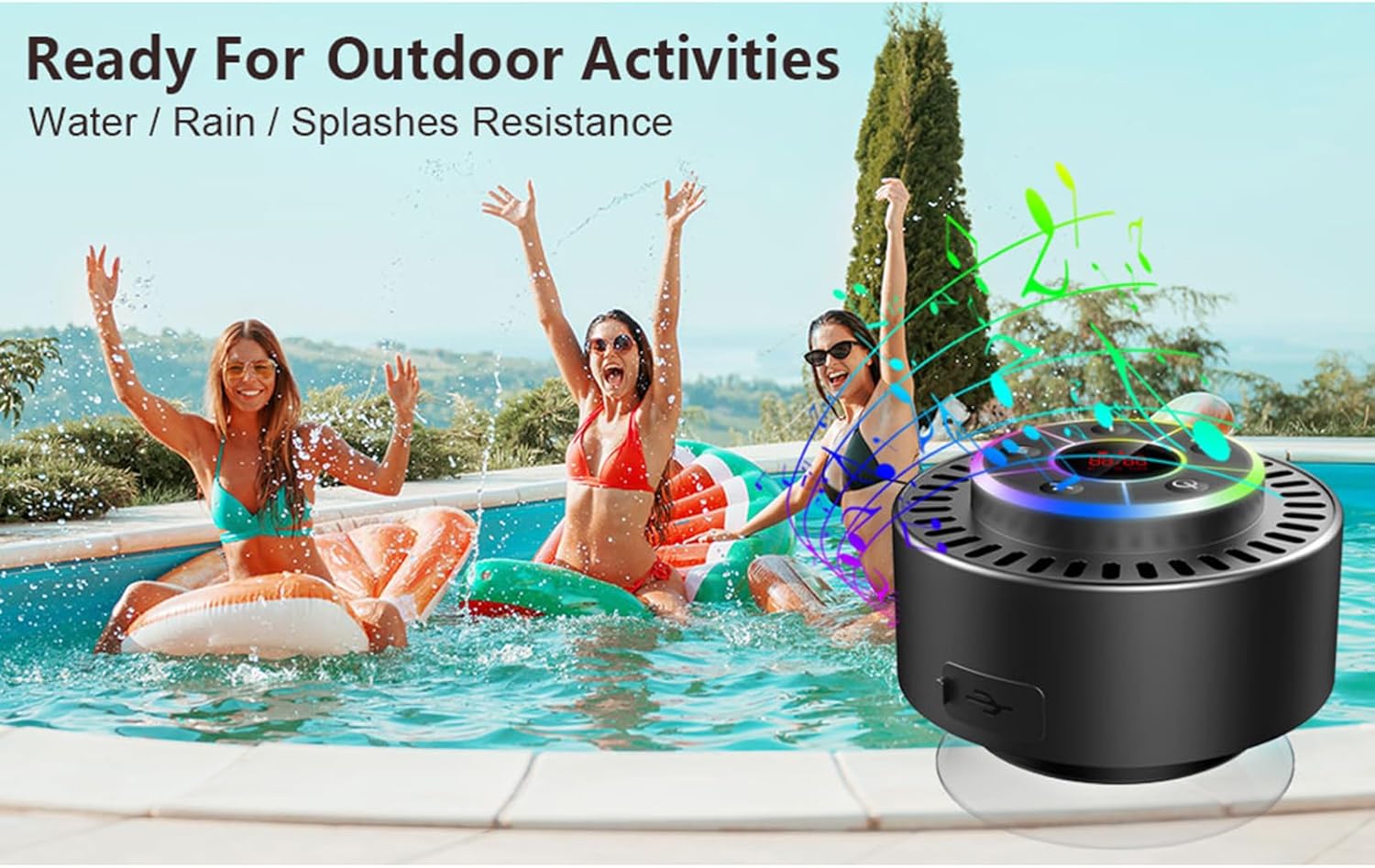
Image: The speaker, USB-C charging cable, and user manual as included in the package.
3. Seadistamine
3.1 Kõlari laadimine
Before initial use, fully charge the speaker. Connect the provided USB-C charging cable to the speaker's charging port and the other end to a USB power adapter (not included) or a computer's USB port. The LED display will indicate charging status.
3.2 Attaching the Suction Cup
To attach the suction cup, ensure both the speaker's back surface and the desired mounting surface are clean and dry. Press the suction cup firmly against the surface until it adheres securely. For best results, slightly moisten the suction cup before application.
3.3 Sisse-/väljalülitamine
- Sisselülitamiseks: Vajutage ja hoidke all nuppu Toitenupp (
 ) for approximately 3 seconds until the LED display illuminates.
 - Väljalülitamiseks: Vajutage ja hoidke all nuppu Toitenupp for approximately 3 seconds until the LED display turns off.
4. Kasutusjuhised
4.1 Nuppude funktsioonid
Pilt: Detailne view of the speaker's control panel, indicating the function of each button.
| Nupp | Funktsioon (lühike vajutus) | Funktsioon (pikk vajutus) |
|---|---|---|
| Toitenupp () | Toggle LED light show modes | Toide sisse/välja |
| M nupp | Switch between Bluetooth and FM Radio modes | Ei kehti |
| Esitus/pausi nupp () | Play/Pause music; Answer/End calls; Auto-scan in FM mode | Keeldu sissetulevast kõnest |
| Previous Song / Volume Down (-) | Previous song (Bluetooth); Previous station (FM) | Vähenda helitugevust |
| Next Song / Volume Up (+) | Next song (Bluetooth); Next station (FM) | Suurenda helitugevust |
4.2 Bluetoothi sidumine
When powered on, the speaker automatically enters Bluetooth pairing mode. The LED display will show 'BT'.
- Veenduge, et teie seadmes (nutitelefon, tahvelarvuti, sülearvuti) oleks Bluetooth sisse lülitatud.
- Otsi available Bluetooth devices and select "Docooler Speaker" from the list.
- Once connected, the speaker will emit an audible confirmation, and the 'BT' indicator on the LED display will stabilize.

Image: The speaker demonstrating connectivity with a phone, tablet, and computer via Bluetooth.
4.3 Tõeliselt traadita stereo (TWS) sidumine
To achieve 3D stereo sound, two Docooler speakers can be paired together.
- Veenduge, et mõlemad kõlarid on sisse lülitatud ja pole ühendatud ühegi teise Bluetooth-seadmega.
- Ühel kõlaril (see on peamine kõlar) vajutage ja hoidke all nuppu Esita/Paus nupp for 2-3 seconds until you hear a pairing tone.
- Kaks kõlarit ühenduvad automaatselt üksteisega.
- Once paired, connect your device to the primary speaker via Bluetooth as described in section 4.2. Audio will now play through both speakers in stereo.

Image: Two Docooler speakers wirelessly connected to a computer, illustrating the True Wireless Stereo (TWS) feature.
4.4 FM-raadiorežiim
To switch to FM Radio mode:
- Vajutage nuppu M nupp to cycle through modes until 'FM' appears on the LED display.
- Automaatne skannimine: FM-režiimis vajutage lühidalt Esita/Paus nupp to automatically scan and save available radio stations.
- Vaheta jaama: Kasutage Previous Song / Volume Down (-) ja Next Song / Volume Up (+) nupud salvestatud jaamades liikumiseks.
- Helitugevuse reguleerimine: Vajutage pikalt nuppu Previous Song / Volume Down (-) or Next Song / Volume Up (+) nuppe helitugevuse reguleerimiseks.
4.5 LED-valgusshow
The speaker features a beat-driven LED light show with seven colors.
- Valgusrežiimi muutmine: Vajutage lühidalt nuppu Toitenupp to cycle through different light show patterns or to lock a single color.
- Lülitage tuled välja: Jätkake klahvi Toitenupp until the lights turn off.
4.6 Käed-vabad helistamine
When connected via Bluetooth, the built-in microphone allows for hands-free calls.
- Vasta kõnele: Vajutage lühidalt nuppu Esita/Paus nupp.
- Kõne lõpetamine: Vajutage lühidalt nuppu Esita/Paus nupp kõne ajal.
- Keeldu kõnest: Vajutage pikalt nuppu Esita/Paus nupp.
4.7 LED-ekraani teave
The LED display shows the current time and battery level in Bluetooth mode. In FM radio mode, it displays the frequency.
5. Hooldus
5.1 Veekindlus (IPX7)
The speaker is IPX7 waterproof, meaning it can be submerged in up to 1 meter (3 feet) of water for up to 30 minutes. Ensure the charging port cover is securely closed before exposing the speaker to water. After exposure to water, wipe the speaker dry with a soft cloth.
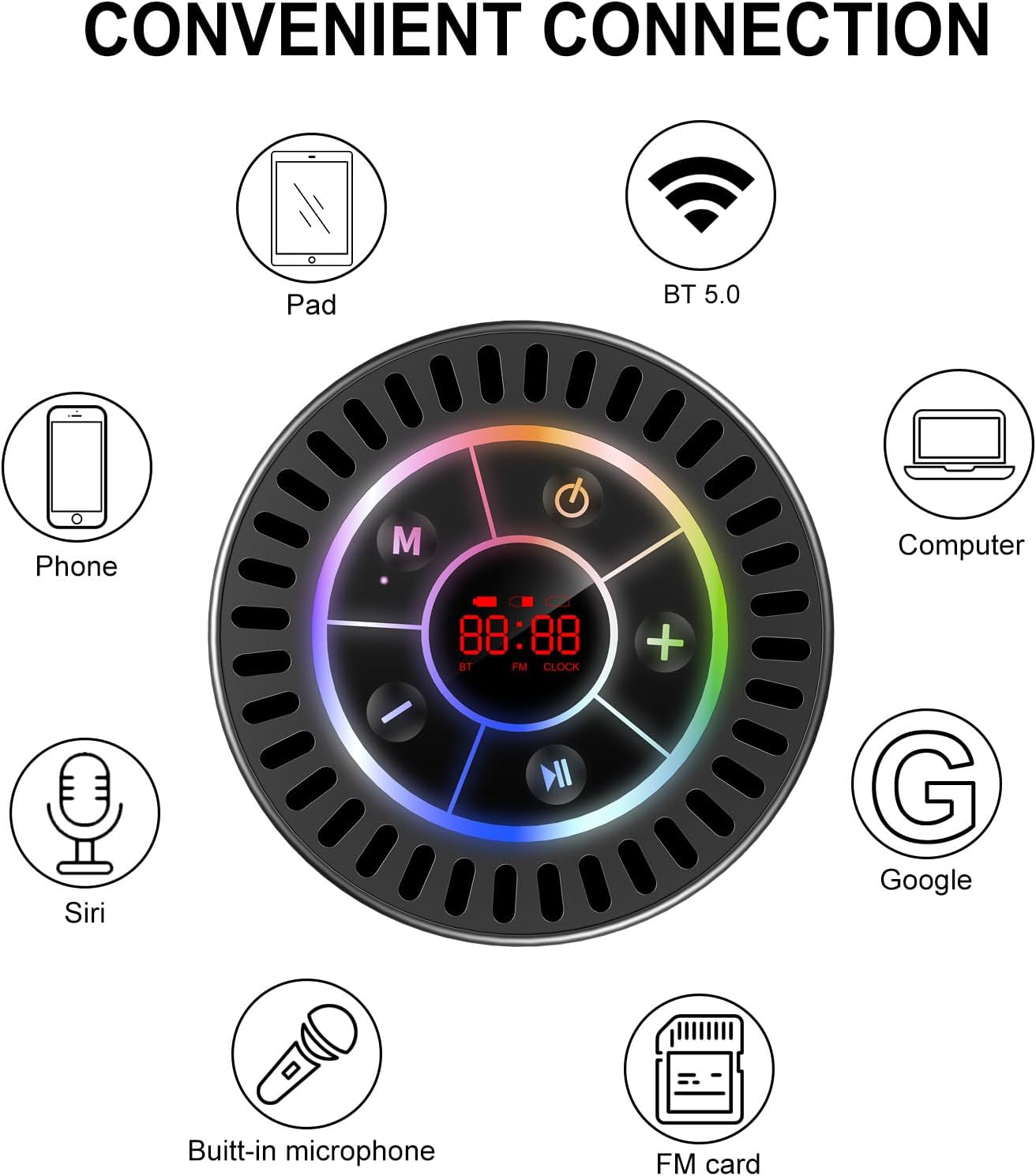
Image: The Docooler speaker attached to a shower wall, demonstrating its waterproof capability.
5.2 Puhastamine
Puhastage kõlarit pehme, damp lapiga. Ärge kasutage abrasiivseid puhastusvahendeid, alkoholi ega keemilisi lahusteid, kuna need võivad pinda või sisemisi komponente kahjustada.
5.3 Säilitamine
Hoidke kõlarit jahedas ja kuivas kohas, eemal otsesest päikesevalgusest ja äärmuslikest temperatuuridest. Pikemaajalisel hoiustamisel laadige akut perioodiliselt, et selle eluiga pikendada.
6. Veaotsing
- Kõlar ei lülitu sisse: Veenduge, et aku on laetud. Ühendage kõlar USB-C-kaabli abil toiteallikaga ja proovige uuesti.
- Ei saa Bluetoothi kaudu siduda:
- Ensure the speaker is in Bluetooth pairing mode ('BT' flashing on display).
- Veenduge, et Bluetooth on teie seadmes lubatud ja see asub kõlarist 15 meetri raadiuses.
- Kui seade on eelnevalt paaristatud, proovige see oma telefonist unustada ja seejärel uuesti paaristada.
- Taaskäivitage nii kõlar kui ka Bluetooth-seade.
- Halb FM-raadio vastuvõtt: FM radio reception can be affected by location and environmental factors. Try repositioning the speaker or using it in an open area. The charging cable can sometimes act as an antenna to enhance signal.
- Heli puudub või on vaikne:
- Kontrollige nii kõlari kui ka ühendatud seadme helitugevust.
- Ensure the speaker is properly paired and not connected to another device.
- TWS-i kasutamisel veenduge, et mõlemad kõlarid oleksid õigesti omavahel ja seejärel teie seadmega seotud.
- Speaker starts at full volume: Some units may default to a high volume upon power-on. Immediately adjust the volume using the '-' button to a comfortable level after turning the speaker on.
- Suction cup does not hold: Ensure the mounting surface is clean, smooth, and dry. Slightly moisten the suction cup before pressing it firmly onto the surface. Avoid porous or textured surfaces.
7. Tehnilised andmed

Pilt: Plahvatanud view showing the internal components of the Docooler speaker, highlighting its sound technology.
| Funktsioon | Detail |
|---|---|
| Kaubamärk | Docooler |
| Mudeli number | SMT4782513347516YX |
| Ühenduvustehnoloogia | Bluetooth 5.0 |
| Bluetoothi vahemik | Kuni 15 meetrit |
| Veekindluse tase | IPX7 (veekindel) |
| Kõlari maksimaalne väljundvõimsus | 5 vatti |
| Sagedusvastus | 100 Hz |
| Heliväljundi režiim | Stereo, Surround (with TWS) |
| Signaali-müra suhe | 95 dB |
| Mikrofonide arv | 1 (sisseehitatud) |
| Toiteallikas | Akutoitel |
| Kontrollimeetod | Nupp |
| Kauba kaal | 300 grammi |
| Ühilduvad seadmed | Sülearvuti, MP3-mängija, nutitelefon, tahvelarvuti, televiisor |
8. Garantii ja tugi
8.1 Garantii teave
This Docooler speaker comes with a limited warranty. For specific terms and conditions, please refer to the warranty card included in your package or contact Docooler customer support.
8.2 Klienditugi
For further assistance, technical support, or warranty claims, please visit the official Docooler website or contact their customer service department. Contact information can typically be found on the product packaging or the brand's online store.