
Docooler 14 Inch 2-in-1 Touchscreen Laptop
Docooler 14 Inch 2-in-1 Touchscreen Laptop User Manual
Model: 14 Inch 2-in-1 Touchscreen Laptop
1. Toote lõppview
The Docooler 14 Inch 2-in-1 Touchscreen Laptop is a versatile computing device designed for both productivity and entertainment. Featuring a 4K UHD IPS display and a 360-degree convertible design, it adapts to various usage scenarios, from traditional laptop mode to tablet mode. Powered by an Intel N95 processor, it offers efficient performance for daily tasks.

Image: The Docooler 14 Inch 2-in-1 Touchscreen Laptop in its tent configuration, showcasintänu oma paindlikule disainile ja erksale ekraanile.
2. Pakendi sisu
Palun kontrollige, kas pakendis on kõik esemed olemas:
- Docooler 14 Inch 2-in-1 Touchscreen Laptop
- Laadimiskaabel
- Kasutusjuhend
3. Alustamine
3.1 Algseadistus
- Charge the Laptop: Before first use, connect the charging cable to the laptop's USB-C port and plug it into a power outlet. Allow the battery to charge fully.
- Toide sisse: Press and hold the power button located on the side of the laptop until the screen illuminates.
- Windowsi häälestus: Windows 11 esmase seadistamise (sh keele valik, võrguühendus ja kasutajakonto loomine) lõpuleviimiseks järgige ekraanil kuvatavaid juhiseid.
4. Understanding Your Laptop
4.1 Põhifunktsioonid
- Kuva: 14-inch 4K UHD (3840x2160) IPS touchscreen with 500 Nits brightness for a clear visual experience.
- Protsessor: Equipped with the 12th Gen Intel N95 CPU (4-core, 4-thread, up to 3.4GHz) for efficient performance.
- Mälu ja salvestusruum: 12GB LPDDR5 4800MHz high-frequency memory and 512GB/1TB NVMe SSD for fast operation and ample ladustamine.
- Kabrioleti disain: 360-degree flip-and-fold design allows for multiple modes of use.
- Puuteekraan: 10-level multi-touch screen with gravity sensing for intuitive interaction.
- Turvalisus: Fingerprint unlock for quick and secure access.
- Klaviatuur: Taustvalgustusega klaviatuur mugavaks kirjutamiseks erinevates valgustingimustes.
- Ühenduvus: Dual-band Wi-Fi (2.4G/5.0G Hz 802.11ac) and Bluetooth for stable wireless connections.

Image: Visual representation of the laptop's 4K UHD display capabilities, highlighting its high resolution and brightness.

Image: Illustration of the Intel N95 12th Generation processor, emphasizing its role in the laptop's performance.
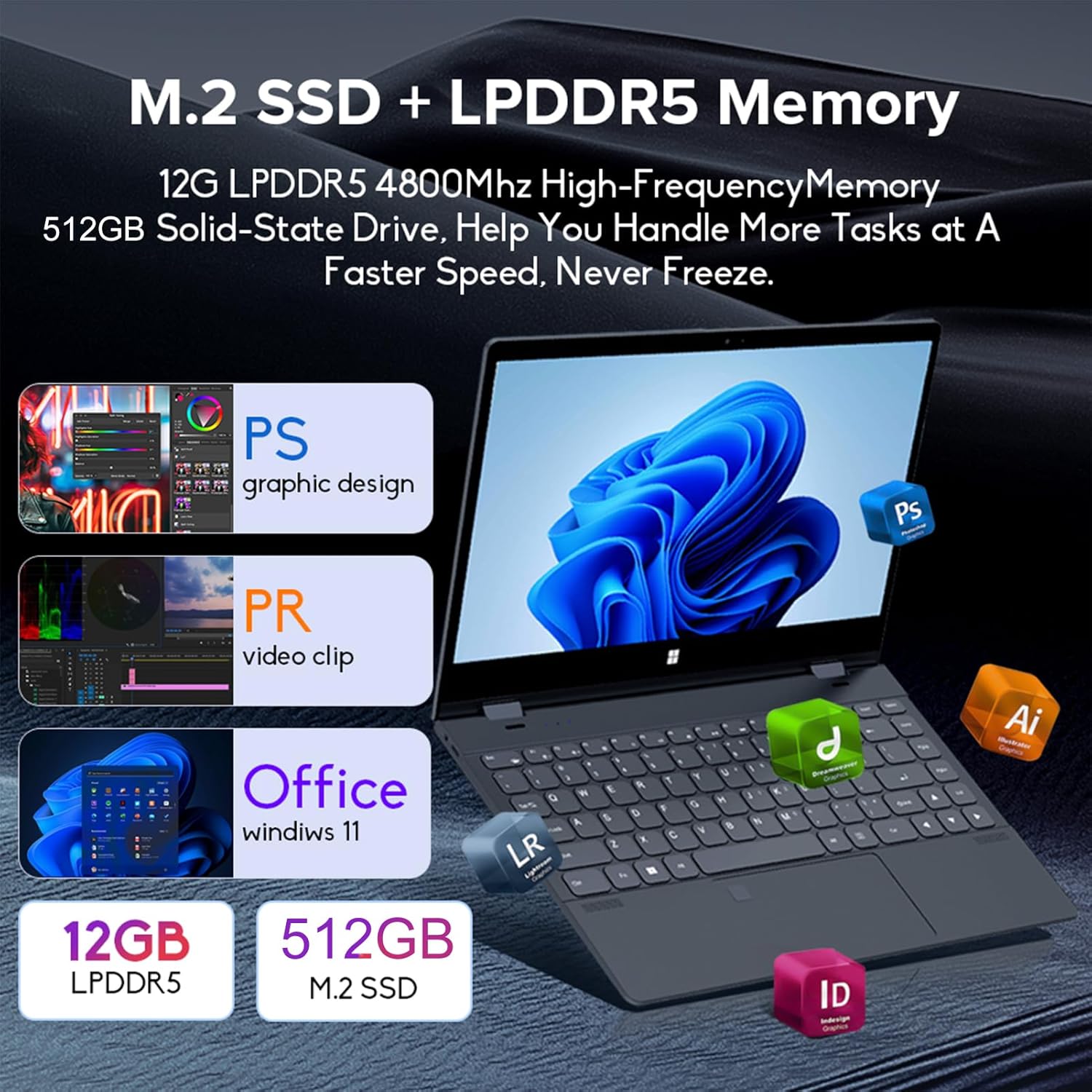
Image: Depiction of the laptop's memory and storage, showing 12GB LPDDR5 RAM and 512GB/1TB M.2 SSD, suitable for various applications.
4.2 Portid ja konnektorid
Familiarize yourself with the available ports on your laptop:
- USB-C (täisfunktsionaalne): Supports audio, video, data transmission, and PD2.0 fast charging.
- USB 3.0: USB-seadmete ühendamiseks.
- Audio sisend: Kõrvaklappide või väliste kõlarite jaoks.
- Alalisvool: Power input (if applicable, though USB-C is primary charging).
- TF kaardilugeja: Mälukaartide jaoks.

Pilt: detailne view of the laptop's side ports, including USB-C, USB 3.0, audio jack, and TF card slot.
4.3 Teisendatavad režiimid
The 360-degree hinge allows the laptop to transform into four distinct modes:
- Sülearvuti režiim: Traditional laptop experience for typing and productivity.
- Tahvelarvuti režiim: Fold the screen back completely for a tablet experience, ideal for touch-based applications and gaming.
- Viewing Mode (Tent Mode): Stand the laptop in a tent shape for watching videos or presentations.
- Conference Mode (Stand Mode): Flip the keyboard under the screen to share content easily in a group setting.

Image: Visual guide demonstrating the four convertible modes of the laptop: Notebook, Tablet, Viewing, and Conference.
5. Operatsioon
5.1 Puuteekraani kasutamine
The 10-point multi-touch screen allows for intuitive navigation. Use gestures similar to a smartphone or tablet. The gravity sensing feature enhances the experience, especially in tablet mode.

Image: Demonstrates the ease of touchscreen operation and the benefit of gravity sensing for gaming.
5.2 Using the Backlit Keyboard and Fingerprint Unlock
- Taustvalgustusega klaviatuur: Press the Function (Fn) key combined with the appropriate F-key (usually F3 or F4, check keyboard icons) to toggle the keyboard backlight on/off or adjust its brightness.
- Sõrmejälje avamine: Set up your fingerprint in Windows Settings > Accounts > Sign-in options. Once configured, you can unlock your laptop quickly by placing your registered finger on the fingerprint sensor.
5.3 Ühenduse loomine WiFi ja Bluetoothiga
The laptop supports dual-band Wi-Fi (2.4G/5.0G Hz 802.11ac) and Bluetooth for wireless connectivity.
- WiFi: Click the Wi-Fi icon in the taskbar, select your desired network, enter the password if prompted, and click Connect.
- Bluetooth: Go to Windows Settings > Bluetooth & devices. Ensure Bluetooth is turned on, then click 'Add device' to pair with Bluetooth peripherals like headphones or mice.

Image: Visual representation of the laptop's dual-band Wi-Fi and Bluetooth connectivity features.
6. Hooldus ja hooldus
- Puhastamine: Kasutage kergelt pehmet ebemevaba lappi dampEkraani puhastamiseks loputage veega või ekraanipuhastusvahendiga. Klaviatuuri ja šassii puhastamiseks kasutage kuiva pehmet lappi. Vältige karme kemikaale.
- Aku hooldus: Aku tööea pikendamiseks vältige aku sagedast täielikku tühjendamist. Hoidke sülearvutit jahedas ja kuivas kohas, kui seda pikka aega ei kasutata.
- Ventilatsioon: Veenduge, et sülearvuti ventilatsiooniavad poleks blokeeritud, et vältida ülekuumenemist. Kasutage sülearvutit kõval ja tasasel pinnal.
- Tarkvaravärskendused: Optimaalse jõudluse ja turvalisuse tagamiseks värskendage regulaarselt oma operatsioonisüsteemi ja draivereid.
7. Veaotsing
| Probleem | Võimalik lahendus |
|---|---|
| Sülearvuti ei lülitu sisse. | Ensure the charging cable is securely connected and the power outlet is functional. Allow the laptop to charge for at least 30 minutes before attempting to power on again. |
| WiFi-ühenduse probleemid. | Restart your router and modem. On the laptop, disable and re-enable Wi-Fi. Ensure you are within range of the Wi-Fi signal. |
| Puuteekraan ei reageeri. | Restart the laptop. Check for any physical obstructions on the screen. Ensure Windows updates are current. |
| Klaviatuuri taustvalgus ei tööta. | Press Fn + F-key (check keyboard icon) to toggle or adjust backlight brightness. Ensure drivers are up to date. |
| Sülearvuti töötab aeglaselt. | Sulgege mittevajalikud rakendused. Kontrollige taustaprotsesse. Veenduge, et teil on piisavalt vaba salvestusruumi. Käivitage süsteemis pahavara skannimine. |
8. Tehnilised andmed
| Funktsioon | Spetsifikatsioon |
|---|---|
| Ekraani suurus | 14 tolli |
| Resolutsioon | 3840 x 2160 pikslit (4K UHD) |
| Protsessor | Intel N95 (up to 3.4GHz) |
| Paigaldatud RAM-mälu suurus | 12 GB LPDDR5 |
| Kõvaketta kirjeldus | 512GB/1TB NVMe SSD |
| Operatsioonisüsteem | Windows 11 Home |
| Graafika kaasprotsessor | Intel UHD graafikakaart (integreeritud) |
| Traadita ühenduvus | 2.4G/5.0G Hz 802.11ac Wi-Fi, Bluetooth |
| USB-pordid kokku | 2 (including 1 full-featured USB-C) |
| Värv | Hõbehall |
| Kauba kaal | 3.46 naela (1570 grammi) |
| Pakendi mõõtmed | 15.35 x 9.84 x 3.35 tolli |
| Päritoluriik | Hiina |
9. Garantii ja tugi
For warranty information and technical support, please refer to the documentation provided with your purchase or visit the official Docooler webveebisait. Hoidke ostutõendit garantiinõuete esitamiseks.
Docooler is committed to providing quality products and customer satisfaction. For further assistance, please contact Docooler customer service.
Note: Protection plans may be available for extended coverage. Please check with your retailer for details.
Ask a question about this manual
Ask about setup, troubleshooting, compatibility, parts, safety, or missing instructions. Manuals+ will review the question and use this page’s manual context to help answer it.