
1. Sissejuhatus
This manual provides essential instructions for the safe and effective use of your Sony FE 35mm f/1.4 GM Lens (SEL35F14GM). Please read this manual thoroughly before using the lens and retain it for future reference. The Sony FE 35mm f/1.4 GM is a high-performance wide-angle prime lens designed for Sony E-mount cameras, offering exceptional resolution and beautiful bokeh.
2. Mis on karbis
Verify that all items listed below are included with your purchase:
- Sony FE 35mm f/1.4 GM Lens (SEL35F14GM)
- Objektiivi varjuk
- Objektiivi esikaas
- Objektiivi tagumine kork
- Objektiivikott
- Additional Accessories (Starter Bundle):
- Hurricane Blower
- Pixel Cleaning Kit
- 3-in-1 USB A/C/Micro Card Reader
- Delkin 64GB SD Card
- Gadget Bag
- 67MM 3PC Filter Kit

Image: Sony FE 35mm f/1.4 GM Lens with its standard accessories.


Image: Included accessories such as SD card, cleaning kit, filter kit, and blower.
3. Toote lõppview

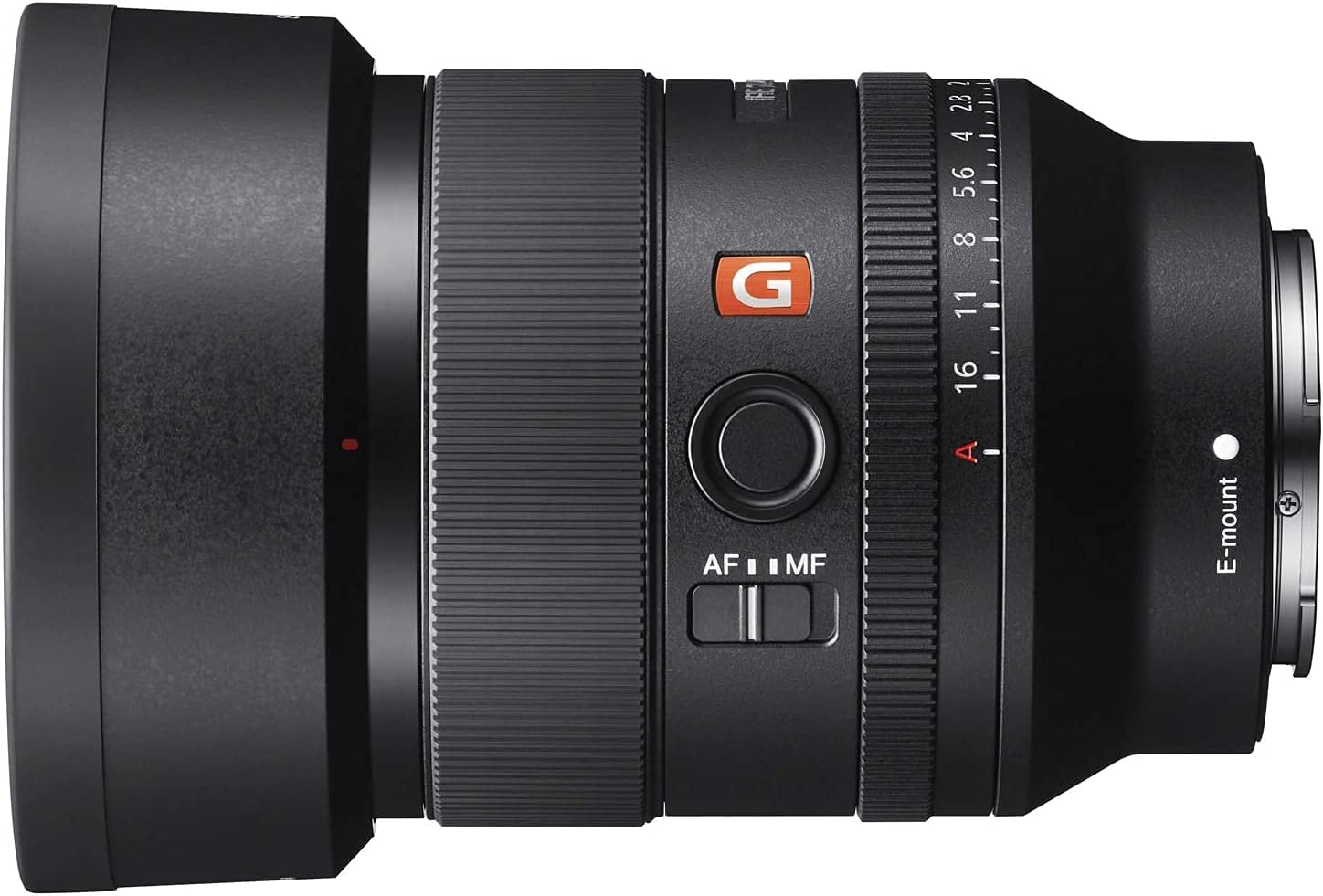
Image: The Sony FE 35mm f/1.4 GM Lens, showing its compact design.
Objektiivi komponendid
- Teravustamisrõngas: Kasutatakse käsitsi teravustamiseks.
- Ava rõngas: Controls the lens aperture.
- AF/MF lüliti: Toggles between Auto Focus and Manual Focus modes.
- Fookuse hoidmise nupp: Can be customized via camera menu for various functions.
- Objektiivi kinnitus: Sony E-mount for compatible cameras.
Pilt: Detailne view of the focus hold button and AF/MF switch on the lens barrel.
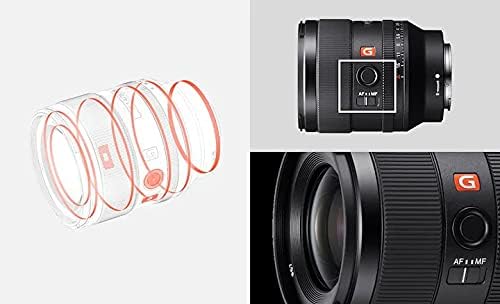
Pilt: Plahvatanud view showing the internal optical elements and construction of the lens.
4. Seadistamine
Objektiivi kinnitamine
- Veenduge, et teie kaamera oleks välja lülitatud.
- Eemalda objektiivilt tagumine objektiivikork ja kaameralt korpusekork.
- Joonda objektiivitoru valge indeksmärk kaamera E-kinnituse valge indeksmärgiga.
- Sisestage objektiiv kaamerakinnitusse ja keerake seda päripäeva, kuni see klõpsuga paika lukustub. Ärge objektiivi jõuga liigutage.
Objektiivi eemaldamine
- Veenduge, et teie kaamera oleks välja lülitatud.
- Kaamera korpusel olevat objektiivi vabastusnuppu all hoides keerake objektiivi vastupäeva, kuni see peatub.
- Gently remove the lens from the camera mount.
- Kinnitage objektiivielementide kaitsmiseks eesmine ja tagumine objektiivikate.
5. Objektiivi käsitsemine
Keskendumine
The lens features an AF/MF switch for selecting the focus mode.
- Autofookus (AF): Set the AF/MF switch to 'AF'. The lens utilizes two XD (extreme dynamic) Linear Motors for fast, precise, and quiet autofocus performance.
- Käsitsi teravustamine (MF): Set the AF/MF switch to 'MF'. Rotate the focus ring to adjust focus manually. The Linear Response MF feature provides a direct and intuitive manual focusing experience.
Ava reguleerimine
The lens has an aperture ring to control the depth of field. The maximum aperture is f/1.4, allowing for excellent low-light performance and shallow depth of field effects. The 11-blade circular diaphragm contributes to smooth, natural-looking bokeh.

Image: The lens with visible aperture markings on the ring.
Fookuse hoidmise nupp
The focus hold button can be assigned various functions through your camera's menu, such as Eye AF, AF On, or other custom settings, to enhance your shooting workflow.
6. Hooldus ja hooldus
Nõuetekohane hooldus tagab teie objektiivi pikaealisuse ja jõudluse.
- Puhastamine: Use a lens blower (like the included Hurricane Blower) to remove dust from the lens surface. For smudges or fingerprints, use a soft, clean microfiber cloth or lens cleaning paper with a small amount of lens cleaning solution (from the Pixel Cleaning Kit). The front element features a fluorine coating to repel water and oil, making it easier to clean.
- Tolmu- ja niiskuskindlus: The lens features a dust- and moisture-resistant design. While this provides protection in challenging environments, it is not waterproof. Avoid exposing the lens to heavy rain or direct water.
- Hoiustamine: When not in use, store the lens with both front and rear caps attached in a dry, cool place, away from direct sunlight and extreme temperatures. The included gadget bag provides protection during transport.
- Filtri kasutamine: The included 67mm 3PC Filter Kit can be used to protect the front element and achieve various photographic effects. Always ensure filters are clean before attaching.
7. Veaotsing
If you encounter issues with your lens, consider the following basic troubleshooting steps:
- Kaamera ei tuvasta objektiivi: Ensure the lens is securely attached to the camera body. Turn the camera off and on again. Check for any debris on the lens or camera contacts.
- Autofookus ei tööta: Verify the AF/MF switch on the lens is set to 'AF'. Check your camera's focus mode settings. Ensure there is sufficient light and contrast for the autofocus system to operate.
- Image quality issues (e.g., blurry images): Check if the lens elements are clean. Ensure the correct focus mode is selected and that the lens is properly focused. Verify camera settings such as shutter speed and ISO.
- Lens not mounting correctly: Ensure no obstructions are present on the lens mount or camera body. Align the index marks carefully.
For more detailed troubleshooting or persistent issues, refer to your camera's instruction manual or contact Sony support.
8. Tehnilised andmed

Image: Visual representation of lens dimensions and key specifications.
| Funktsioon | Spetsifikatsioon |
|---|---|
| Kaubamärk | Sony |
| Mudeli nimi | SEL35F14GM |
| Fookuskaugus | 35 mm (fikseeritud) |
| Maksimaalne ava | f/1.4 |
| Minimaalne ava | f/16 |
| Objektiivi kinnitus | Sony E-kinnitus |
| Filtri läbimõõt | 67 mm |
| Fookuse tüüp | Automaatne/käsitsi |
| Pildi stabiliseerimine | Dynamic (Camera-dependent) |
| Objektiivi kate | Nano AR Coating |
| Tolmu- ja niiskuskindlus | Jah |
| Kaal (umbes) | 18.5 unts (524 g) |
| Mõõdud (läbimõõt x pikkus) | 3 x 3 7/8 inches (76 x 96 mm) |
9. Garantii ja tugi
Your Sony FE 35mm f/1.4 GM Lens is covered by Sony's full factory warranty. As an authorized Sony dealer, Pixel Connection ensures that all products are brand new, USA factory condition, and eligible for Sony's warranty and repair services.
For warranty claims, technical support, or service inquiries, please contact Sony customer support or the authorized dealer from whom you purchased the product.
Video: Information regarding Pixel Connection as an authorized Sony dealer and warranty details.

Image: Pixel Connection's authorization as a Sony dealer, ensuring valid warranty.


