Sissejuhatus
This manual provides detailed instructions for the installation, operation, and maintenance of your BINIZE Double Din Car Stereo. Please read this manual thoroughly before using the product to ensure proper functionality and to prevent damage. Keep this manual for future reference.
Toode läbiview
The BINIZE Double Din Car Stereo is a 10.1-inch multimedia player running on an Android 13 system. It offers a range of features designed to enhance your in-car entertainment and navigation experience.
Peamised omadused:
- 10.1-inch capacitive touch screen with 1024x600 resolution.
- Android 13 Operating System with Quad-core Coretex-A7 processor (up to 1.3GHz).
- 2GB RAM + 32GB internal storage.
- Juhtmevaba CarPlay ja Android Auto tugi.
- Wired MirrorLink for Android and iOS devices.
- Sisseehitatud Bluetooth käed-vabad helistamiseks ja heli voogedastuseks.
- Integrated GPS receiver for online and offline navigation.
- FM Radio tuner.
- Support for AUX, front, and rear camera inputs.
- Steering Wheel Control compatibility (manual learning required).
- Built-in Wi-Fi receiver and support for 4G communication (via external dongle, not included).
- Expandable options for OBD and tire pressure monitoring (accessories sold separately).

Figure 1: BINIZE Double Din Car Stereo Front View esile tõstetud põhifunktsioonidega.
Seadistamine ja installimine
Proper installation is crucial for the optimal performance of your car stereo. If you are unfamiliar with car audio wiring and installation, professional assistance is recommended.
Füüsilised mõõtmed:
The unit measures approximately 251mm (width) x 146mm (height) x 56mm (depth). Ensure your vehicle's dashboard opening is compatible with these dimensions.
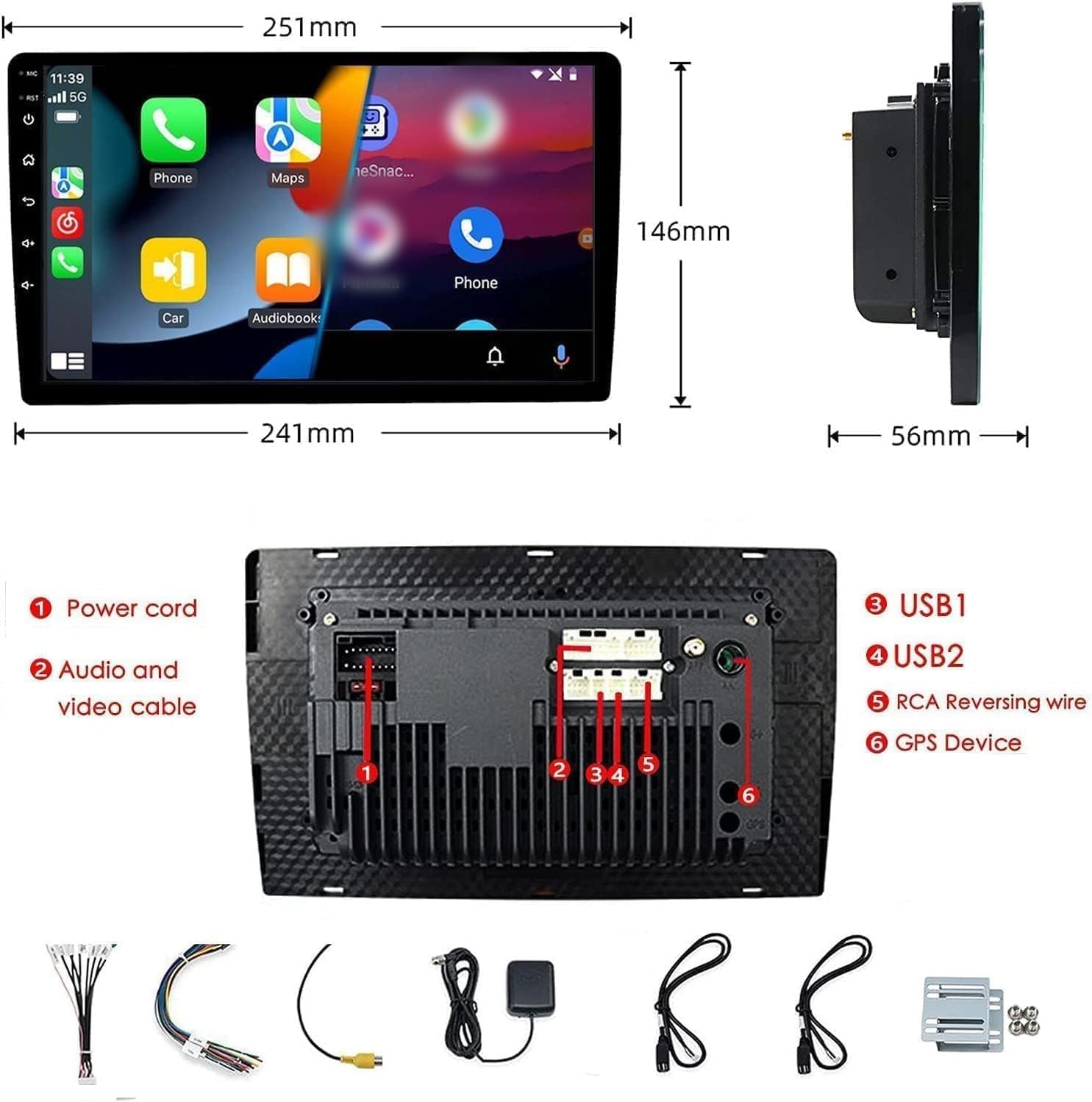
Figure 2: Unit dimensions and rear panel connection points.
Juhtmete ühendused:
Refer to the included wiring diagram for specific connections. Key connections include:
- Toitejuhe: Connect to vehicle's power supply (constant 12V, accessory 12V, ground).
- Audio and Video Cable: For external audio/video devices.
- USB-pordid (USB1, USB2): For media playback, phone charging, and wired CarPlay/Android Auto.
- RCA Reversing Wire: Connect to the backup camera trigger wire.
- GPS Device: Connect the external GPS antenna for navigation functionality.
- Steering Wheel Control Wires (Key/SW): For integrating with vehicle's steering wheel controls.
Veenduge, et kõik ühendused oleksid kindlalt kinnitatud ja korralikult isoleeritud, et vältida lühiseid.
Kasutusjuhised
Toide sisse/välja:
The unit will power on automatically when the vehicle's ignition is turned on. To manually power off or restart, use the power button on the front panel.
Puuteekraani kasutamine:
Navigate the interface by tapping, swiping, and pinching on the 10.1-inch capacitive touch screen, similar to a smartphone or tablet.
FM-raadio:
Access the FM Radio application from the main menu. You can scan for stations, save presets, and adjust volume. The unit supports standard FM frequencies.

Joonis 3: FM-raadio liides.
Bluetoothi sidumine:
- Veenduge, et Bluetooth oleks teie mobiiltelefonis lubatud.
- Ava autostereos Bluetoothi rakendus.
- Otsi available devices on your phone and select "BINIZE" or a similar device name.
- Kui küsitakse, kinnitage sidumiskood mõlemas seadmes.
- Pärast sidumist saate teha käed-vabad kõnesid ja voogedastada heli.
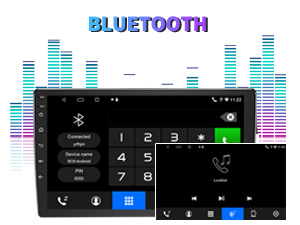
Figure 4: Bluetooth pairing screen.
Rooli juhtimine:
To use your vehicle's steering wheel controls, manual learning is required. Access the Steering Wheel Control settings in the system menu and follow the on-screen instructions to map your vehicle's buttons to the stereo functions.
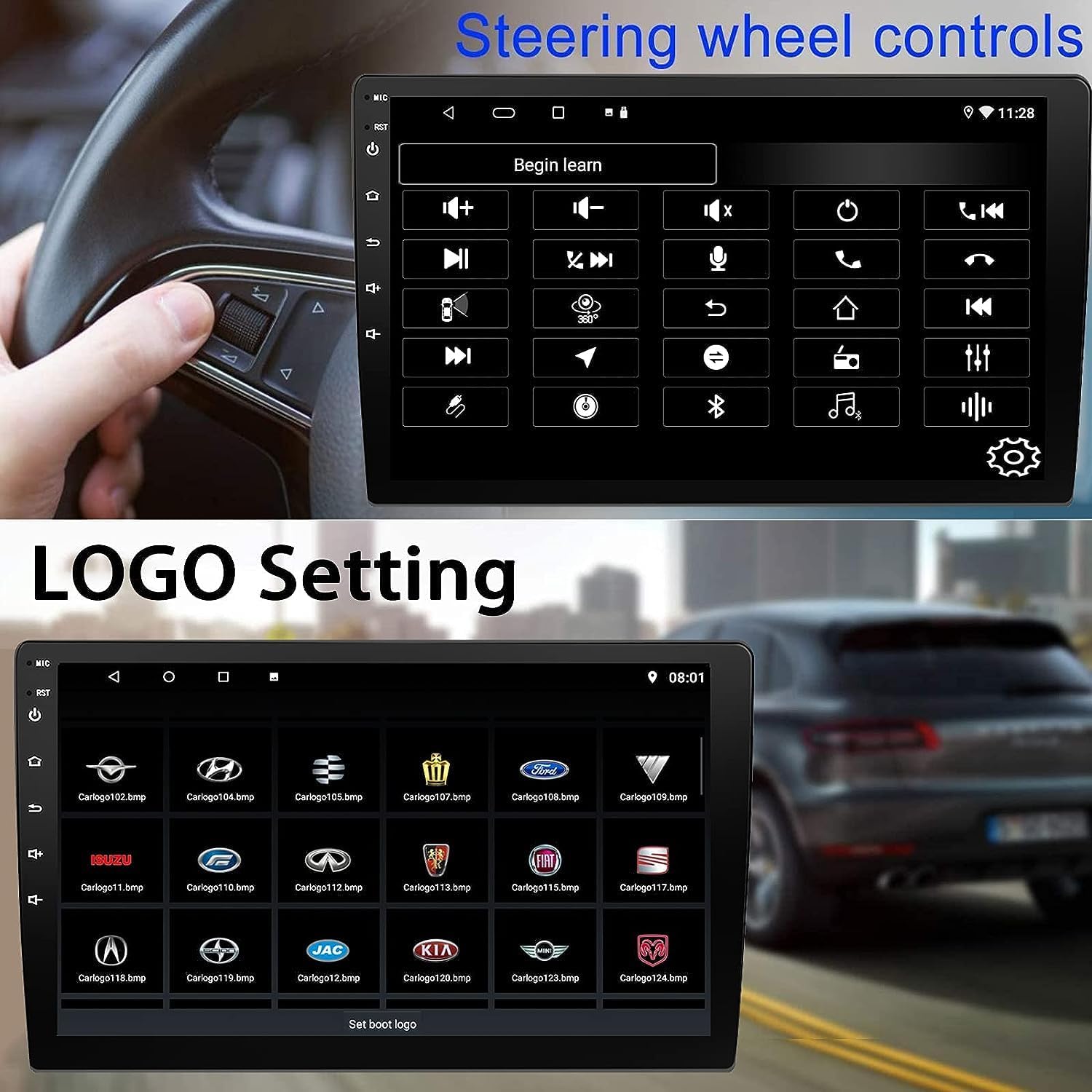
Figure 5: Steering Wheel Control setup screen.
Connectivity: CarPlay, Android Auto, and MirrorLink
Juhtmeta CarPlay:
Connect your iPhone wirelessly to access CarPlay features such as navigation, music, messages, and calls directly on the stereo display. Ensure Wi-Fi and Bluetooth are enabled on your iPhone.
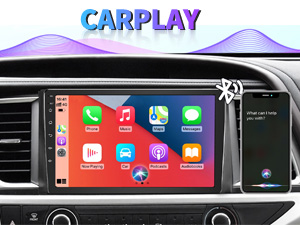
Joonis 6: Juhtmevaba CarPlay liides.
Juhtmeta Android Auto:
Connect your Android phone wirelessly to use Android Auto for navigation, communication, and entertainment apps. Ensure Wi-Fi and Bluetooth are enabled on your Android device.

Joonis 7: Juhtmevaba Android Auto liides.
Peegellink:
MirrorLink allows you to display your smartphone's screen directly onto the car stereo. This feature works with both Android and iOS devices via a wired connection. Note that CarPlay/Android Auto and MirrorLink cannot be used simultaneously.

Figure 8: MirrorLink feature displaying a phone screen on the stereo.
Navigeerimine
The car stereo features an integrated GPS receiver, supporting both online and offline navigation. Connect to Wi-Fi or a mobile hotspot to use online navigation apps. For offline navigation, you may need to download map data.

Figure 9: GPS navigation map display.
Kaamera sisend
Varukaamera:
The unit supports backup camera input. When properly connected, the display will automatically switch to the rear view when the vehicle is put into reverse, providing parking assistance with guidelines.
Esiosa View Kaamera:
The stereo also supports front view camera input, allowing for enhanced visibility when maneuvering in tight spaces.

Figure 10: Backup camera and front view camera displays.
Hooldus
To ensure the longevity and optimal performance of your BINIZE car stereo, follow these maintenance guidelines:
- Ekraani puhastamine: Puuteekraani pühkimiseks kasutage õrnalt pehmet ja ebemevaba lappi. Kangekaelsete plekkide korral nühkige seda kergelt.ampNiisutage lappi veega või ekraanisõbraliku puhastusvahendiga. Vältige karme kemikaale või abrasiivseid materjale.
- Üldpuhastus: Keep the unit and surrounding areas free from dust and debris. Use a soft brush or compressed air to clean vents and button areas.
- Tarkvaravärskendused: Periodically check for available software updates through the system settings to ensure you have the latest features and performance improvements.
- Vältige äärmuslikke temperatuure: Ärge jätke seadet pikaks ajaks äärmise kuumuse või külma kätte, kuna see võib selle elektroonilisi komponente mõjutada.
Veaotsing
Kui teil tekib probleeme autostereoga, vaadake järgmisi levinud probleeme ja lahendusi:
| Probleem | Võimalik põhjus | Lahendus |
|---|---|---|
| Seade ei lülitu sisse. | Incorrect wiring; Blown fuse; Vehicle power issue. | Check power connections and vehicle fuses. Ensure constant 12V and accessory 12V are correctly wired. |
| Ei mingit heli. | Helitugevus liiga vaikne; vaigistus aktiveeritud; kõlari juhtmestiku probleem. | Suurenda helitugevust. Kontrolli, kas vaigistus on aktiivne. Kontrolli kõlarite ühendusi. |
| CarPlay/Android Auto ei loo juhtmevaba ühendust. | Bluetooth/Wi-Fi off on phone; Pairing issue; Software glitch. | Ensure phone's Bluetooth and Wi-Fi are on. Try re-pairing the device. Restart both phone and stereo. Some users reported needing to open phone's Bluetooth settings each time. |
| Screen too bright/dim at night. | Display settings not optimized. | Adjust brightness settings in the display menu. Consider using a screen dimming app if available. |
| Tagurduskaamera ei kuva pilti. | Camera not connected; RCA reversing wire not connected or faulty. | Check camera and RCA reversing wire connections. Ensure the camera is powered. |
Tehnilised andmed
| Funktsioon | Detail |
|---|---|
| Kaubamärk | BINIZE |
| Mudeli number | Binize |
| Operatsioonisüsteem | Android 13 |
| Ekraani suurus | 10.1 tolli (nähtav diagonaal 26 cm) |
| Resolutsioon | 1024x600 |
| Protsessor | Quad-core Coretex-A7, 1.3GHz |
| Mälu (RAM) | 2 GB |
| Salvestusruum (ROM) | 32 GB |
| Ühenduvus | Bluetooth, Wi-Fi, USB, Auxiliary |
| Eriomadused | Wireless CarPlay, Wireless Android Auto, MirrorLink, GPS Navigation, Touchscreen, Built-In Bluetooth |
| Heliväljundi režiim | Stereo (2.0 ruumilise heli kanali konfiguratsioon) |
| Kauba kaal | 2.94 naela |
| Värv | Must |
Garantii ja tugi
Garantii teave:
The BINIZE Double Din Car Stereo comes with a 1-aastane tasuta garantii alates ostukuupäevast. See garantii katab tootmisdefektid ja normaalse kasutamise korral esinevad talitlushäired. Palun hoidke oma ostutõend garantiinõuete esitamiseks alles.
Tehniline tugi:
For any technical assistance, questions, or issues not covered in this manual, please contact our professional technical support team. You can reach us via Amazon email for 24/7 online technical support. Our team is available to assist with system upgrades and parts replacement.
We are committed to providing enthusiastic customer service and ensuring your satisfaction with the BINIZE product.