
1. Sissejuhatus
This manual provides detailed instructions for the safe and efficient use of your Generic SP-20A Wireless Bluetooth Speaker. Please read this manual thoroughly before operating the device and retain it for future reference.
Pakendi sisu
- SP-20A Wireless Bluetooth Speaker
- USB laadimiskaabel
Ensure all items are present and in good condition. If any items are missing or damaged, contact your retailer.
2. Seadistamine
2.1 Kõlari laadimine
Before initial use, fully charge the speaker. Connect the supplied USB charging cable to the speaker's micro USB port and the other end to a USB power adapter (not included) or a computer's USB port. The charging indicator light will illuminate during charging and turn off when fully charged.
Note: Battery backup may vary according to the volume level during playback.
2.2 Sisse-/väljalülitamine
To power on the speaker, press and hold the Power button for a few seconds until you hear an audible prompt or see an indicator light. To power off, repeat the process.
2.3 Bluetoothi sidumine
- Ensure the speaker is powered on and in Bluetooth pairing mode. An indicator light will typically flash, and an audible prompt may be heard.
- Luba oma mobiilseadmes (nutitelefonis, tahvelarvutis jne) Bluetooth.
- Otsi available Bluetooth devices. The speaker will appear as "SP-20A" or similar.
- Select "SP-20A" to connect. Once paired, the speaker will provide an audible confirmation, and the indicator light will stop flashing.
- Kõlar proovib sisselülitamisel automaatselt viimase seotud seadmega uuesti ühendust luua.
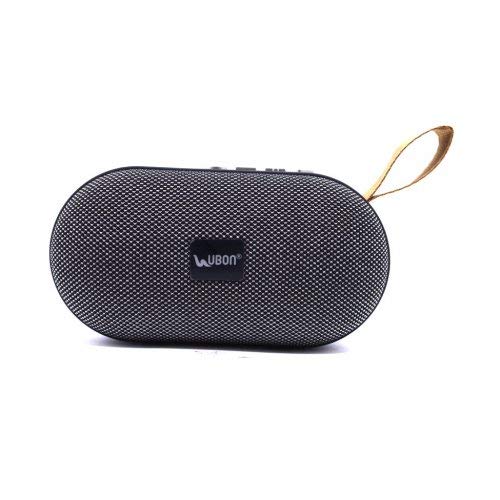
Joonis 1: Tagumine view of the SP-20A speaker, highlighting the USB port, SD card slot, micro USB charging port, and control buttons on the top surface. A carrying strap is visible on the left.
3. Operatsioon
3.1 Bluetooth-režiim
Once paired with your device, audio will stream wirelessly to the speaker. Use your connected device to control playback (play/pause, skip tracks) and adjust volume. The speaker may also have integrated controls for these functions.
3.2 SD Card and USB Playback
Insert a microSD card or a USB flash drive containing MP3 audio files into the respective slot on the speaker. The speaker will automatically detect the storage device and begin playing music. Use the speaker's control buttons to navigate tracks and adjust volume.
3.3 FM-raadiorežiim
To activate FM radio mode, press the Mode button (if available) until you hear the FM radio prompt. The speaker will automatically scan and save available FM stations. Use the skip buttons to cycle through saved stations.
3.4 Helitugevuse reguleerimine
Adjust the volume using the dedicated volume buttons on the speaker or through your connected Bluetooth device.
4. Hooldus
4.1 Puhastamine
Wipe the speaker with a soft, dry cloth. Do not use abrasive cleaners, waxes, or solvents. Avoid exposing the speaker to excessive moisture.
4.2 Säilitamine
When not in use for extended periods, store the speaker in a cool, dry place away from direct sunlight and extreme temperatures. It is recommended to charge the battery periodically to maintain its lifespan.
5. Veaotsing
| Probleem | Võimalik lahendus |
|---|---|
| Kõlar ei lülitu sisse. | Veenduge, et aku on laetud. Ühendage kõlar USB-kaabli abil toiteallikaga. |
| Bluetooth-seadmega ei saa siduda. |
|
| Heli puudub või on vaikne. |
|
| SD card/USB playback not working. |
|
6. Tehnilised andmed
| Mudeli nimi | SP-20A |
| Kaubamärk | Üldine |
| Ühenduvustehnoloogia | USB, Bluetooth |
| Traadita tehnoloogia tüüp | Bluetooth |
| Heliväljundi režiim | Stereo |
| Kõlari tüüp | Raamaturiiul |
| Materjal | ABS plastik |
| Toiteallikas | Akutoitel |
| Ühilduvad seadmed | Nutitelefon, tahvelarvuti |
| Kauba kaal | 173 grammi |
7. Garantii ja tugi
Specific warranty information for the Generic SP-20A Wireless Bluetooth Speaker is not provided in the product details. For warranty claims or technical support, please contact the retailer where the product was purchased or the manufacturer, Balaji Enterprises, directly.
Hoidke alati ostutõendit alles garantiiga seotud küsimuste korral.