
1. Sissejuhatus
This manual provides essential information for the safe and efficient operation, maintenance, and troubleshooting of your Philips Series 3200 Super-Automatic Coffee Machine, model EP3221/40. Please read all instructions carefully before using the appliance and retain this manual for future reference.
2. Oluline ohutusteave
Elektriseadmete kasutamisel järgige alati põhilisi ohutusnõudeid, et vähendada tulekahju, elektrilöögi ja vigastuste ohtu. See seade on mõeldud ainult koduseks kasutamiseks.
- Ärge kastke seadet, toitejuhet ega pistikut vette ega muudesse vedelikesse.
- Veenduge voltagSeadmel näidatud e vastab teie kohalikule vooluvõrguletage enne ühendamist.
- Hoidke seade ja selle juhe lastele kättesaamatus kohas.
- Ärge kasutage seadet, kui pistik, toitejuhe või seade ise on kahjustatud.
- Eemaldage seade alati vooluvõrgust enne puhastamist, hooldamist või kui seda pikemat aega ei kasutata.
- Use only original Philips accessories and parts.
3. Toote lõppview
The Philips Series 3200 Super-Automatic Coffee Machine EP3221/40 is designed to deliver a variety of fresh coffee beverages with ease. Key features include an intuitive touch display, a classic milk frother, and a durable ceramic grinder.
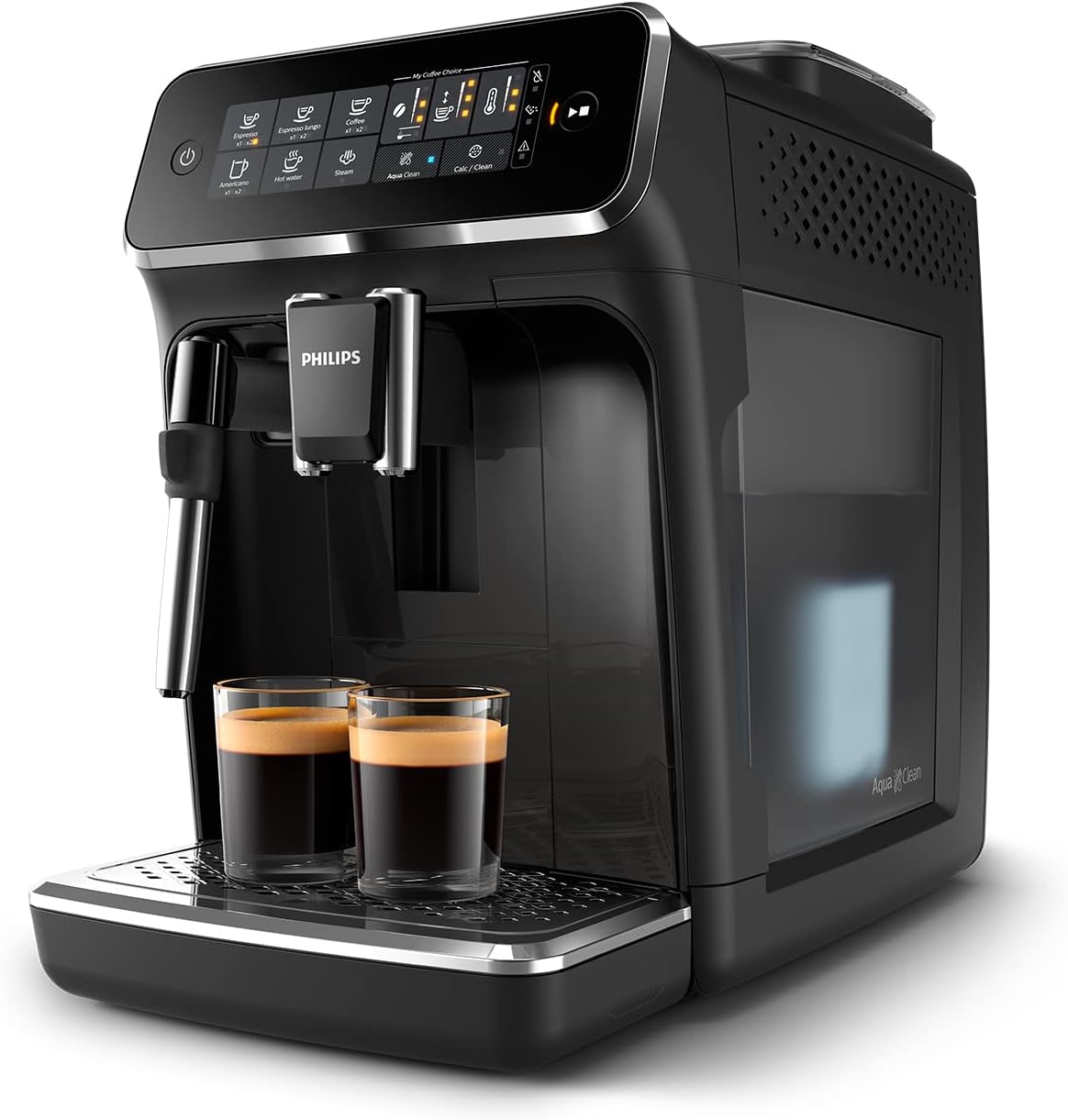
Image: Philips Series 3200 Super-Automatic Coffee Machine with two espresso cups on the drip tray.
4. Seadistamine ja esmakordne kasutamine
4.1 Lahtipakkimine ja esmane puhastamine
- Eemaldage masinast kõik pakkematerjalid.
- Wash the water tank, drip tray, and coffee grounds container with warm water and a mild detergent. Rinse thoroughly.
- Pühkige masina välispinda pehme, damp riie.
4.2 Veepaagi täitmine
- Eemaldage veepaak masinast.
- Täitke paak värske kraaniveega kuni MAX-märgini.
- Asetage veepaak masinasse tagasi.
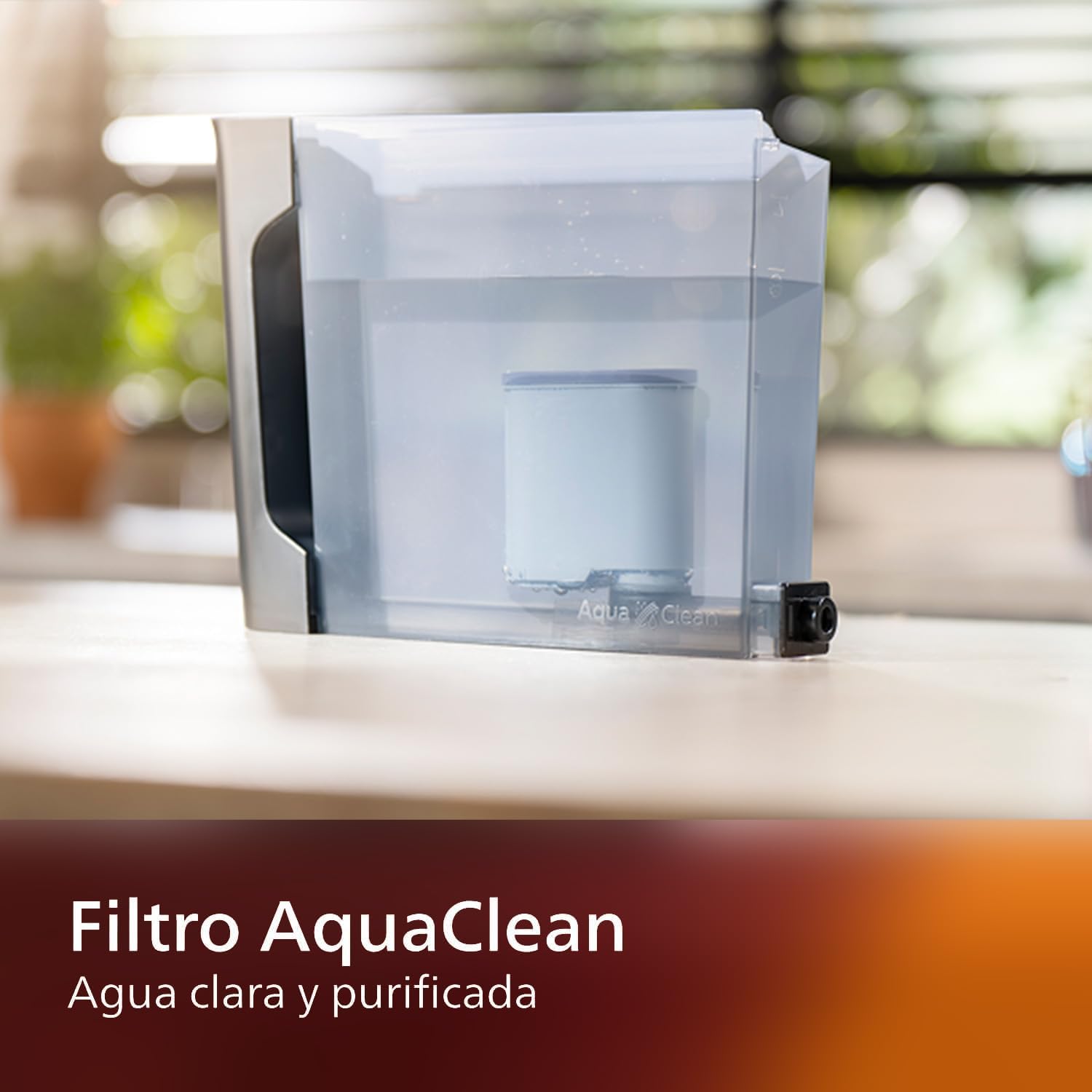
Image: AquaClean water filter installed in the water tank. The AquaClean filter helps ensure clear and purified water for your coffee.
4.3 Oamahuti täitmine
- Open the coffee bean hopper lid.
- Pour fresh coffee beans into the hopper. Do not fill above the MAX level.
- Close the lid securely to preserve aroma.
4.4 Toiteühendus
- Ühendage toitejuhe maandatud seinakontakti.
- Masina sisselülitamiseks vajutage toitenuppu. Masin teostab automaatse loputustsükli.
5. Kasutusjuhised
5.1 Kohvi valmistamine
The intuitive touch display allows for easy selection of your desired coffee beverage.
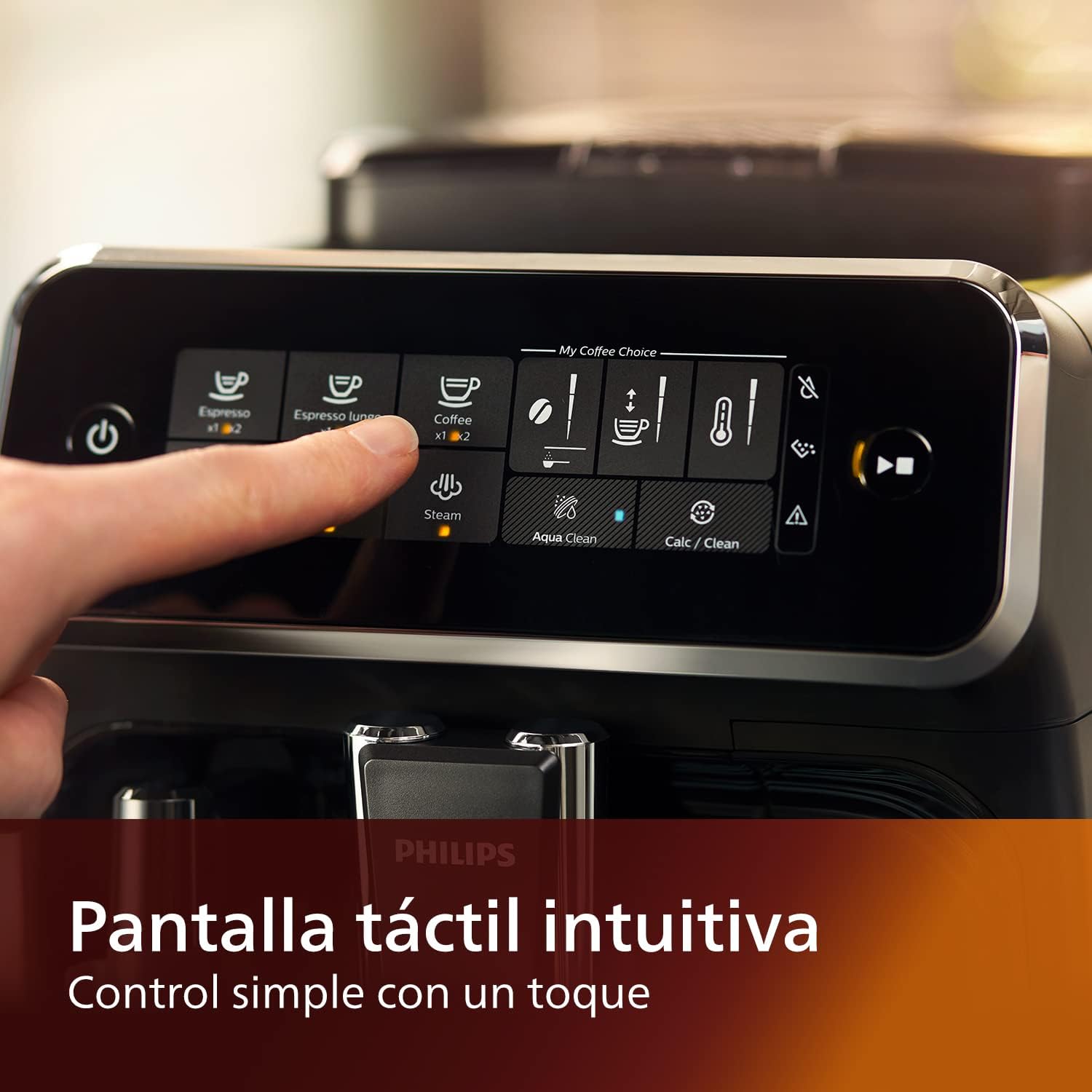
Image: Close-up of the intuitive touch display on the Philips Series 3200 coffee machine, showing various beverage options.
- Asetage tass kohvitila alla.
- Select your desired coffee type (e.g., Espresso, Coffee, Americano) from the touch display.
- Masin jahvatab oad automaatselt ja valmistab teie kohvi.
5.2 Customizing Your Coffee (My Coffee Choice)
Use the My Coffee Choice menu to adjust intensity and quantity.

Image: The 'My Coffee Choice' screen on the touch display, illustrating options to adjust coffee intensity and volume.
- After selecting a beverage, tap the 'My Coffee Choice' icon.
- Adjust the coffee strength (intensity) and volume (quantity) using the on-screen controls. There are three settings for each.
- Confirm your selection to start brewing.
5.3 Klassikalise piimavahustaja kasutamine
The Panarello milk frother allows you to prepare smooth and silky milk foam for cappuccinos and lattes.

Image: The classic milk frother steaming milk directly into a glass cup, creating foam.
- Täida piimakann külma piimaga.
- Place the milk jug under the frother.
- Select the 'Steam' option on the touch display.
- Immerse the frother nozzle into the milk and turn the steam knob (if applicable) or press the steam button to start frothing.
- Kui soovitud vaht on saavutatud, lülitage aur välja.
- Clean the frother immediately after use by wiping it with a damp lapiga ja väljutades väikese koguse auru.
6. Hooldus ja puhastamine
Regulaarne puhastamine ja hooldus tagavad teie kohvimasina optimaalse jõudluse ja pikaealisuse.
6.1 Igapäevane koristamine
- Tühjendage ja loputage tilgaalust ja kohvipaksu sahtlit iga päev.
- Pühkige kohvitila ja piimavahustaja puhtaksamp riie.
- Loputage veepaak.
6.2 AquaClean Filter
The AquaClean filter ensures clear and purified water, reducing the need for frequent descaling. Replace the filter when indicated by the machine, typically after approximately 5000 cups, depending on water hardness.

Image: A demonstration of the AquaClean water filter, showing its effectiveness in purifying water.
6.3 Katlakivi eemaldamine
Even with the AquaClean filter, descaling will eventually be required. The machine will prompt you when descaling is necessary. Follow the on-screen instructions and use a Philips-approved descaling solution.
6.4 Nõudepesumasinas pestavad osad
Note that the main appliance is not dishwasher safe. However, some removable parts, such as the drip tray and coffee grounds container, may be dishwasher safe. Refer to the specific instructions for each component.
7. Veaotsing
If you encounter issues with your coffee machine, consult the table below for common problems and solutions.
| Probleem | Võimalik põhjus | Lahendus |
|---|---|---|
| Kohvi ei tule. | Veepaak on tühi. | Täitke veepaak. |
| Kohv on liiga nõrk. | Grind setting is too coarse. | Seadke veski peenemale seadistusele. |
| Piimavahustaja ei tee vahtu. | Frother is clogged or not clean. | Clean the milk frother thoroughly. Ensure the nozzle is clear. |
| Masin kuvab katlakivi eemaldamise hoiatuse. | Katlakivi kogunemine. | Tehke katlakivi eemaldamise tsükkel vastavalt masina juhistele. |
8. Tehnilised andmed
| Funktsioon | Detail |
|---|---|
| Kaubamärk | Philips |
| Mudeli number | EP3221/40 |
| Kohviubade maht | 275 grammi |
| Värv | Läikiv must |
| Toote mõõtmed (P x L x K) | 25 x 36.6 x 32 sentimeetrit |
| Eriomadused | Integrated coffee grinder, Milk Frother, Water Filter, Programmable |
| Kohvimasina tüüp | Espressomasin |
| Materjal | Plastikust |
| Operatsioon | Täisautomaatne |
| Võimsus | 1500 vatti |
| Voltage | 230 volti |
| Inimliidese sisend | Puuteekraan |
| Kohvi sisendi tüüp | Terved oad |
| Filtri tüüp | Korduvkasutatav (AquaClean) |
| Nõudepesumasinas ohutu | Ei (põhiseadme jaoks) |
| Tootmisaasta | 2022 |
9. Garantii ja tugi
9.1 Garantii teave
Your Philips Series 3200 Super-Automatic Coffee Machine is covered by a manufacturer's warranty. For detailed information regarding warranty terms, duration, and conditions, please refer to the warranty card included with your product or visit the official Philips webteie piirkonna sait.
9.2 Klienditugi
For technical assistance, spare parts, or service, please contact Philips Customer Support. You can find contact details (phone numbers, email, and online support) on the official Philips webveebisaidil või seadmega kaasasolevas dokumentatsioonis.
When contacting support, please have your model number (EP3221/40) and purchase date ready.