
Sissejuhatus
This manual provides instructions for the proper use and maintenance of your AW B990BL Neckband Wireless Bluetooth Earphones. Please read this manual thoroughly before using the product to ensure optimal performance and longevity.
The AW B990BL Neckband Wireless Bluetooth Earphones offer a convenient audio solution with a neckband design. Featuring Bluetooth V4.2 connectivity, these earphones provide up to 6 hours of talk or music time on a 1-hour charge. They are designed for wide compatibility with various devices, offering a reliable wireless experience.
Pakendi sisu
- AW B990BL Neckband Wireless Bluetooth Earphones
- USB laadimiskaabel
- Kõrvaotsad (erineva suurusega)
- Kasutusjuhend

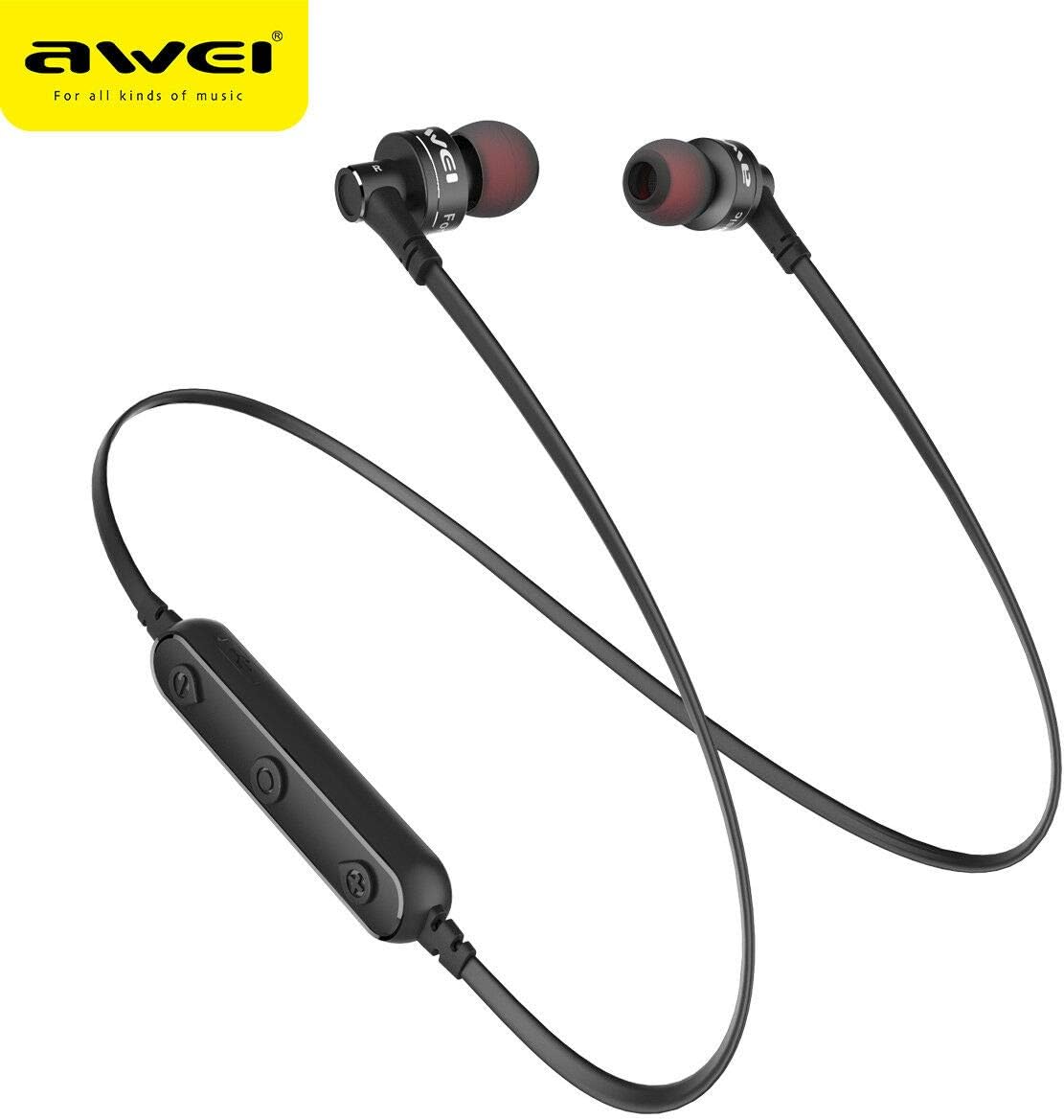
Image: The AW B990BL Neckband Wireless Bluetooth Earphones, showcasing the neckband design, earbuds, and inline control panel.
Seadistamine
1. Kõrvaklappide laadimine
- Connect the micro-USB end of the charging cable to the charging port on the earphone's control unit.
- Connect the USB-A end of the charging cable to a USB power source (e.g., computer USB port, wall adapter).
- The indicator light will illuminate during charging. Once fully charged (approximately 1 hour), the indicator light will change or turn off.
- Kui laadimine on lõppenud, ühendage laadimiskaabel lahti.
Märkus. Enne esmakordset kasutamist veenduge, et kõrvaklapid on optimaalse aku jõudluse tagamiseks täielikult laetud.
2. Bluetoothi sidumine
- Veenduge, et kõrvaklapid on välja lülitatud.
- Press and hold the Multi-function button (usually the center button on the control unit) for approximately 5-7 seconds until the indicator light flashes red and blue alternately. This indicates pairing mode.
- Luba oma seadmes (nutitelefon, tahvelarvuti jne) Bluetooth ja otsi saadaolevaid seadmeid.
- Select "B990BL" from the list of found devices.
- Once successfully paired, the indicator light will flash blue slowly, and you may hear a confirmation tone.
- Kui küsitakse parooli, sisestage "0000".
Märkus. Kõrvaklapid proovivad sisselülitamisel automaatselt viimase paaristatud seadmega uuesti ühendust luua.
Pilt: Lähivõte view of the AW B990BL earphones, highlighting the inline control panel with its buttons and charging port.
Kasutusjuhised
Põhifunktsioonid
- Toide sisse: Vajutage ja hoidke multifunktsionaalset nuppu 3 sekundit all.
- Toide välja: Vajutage ja hoidke multifunktsionaalset nuppu 3 sekundit all.
- Esita/peata: Vajutage üks kord multifunktsionaalset nuppu.
- Helitugevuse suurendamine: Vajutage nuppu "+".
- Hääl maha: Vajutage nuppu "-".
- Järgmine lugu: Vajutage ja hoidke all nuppu "+".
- Eelmine lugu: Vajutage ja hoidke all nuppu "-".
Kõnehaldus
- Vasta kõnele: Vajutage üks kord multifunktsionaalset nuppu.
- Kõne lõpetamine: Kõne ajal vajutage multifunktsionaalset nuppu üks kord.
- Keeldu kõnest: Vajutage ja hoidke multifunktsionaalset nuppu 2 sekundit all.
- Viimase numbri kordusvalimine: Topeltvajutage multifunktsionaalset nuppu.
Hooldus
- Keep the earphones dry. Avoid exposure to extreme temperatures, humidity, or corrosive materials.
- Clean the earphones regularly with a soft, dry cloth. Do not use harsh chemicals or abrasive cleaners.
- Store the earphones in a clean, dry place when not in use.
- Vältige kõrvaklappide mahapillamist või tugevate löökide saamist.
- Do not attempt to disassemble or modify the earphones, as this will void the warranty and may cause damage.
Veaotsing
- Ei saa seadmega siduda:
- Ensure the earphones are in pairing mode (red and blue indicator light flashing alternately).
- Veenduge, et teie seadmes on Bluetooth lubatud ja see asub kõrvaklappidest 10 meetri raadiuses.
- Turn off and restart both the earphones and your device, then attempt pairing again.
- Vajadusel kustutage oma seadmes eelmised Bluetooth-ühendused.
- Heli puudub või on vaikne:
- Kontrollige nii kõrvaklappide kui ka ühendatud seadme helitugevust.
- Veenduge, et kõrvaklapid oleksid teie seadmega korralikult ühendatud.
- Proovige meediaprobleemi välistamiseks esitada erinevaid heliallikaid. file.
- Kõrvaklapid ei lae:
- Veenduge, et laadimiskaabel oleks kindlalt ühendatud nii kõrvaklappide kui ka toiteallikaga.
- Proovige teist USB-laadimiskaablit või toiteallikat.
- Kontrollige laadimisporti prahi või kahjustuste suhtes.
Tehnilised andmed
| Funktsioon | Detail |
|---|---|
| Mudeli nimi | B990BL |
| Bluetoothi versioon | V4.2 |
| Laadimisaeg | 1 tund |
| Kõneaeg | 6 tundi |
| Muusika aeg | 6 tundi |
| Ühenduvustehnoloogia | Juhtmeta |
| Tundlikkus | 96 dB |
| Toote mõõtmed | 4 x 10 x 16.5 cm |
| Kaal | 4.54 g |
| Tootja | Awei |
Garantii ja tugi
For warranty information or technical support, please refer to the documentation provided with your purchase or contact the retailer where the product was acquired. Keep your proof of purchase for warranty claims.