
Sissejuhatus
Tänan ostu eestasing the MAJORITY Histon Portable DAB/DAB+ Digital Radio. This manual provides essential information for setting up, operating, and maintaining your radio. Please read it thoroughly before use to ensure optimal performance and longevity of your device.
Mis on karbis
- MAJORITY Histon Radio
- Toitekaabel
- Kasutusjuhend (käesolev dokument)

Image: The contents of the product packaging, including the Histon radio, its mains power cable, and the user manual.
Toode läbiview
The MAJORITY Histon radio is designed for portable and mains-powered listening, offering both DAB/DAB+ and FM radio reception. It features a clear LED display, dual alarm functionality, and a sleep timer.
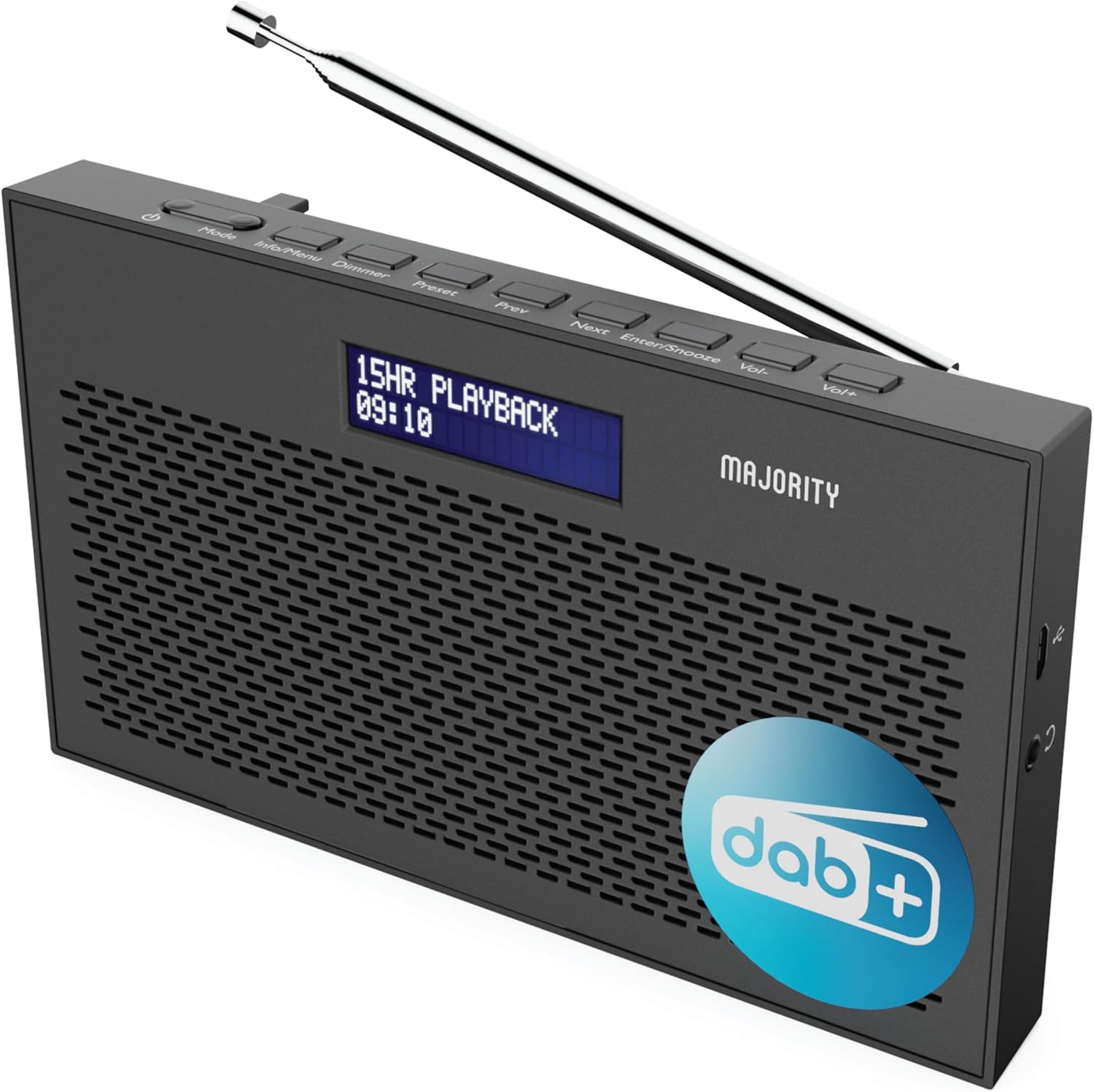
Pilt: detailne view of the Majority Histon radio, highlighting its compact design and front speaker.
Juhtnupud ja ekraan
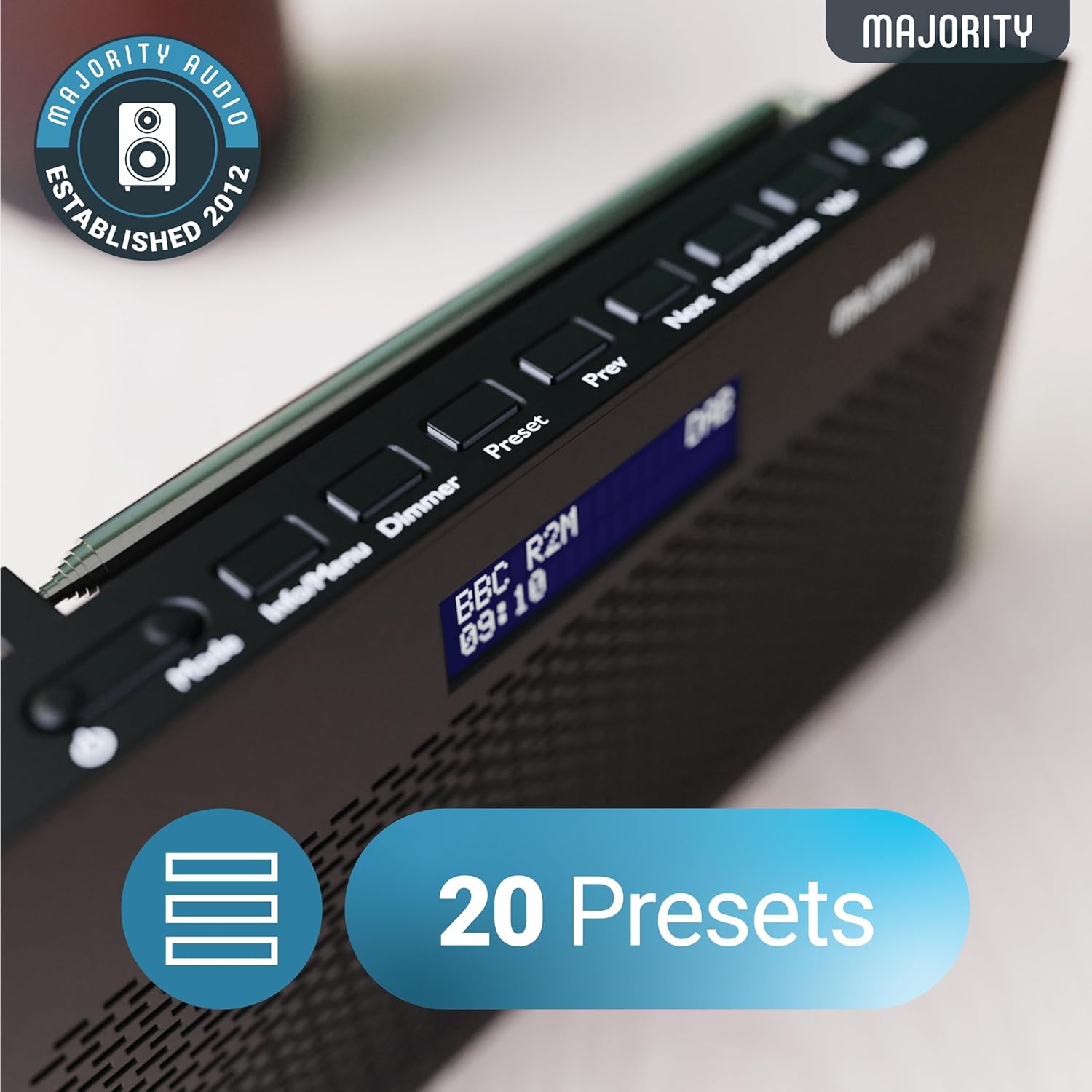
Image: A close-up of the radio's top panel, illustrating the various control buttons and the LED display showing station information.
- Režiim: Switches between DAB, FM, and other modes.
- Info/Menüü: Displays station information or accesses menu settings.
- dimmer: Reguleerib ekraani heledust.
- Eelseadistatud: Accesses or saves preset stations.
- Eelmine/Järgmine: Navigates through stations or menu options.
- Enter/Snooze: Confirms selections or activates snooze during an alarm.
- Vol-/Vol+: Reguleerib helitugevust.
Portid ja ühendused
- DC IN port: For connecting the mains power cable.
- 3.5 mm kõrvaklappide pesa: Privaatseks kuulamiseks.
- Akupesa: Located on the rear for 4 AA batteries (not included).
- Teleskoopantenn: Extendable for optimal signal reception.
Seadistamine
Sisselülitamine
The Histon radio can be powered by either the included mains power cable or 4 x AA batteries (not supplied).
- Toiteallikas: Connect the mains power cable to the DC IN port on the radio and plug the adapter into a wall socket.
- Aku võimsus: Open the battery compartment on the rear of the radio and insert 4 x AA batteries, ensuring correct polarity.

Image: The radio in a portable setting, emphasizing its 15-hour battery life capability.
Antenni reguleerimine
Extend the telescopic antenna fully for the best possible signal reception, especially for DAB/DAB+ and FM broadcasts.
Initial Scan (DAB/DAB+)
Upon first power-on, the radio will automatically perform a full scan for DAB/DAB+ stations. This process may take a few minutes. Once complete, the radio will tune to the first available station.
- If no stations are found, ensure the antenna is fully extended and reposition the radio, then perform a manual scan (see Operating Instructions).
Kasutusjuhised
DAB/DAB+ raadio kasutamine
- DAB-režiimi valimine: Vajutage nuppu Režiim nuppu, kuni kuvatakse "DAB".
- Jaama valik: Kasutage Eelmine or Edasi buttons to scroll through available DAB stations. Press Sisestage jaama valimiseks.
- Täielik kontroll: To perform a full scan for new stations, press and hold the Info/menüü button to enter the menu, then navigate to "Full Scan" and press Sisestage.
- Eelseadistatud jaamad:
- Eelseade salvestamine: Jaama kuulamise ajal vajutage ja hoidke all Eelseadistatud nuppu. Kasuta Eelmine/Järgmine , et valida eelhäälestatud number (1–20), seejärel vajutage Sisestage päästa.
- Eelseadistuse tagasikutsumine: Vajutage lühidalt nuppu Eelseadistatud nuppu. Kasuta Eelmine/Järgmine to scroll through saved presets, then press Sisestage to tune.
Image: The radio's control panel, highlighting the capability to store up to 20 preset radio stations.
FM-raadio töö
- FM-režiimi valimine: Vajutage nuppu Režiim nuppu, kuni ekraanile ilmub "FM".
- Automaatne skannimine: Vajutage ja hoidke all Sisestage to automatically scan for the next available FM station.
- Käsitsi häälestamine: Vajutage lühidalt Eelmine or Edasi to fine-tune the frequency in 0.05 MHz steps.
- Eelseadistatud jaamad: Saving and recalling FM presets follows the same procedure as DAB presets.
Alarmide seadistamine
The Histon radio features a dual alarm function.

Image: The radio displaying "DUAL ALARM" on its screen, illustrating its dual alarm capability.
- Vajutage ja hoidke all Info/menüü menüüsse sisenemiseks.
- Kasutage Eelmine/Järgmine to navigate to "System Settings" and press Sisestage.
- Navigate to "Alarm" and press Sisestage.
- Select "Alarm 1" or "Alarm 2" and press Sisestage.
- Configure the alarm time, duration, source (Buzzer, DAB, FM), frequency (Daily, Once, Weekends, Weekdays), and volume using Eelmine/Järgmine ja Sisestage.
- To activate/deactivate an alarm, select "On" or "Off" for the chosen alarm.
- Kui äratussignaal kõlab, vajutage Sisesta/edasi to snooze for 9 minutes, or press the Võimsus nuppu äratuse väljalülitamiseks.
Unetaimer
Unetaimer võimaldab raadiol pärast määratud aja möödumist automaatselt välja lülituda.
- Vajutage ja hoidke all Info/menüü menüüsse sisenemiseks.
- Navigate to "System Settings" and press Sisestage.
- Navigeeri valikule "Unerežiim" ja vajuta Sisestage.
- Kasutage Eelmine/Järgmine to select the desired sleep duration (e.g., 15, 30, 45, 60, 90, 120 minutes) or "Off". Press Sisestage kinnitamiseks.
Ekraani heledus
Reguleerige LED-ekraani heledust.
- Vajutage lühidalt nuppu Dimmer nuppu, et heleduse tasemeid vahetada.
Kõrvaklappide kasutamine
For private listening, connect standard 3.5mm headphones to the headphone jack on the side of the radio. The internal speaker will automatically mute when headphones are connected.
Veaotsing
| Probleem | Võimalik põhjus/lahendus |
|---|---|
| Puudub toide / Raadio ei lülitu sisse. |
|
| Poor DAB/FM reception or no stations found. |
|
| Heli on moonutatud või katkendlik. |
|
| Äratus ei helise. |
|
| Ekraan on tühi või loetamatu. |
|
Tehnilised andmed
- Mudel: Histon 2
- Toote mõõtmed: 18 x 4.5 x 11 cm (P x L x K)
- Kaal: 249 grammi
- Toiteallikas: Mains (via included adapter) or 4 x AA Batteries (not included)
- Toetatud raadiosagedused: DAB/DAB+, FM
- Eelseaded: 20 (DAB) / 20 (FM)
- Ühenduvus: 3.5mm Headphone Jack, DC IN Port
- Eriomadused: Portable, Lightweight, Automatic and Manual Tuning, Dual Alarm Clock, Sleep Timer, LED Display, Mono/Auto Switching in FM Mode

Image: A visual representation of the radio's dimensions for reference.
Hooldus
- Puhastamine: Raadio pinna puhastamiseks kasutage pehmet ja kuiva lappi. Ärge kasutage abrasiivseid puhastusvahendeid ega lahusteid.
- Hoiustamine: Kui raadiosaatjat pikemat aega hoiustate, eemaldage patareid lekke vältimiseks. Hoidke jahedas ja kuivas kohas.
- Kokkupuude veega: See raadio ei ole veekindel. Vältige kokkupuudet veega või kõrge õhuniiskusega.
- Antenni hooldus: Käsitsege teleskoopantenni ettevaatlikult, et vältida selle painutamist või purunemist.
Garantii ja tugi
The MAJORITY Histon radio comes with a 3-aastane garantii. To activate your warranty and for further support, please refer to the registration instructions provided with your purchase or visit the official MAJORITY websaidile.
For technical assistance or warranty claims, please contact MAJORITY customer support through their official channels. Keep your proof of purchase for warranty validation.

Image: A graphic highlighting the 3-year warranty provided with Majority audio products.