
1. Sissejuhatus
This manual provides essential information for the safe and efficient operation of your Lenco L-30BK Belt Drive Turntable. Please read these instructions thoroughly before using the device and retain them for future reference. The Lenco L-30BK is designed for playing vinyl records at 33 and 45 RPM, featuring a built-in preamplifier and USB connectivity for digitizing your vinyl collection.
2. Ohutusalane teave
- Toiteallikas: Veenduge, et toiteallikas voltage vastab seadmel toodud nõuetele. Kasutage ainult kaasasolevat toiteadapterit.
- Vesi ja niiskus: Ärge jätke seadet vihma, niiskuse ega tilkuvate/pritsivate vedelike kätte. Ärge asetage seadmele vedelikega täidetud esemeid, näiteks vaase.
- Ventilatsioon: Tagage piisav ventilatsioon. Ärge blokeerige ventilatsiooniavasid.
- Kuumus: Hoidke seadet eemal soojusallikatest, näiteks radiaatoritest, küttekehadest, pliitidest või muudest seadmetest (sh amptõsteseadmed), mis toodavad soojust.
- Puhastamine: Enne puhastamist eemaldage seade seinakontaktist. Kasutage pehmet ja kuiva lappi. Ärge kasutage vedelaid ega aerosoolpuhastusvahendeid.
- Teenindus: Ärge proovige seda toodet ise hooldada. Andke kõik hooldustööd kvalifitseeritud hooldustöötajatele.
- Paigutus: Place the turntable on a stable, level surface to prevent vibrations and ensure proper playback.
3. Pakendi sisu
Palun kontrollige, et pakendis on kõik allpool loetletud esemed:
- Lenco L-30BK Turntable Unit
- Tolmukate
- Vaagen
- Turvavöö
- Slipmat
- Vahelduvvoolu adapter
- USB kaabel
- RCA helikaabel
- Kasutusjuhend
- Pick-up Needle (pre-installed on cartridge)
4. Toote lõppview
Familiarize yourself with the components of your Lenco L-30BK turntable.

Joonis 4.1: Esiosa view of the Lenco L-30BK Turntable with the dust cover open, revealing the main components including the platter, tonearm, and control buttons.

Joonis 4.2: Rear panel connections of the Lenco L-30BK, including RCA audio outputs (L/R), USB port, DC12V power input, and the main power switch.
Põhikomponendid:
- Vaagen: Ümmargune platvorm, kuhu paigutatakse dokumente.
- Toonar: Holds the cartridge and stylus, which reads the grooves of the record.
- Cartridge and Stylus: Converts physical vibrations into electrical signals. The L-30BK features a Movable Magnet Sensor (MMC) with an individually replaceable stylus.
- Kiiruse valija: Switch to select between 33 and 45 RPM playback speeds.
- Automaatne väljalülitus: Automatically stops the platter rotation at the end of a record.
- Tolmukate: Kaitseb plaadimängijat tolmu eest, kui seda ei kasutata.
- RCA Audio Outputs (L/R): Välise seadmega ühendamiseks amptõstukõlarid või aktiivsed kõlarid.
- USB-port: For connecting to a computer to digitize vinyl records.
- DC12V toite sisend: Toiteadapteri ühendamiseks.
5. Seadistamine
5.1 Lahtipakkimine ja paigutamine
- Võtke plaadimängija ettevaatlikult pakendist välja.
- Place the unit on a stable, level surface, away from direct sunlight, heat sources, and excessive dust or vibrations.
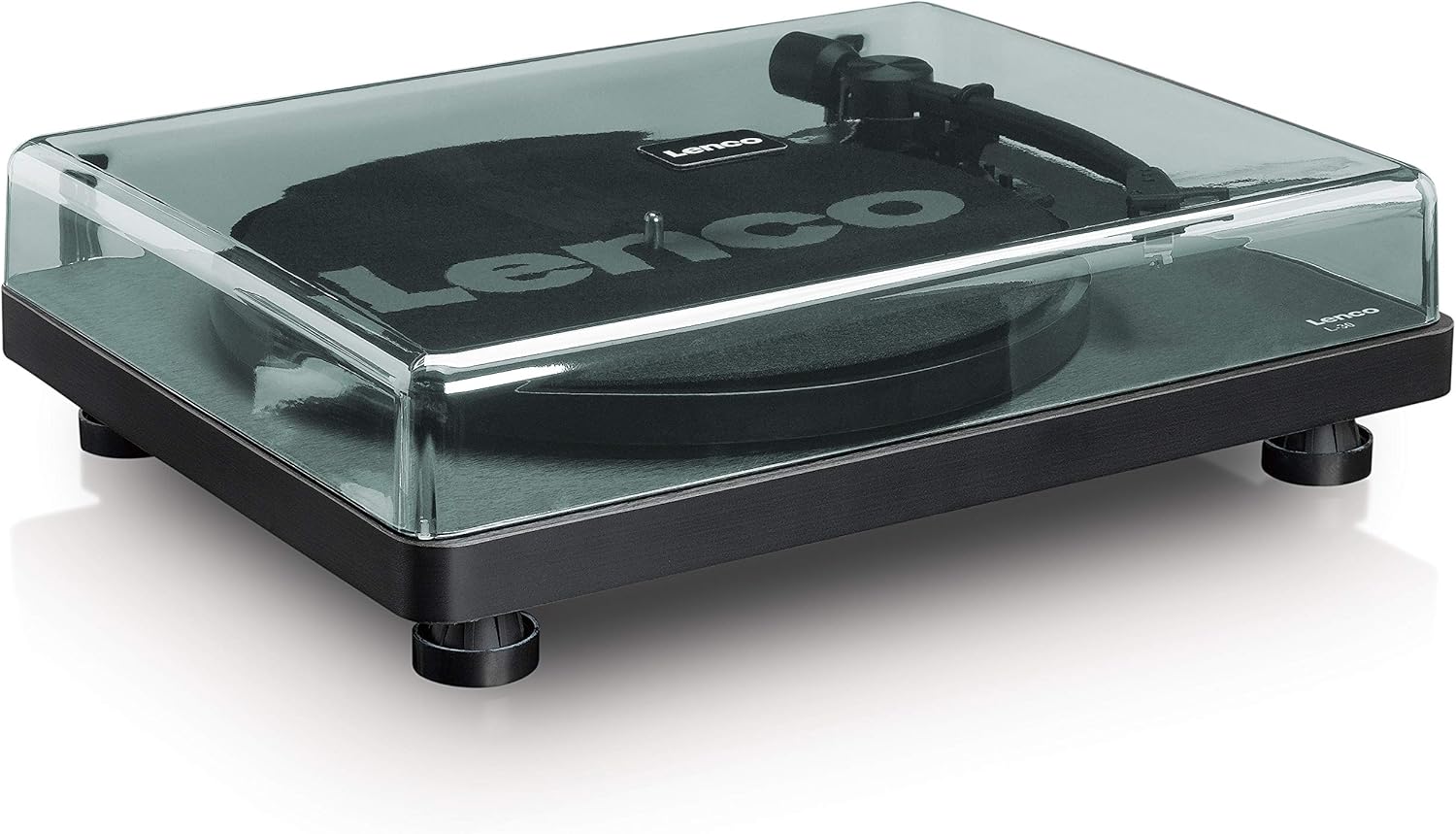
- Install the dust cover by aligning its hinges with the slots on the back of the turntable.

Joonis 5.1: The Lenco L-30BK Turntable with its protective dust cover closed, ready for placement.
5.2 Taldriku ja rihma paigaldamine
- Asetage vaagen plaadimängija spindlile.
- Locate the drive belt, typically found underneath the platter or separately packaged.
- Carefully stretch the drive belt around the motor pulley and the inner rim of the platter. Ensure the belt is not twisted.
- Asetage libisemismatt vaagna peale.
5.3 Heliühendus
The L-30BK has a built-in preamplifier, allowing direct connection to most audio systems.
- Connect the RCA audio cable (red for right channel, white for left channel) from the AUDIO OUT jacks on the rear of the turntable to the LINE IN or AUX IN jacks on your amptõstukõlarid või aktiivsed kõlarid.
5.4 Toiteühendus
- Connect the DC12V power adapter to the DC12V POWER input on the rear of the turntable.
- Ühendage toiteadapter sobivasse seinakontakti.
5.5 USB Connection (for Digitization)
- To digitize your vinyl records, connect the USB cable from the USB port on the rear of the turntable to an available USB port on your computer (PC or Mac).
6. Kasutusjuhised
6.1 Sisse-/väljalülitamine
- Flip the ON/OFF switch on the rear panel to the 'ON' position to power on the turntable.
- Flip the switch to 'OFF' when not in use.
6.2 Plaadi esitamine
- Place a record on the platter, ensuring it is centered.
- Select the appropriate speed (33 or 45 RPM) using the speed selector switch. For 45 RPM singles, place the included adapter on the spindle if needed.
- Tõstke toonarm klahvistiku hoova abil üles.
- Asetage toonarm käsitsi plaadi soovitud algussoone kohale.
- Gently lower the tonearm using the cueing lever. The stylus will descend onto the record, and playback will begin.
- At the end of the record, the auto shut-off function will stop the platter rotation. Lift the tonearm and return it to its rest.

Joonis 6.1: Proper technique for lowering the tonearm onto a record for playback.
Joonis 6.2: Üksikasjalik view of the Movable Magnet Sensor (MMC) cartridge and stylus assembly.
6.3 Kirjete digiteerimine USB kaudu
The L-30BK allows you to convert your vinyl records into digital audio files kasutab arvutit.
- Ühendage plaadimängija arvutiga kaasasoleva USB-kaabli abil.
- Download and install audio recording software such as Audacity (available online for free) on your computer.
- Open the recording software and select the USB Audio Device as the input source.
- Start recording in the software, then begin playing your record on the turntable as described in section 6.2.
- Once the record finishes, stop the recording in the software and save your digitized audio file.
7. Hooldus
7.1 Pöördlaua puhastamine
- Enne puhastamist eemaldage plaadimängija alati vooluvõrgust.
- Use a soft, dry, lint-free cloth to wipe the cabinet and dust cover.
- Ärge kasutage abrasiivseid puhastusvahendeid, vaha ega lahusteid, kuna need võivad viimistlust kahjustada.
7.2 Pliiatsi hooldus ja vahetamine
- The stylus is a delicate component. Avoid touching it with your fingers.
- Clean the stylus regularly using a soft brush, gently brushing from back to front.
- The stylus should be replaced after approximately 300-500 hours of playback, or if you notice a degradation in sound quality.
- To replace the stylus, carefully pull the old stylus assembly forward and down from the cartridge. Insert the new stylus assembly by pushing it upwards and backwards into the cartridge until it clicks into place.
8. Veaotsing
If you encounter problems with your turntable, refer to the following common issues and solutions:
| Probleem | Võimalik põhjus | Lahendus |
|---|---|---|
| Pole jõudu | Power adapter not connected; Power switch off; Wall outlet faulty. | Ensure power adapter is securely connected; Turn power switch to 'ON'; Test wall outlet with another device. |
| Heli pole või helitugevus on madal | RCA cables not connected correctly; Amplifier/speakers off or volume low; Input selected incorrectly on ampelujõulisem. | Check RCA cable connections; Turn on amplifier/speakers and adjust volume; Select correct input source on your audio system. |
| Moonutatud heli | Dirty stylus; Damaged stylus; Dirty record; Turntable not on a stable surface. | Clean the stylus; Replace the stylus if damaged; Clean the record; Ensure turntable is on a stable, level surface. |
| Salvestuse vahelejätmine | Dirty or scratched record; Stylus worn or damaged; Turntable not level; External vibrations. | Clean the record; Replace the stylus; Ensure turntable is level; Place turntable away from sources of vibration. |
| USB-salvestuse probleemid | USB cable not connected; Incorrect input selected in software; Software not installed. | Check USB cable connection; Select 'USB Audio Device' as input in recording software; Install Audacity or similar software. |
9. Tehnilised andmed
| Mudeli nimi | L-30BK |
| Kaubamärk | Lenco |
| Ajami tüüp | Rihmülekanne |
| Kiirused | 33 1/3, 45 p / min |
| Preampelujõulisem | Sisseehitatud |
| Kasseti tüüp | Movable Magnet Sensor (MMC) |
| Ühenduvus | USB, RCA Audio Out |
| Automaatne väljalülitus | Jah |
| Vaagna läbimõõt | 300 mm |
| Materjal | Wood (Enclosure) |
| Värv | Must |
| Kauba kaal | 3.28 kilogrammi |
| Mõõdud (P x L x K) | 41 L x 32 L x 12 H sentimeetrit |
| Signaali-müra suhe | 60 dB |
| Voltage | 240 volti |
| Toiteallikas | Juhtmega elekter |
10. Garantii ja tugi
Lenco products are manufactured to high quality standards. In the event of a defect, your product is covered by the terms of the warranty in your country of purchase. For detailed warranty information, please refer to the warranty card included with your product or visit the official Lenco website. For technical support or service inquiries, please contact Lenco customer service through their official channels.