Sissejuhatus
This manual provides essential information for setting up, operating, and maintaining your Logitech Wireless Mouse M215. Please read this manual thoroughly before using the product to ensure optimal performance and longevity.
Pakendi sisu
- Logitech juhtmeta hiir M215
- USB nano vastuvõtja
- 1 AA-patarei (eelinstallitud või kaasas)
- Kasutajadokumentatsioon (käesolev juhend)
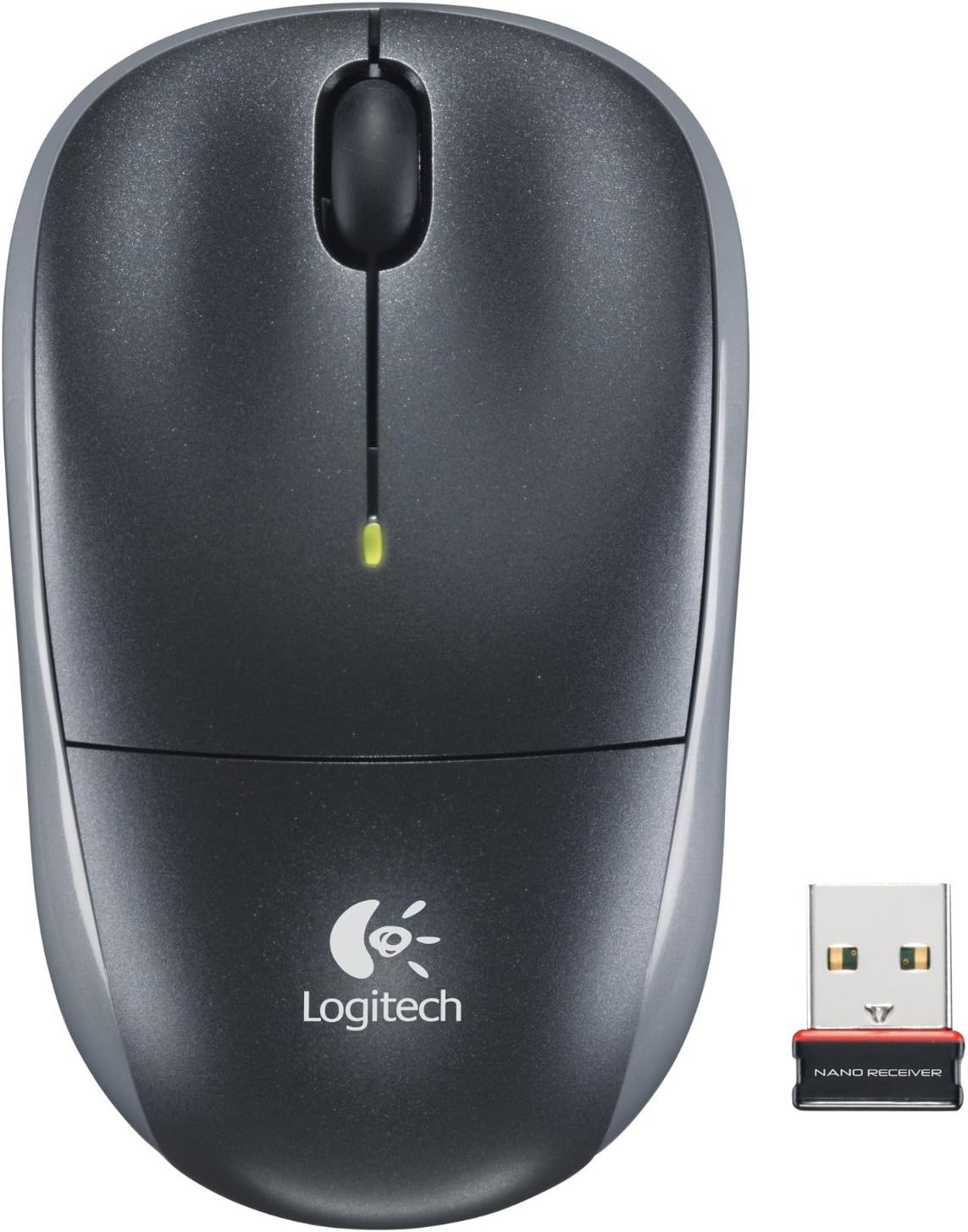
Image: The Logitech Wireless Mouse M215, a compact dark grey mouse with a scroll wheel and two main buttons, shown alongside its small USB Nano Receiver. The mouse features the Logitech logo on its palm rest.
Seadistamine
1. Paigaldage aku
The Logitech Wireless Mouse M215 requires one AA battery. The battery compartment is located on the underside of the mouse. Open the compartment, insert the AA battery ensuring correct polarity (+/-), and close the compartment. A battery is included with the mouse.
2. Ühendage USB nanovastuvõtja
Locate an available USB port on your computer (desktop or laptop). Insert the USB Nano Receiver firmly into the USB port. Your operating system should automatically detect and install the necessary drivers. No additional software installation is typically required.
3. Power On Mouse
On the underside of the mouse, locate the On/Off switch. Slide the switch to the "On" position. The mouse is now ready for use.
Kasutusjuhised
The Logitech Wireless Mouse M215 provides intuitive control for your computer.
- Vasak klõps: Vajutage vasakut nuppu üksuste valimiseks, linkide avamiseks või funktsioonide aktiveerimiseks.
- Paremklõps: Kontekstimenüüde avamiseks või lisavalikutele juurdepääsuks vajutage parempoolset nuppu.
- Kerimisratas: Dokumentide vahel liikumiseks kerige kerimisratast üles või alla web lehekülgi.
- Keskmine klõps (kerimisratta nupp): Press the scroll wheel down to activate middle-click functions, such as opening links in new tabs or auto-scrolling.
- Liikumine: Move the mouse across a flat surface to control the cursor on your screen. The optical sensor provides smooth and precise tracking.
The mouse is designed for comfortable use, allowing for easy text selection and effortless scrolling.
Hooldus
- Puhastamine: Hiire välispinna puhastamiseks kasutage pehmet ja kuiva lappi. Kangekaelse mustuse korral kasutage kergelt kuiva lappi.amp Võib kasutada lappi, aga veenduge, et niiskus ei satuks sisemistesse komponentidesse. Vältige abrasiivseid puhastusvahendeid või lahusteid.
- Patarei vahetus: When the battery indicator light (if present) glows red or mouse performance degrades, replace the AA battery. Ensure the mouse is turned off before replacing the battery.
- Vastuvõtja salvestusruum: The USB Nano Receiver can be stored inside the mouse's battery compartment when not in use, which is convenient for travel and prevents loss.
Veaotsing
| Probleem | Lahendus |
|---|---|
| Hiir ei reageeri. |
|
| Kursori liikumine on ebakindel või hüplik. |
|
| Hiir katkeb sageli. |
|
Tehnilised andmed
- Mudel: M215 (910-001543)
- Ühenduvus: 2.4 GHz traadita (USB nanovastuvõtja)
- Liikumise tuvastamine: Optiline
- Aku tüüp: 1 x AA (kaasas)
- Mõõdud: 5.88 x 3.5 x 8.25 tolli (toote mõõtmed)
- Kaal: 8 untsi (toote kaal)
- Tootja: Logitech, Inc.
- Värv: Black, red and blue
Garantii ja tugi
Garantiiteabe ja tehnilise toe saamiseks külastage Logitechi ametlikku tugilehte websaidil või vaadake tootega kaasasolevat garantiikaarti. Võite külastada ka Logitechi pood Amazonis lisateabe saamiseks.
Logitech, Inc.
ASIN: B003OX1LEO